
Zanus AI Pricing Breakdown: Is This Private Enterprise AI Worth the Cost? (2027)
If you have been searching for Zanus AI pricing and hitting a wall — you are not alone.…
Read →Want to create an original anime character without spending hours drawing every detail?
The best AI tools for anime character design can turn a simple idea into detailed anime characters, manga concepts, avatars, fantasy warriors, game characters, VTuber designs, and more—often in just a few minutes.
Whether you’re an anime artist, manga creator, game developer, VTuber, content creator, or complete beginner, AI can help you experiment with hairstyles, outfits, poses, facial expressions, colors, and different art styles much faster.
But which AI anime character generator should you use?
We tested and reviewed the most relevant AI image and creative tools available through HeloAiTools to create this list of the 15+ best AI tools for anime character design in 2026.
If you want to create anime characters with AI, these are some of the best options to explore:
Let’s look at each one.
NightCafe Studio is one of the strongest options if you want to experiment with AI-generated artwork and characters.
It supports multiple AI image models and includes features for creating and maintaining consistent characters. HeloAiTools currently lists it as a freemium AI art and image-generation platform.
Its character-consistency functionality makes it particularly interesting for creators working on recurring characters or visual storytelling.
Best for: Anime artists, character creators, digital artists, and beginners.
👉 Try NightCafe Studio and explore its current plans
Leonardo.Ai is a popular choice for creators who want more control over AI-generated visual content.
It can be useful for developing:
Best for: Game developers, artists, designers, and advanced AI creators.
👉 Explore Leonardo.Ai
Artbreeder is useful when your goal is to experiment with character appearances and visual concepts.
Instead of relying only on a text prompt, creators can explore different visual characteristics and generate variations.
You can experiment with:
Best for: Character exploration and creative experimentation.
👉 Explore Artbreeder
Fotor combines AI image generation with image editing, making it a practical option for beginners.
Its AI features include text-to-image generation, background removal, object removal, photo enhancement, artistic effects, and more.
This makes Fotor useful when you want to generate an anime character and then make quick changes to the result.
Best for: Beginners and social media creators.
👉 Check Fotor’s current plans and features
ArtSmart AI is designed to help users create images using artificial intelligence.
It can be useful for creating anime-inspired character concepts, fantasy artwork, illustrations, and visual ideas.
Best for: Creators who want a straightforward AI art generation workflow.
👉 Explore ArtSmart AI
Adobe Firefly is a strong option for creators who want AI generation combined with a broader creative ecosystem.
You can use it for visual concepts, image generation, editing, and creative experimentation.
Best for: Designers, marketers, professional creators, and Adobe users.
👉 Explore Adobe Firefly
SUPERMACHINE lets users generate images by describing what they want.
For anime character design, you can experiment with prompts covering:
Best for: AI artists and creators experimenting with visual generation.
👉 Try SUPERMACHINE
Dream by WOMBO is worth considering if you want to turn simple ideas into stylized AI artwork.
It’s particularly useful for quick experiments when you don’t want a complicated creative workflow.
Best for: Beginners, hobbyists, and quick anime-style concepts.
👉 Explore Dream by WOMBO
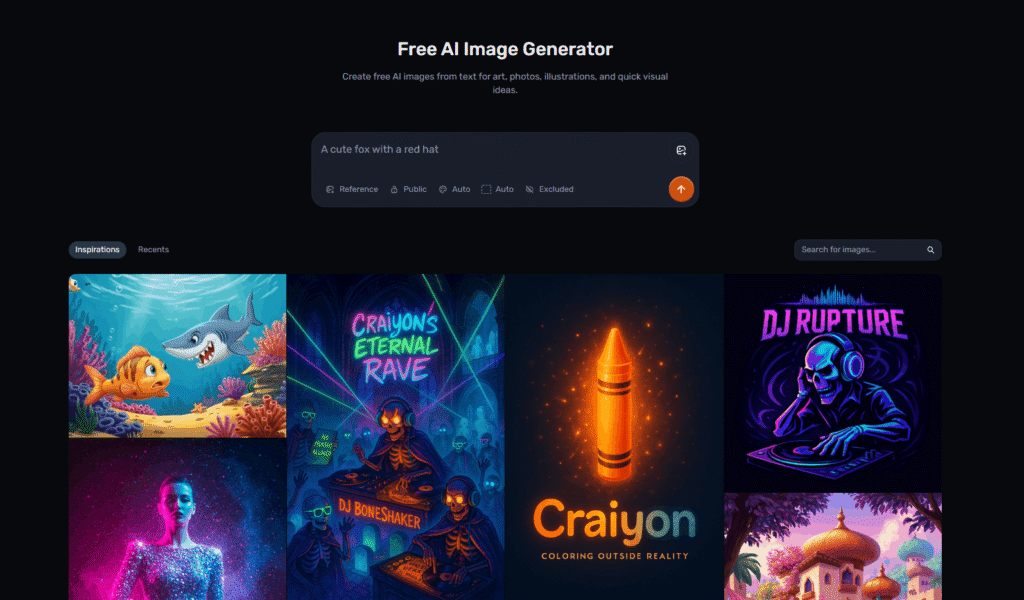
Craiyon provides a straightforward way to turn text prompts into AI-generated images.
It’s useful for brainstorming anime character ideas before moving to a more advanced tool.
For example:
anime fantasy warrior, silver hair, blue eyes, black armor, glowing sword
You can generate several concepts and use the strongest idea as a starting point.
Best for: Beginners and rapid concept generation.
👉 Try Craiyon AI
Neural Love is an AI creative platform that can help with AI artwork and image-related workflows.
It can be useful after generating an anime character when you want to improve or transform the visual result.
Best for: AI artists who need both generation and image enhancement capabilities.
👉 Explore Neural Love
Aura AI is another option for creators experimenting with AI-generated images.
Use it to explore different character concepts, visual styles, and creative directions.
Best for: Creators looking for another AI image-generation option.
👉 Check out Aura AI
Generating an anime character is only the first step.
You may also need to edit the result.
An AI image editor can help you modify:
This makes an image editor a useful part of an AI anime character workflow.
Best for: Creators who already have a character image and want to modify it.
👉 Explore AI Image Editor
Pixlr can be useful for creators who want to edit and polish AI-generated character artwork.
You can use image-editing workflows to prepare anime artwork for:
Best for: Beginners who want accessible image editing.
👉 Explore Pixlr
Deep Dream Generator is worth exploring if you’re interested in experimental AI artwork and unusual visual styles.
It’s particularly useful for creators who don’t want every character to look like a standard AI-generated image.
Best for: Experimental artists and creators looking for unique visual styles.
👉 Explore Deep Dream Generator
DomoAI is another interesting platform for creators working with AI-generated visual content.
It can be especially useful when your project extends beyond a single still image and you want to experiment with anime-style creative content.
Best for: Anime creators, content creators, and visual storytellers.
👉 Explore DomoAI
RenderNet is another AI creative tool listed in the HeloAiTools directory.
If you’re comparing different AI platforms for character generation and visual creation, it’s worth testing alongside the other options in this list.
Best for: Creators comparing AI character and image-generation workflows.
👉 Check RenderNet
| AI Tool | Best For | Beginner Friendly | Character Design |
|---|---|---|---|
| NightCafe | Overall AI art | ⭐⭐⭐⭐⭐ | ⭐⭐⭐⭐⭐ |
| Leonardo.Ai | Detailed concepts | ⭐⭐⭐⭐ | ⭐⭐⭐⭐⭐ |
| Artbreeder | Character experiments | ⭐⭐⭐⭐ | ⭐⭐⭐⭐⭐ |
| Fotor | Easy creation + editing | ⭐⭐⭐⭐⭐ | ⭐⭐⭐⭐ |
| ArtSmart AI | AI art | ⭐⭐⭐⭐ | ⭐⭐⭐⭐ |
| Adobe Firefly | Professional workflows | ⭐⭐⭐⭐ | ⭐⭐⭐⭐ |
| SUPERMACHINE | AI images | ⭐⭐⭐⭐ | ⭐⭐⭐⭐ |
| Dream by WOMBO | Quick artwork | ⭐⭐⭐⭐⭐ | ⭐⭐⭐⭐ |
| Craiyon | Simple generation | ⭐⭐⭐⭐⭐ | ⭐⭐⭐ |
| Neural Love | Art + enhancement | ⭐⭐⭐⭐ | ⭐⭐⭐⭐ |
| Aura AI | Image generation | ⭐⭐⭐⭐ | ⭐⭐⭐⭐ |
| AI Image Editor | Character editing | ⭐⭐⭐⭐⭐ | ⭐⭐⭐⭐ |
| Pixlr | Image editing | ⭐⭐⭐⭐⭐ | ⭐⭐⭐ |
| Deep Dream Generator | Experimental art | ⭐⭐⭐⭐ | ⭐⭐⭐ |
| DomoAI | Anime creative content | ⭐⭐⭐⭐ | ⭐⭐⭐⭐⭐ |
| RenderNet | Character workflows | ⭐⭐⭐⭐ | ⭐⭐⭐⭐ |
The right tool depends on your goal.
Choose NightCafe if you want an AI art platform with multiple models, character creation, and character consistency features. HeloAiTools currently lists consistent-character functionality among NightCafe’s features.
Choose Leonardo.Ai when you want more control over visual concepts and character artwork.
Choose Artbreeder when you want to explore different character appearances and variations.
Fotor is a good choice if you want AI generation and editing in the same platform. Its HeloAiTools listing includes AI image generation, background removal, object removal, and other editing features.
DomoAI is worth testing if your focus is specifically on anime-oriented visual content.
Creating an anime character doesn’t require a complicated workflow.
Decide:
For example:
Original anime female warrior, long silver hair, violet eyes, black and silver fantasy armor, glowing blue sword, confident expression, full body, dynamic pose, cinematic lighting, detailed anime illustration.
Don’t settle for the first image.
Generate several versions and compare the:
Use an AI image editor to correct or improve the image.
You can change the background, remove unwanted objects, adjust colors, or improve the composition.
If you’re creating a recurring character, save the strongest version as your reference image.
This becomes especially important for:
A simple formula is:
Character + Appearance + Outfit + Pose + Environment + Art Style + Lighting + Composition
For example:
Original anime male protagonist, spiky black hair, bright blue eyes, futuristic white jacket, holding a glowing sword, standing on a futuristic Tokyo street, dynamic anime illustration, cinematic lighting, full-body character concept art.
You can then modify individual elements without changing the entire concept.
Original anime fantasy warrior, long silver hair, violet eyes, black armor, glowing blue sword, dramatic battle pose, cinematic lighting, highly detailed anime artwork.
Original anime cyberpunk hero, short neon-blue hair, futuristic black jacket, glowing cybernetic eye, futuristic city background, cinematic anime artwork.
Original anime magical girl, pink hair, sparkling magical outfit, glowing wand, colorful fantasy background, expressive face, detailed anime illustration.
Original anime samurai warrior, long dark hair, traditional-inspired armor, katana, sunset background, dramatic lighting, detailed character design.
Original anime villain, white hair, red eyes, elegant black outfit, mysterious expression, dark fantasy environment, dramatic shadows.
Original anime school character, brown hair, expressive eyes, modern school uniform, classroom background, soft natural lighting.
Anime RPG character concept, female elemental mage, purple hair, glowing magical symbols, fantasy armor, full-body character design.
Cute anime VTuber character, pastel purple hair, expressive eyes, futuristic accessories, stylish outfit, clean character design, front-facing portrait.
Original manga character, young swordsman, dramatic facial expression, dynamic action pose, detailed manga linework, black and white illustration.
Elegant anime fantasy princess, long golden hair, blue eyes, ornate white and gold dress, magical castle background, cinematic fantasy illustration.
AI can help manga creators brainstorm:
However, AI-generated artwork should be treated as part of the creative workflow rather than automatically assuming the first generated image is production-ready.
For a manga project, consistency is particularly important.
Game developers can use AI to quickly brainstorm:
The generated artwork can serve as concept references during the development process.
For production assets, developers should still review licensing, originality, consistency, and technical requirements.
AI can also help brainstorm VTuber concepts.
You can experiment with:
However, a production-ready VTuber model may require additional illustration, Live2D rigging, or 3D work.
Some AI tools offer free generations or free credits, while others use subscriptions or credit-based pricing.
Before choosing a tool, check:
Possibly, but always check the current terms of the individual AI platform.
This is particularly important if you plan to use an AI-generated character for:
Also avoid intentionally reproducing protected characters from existing anime, manga, or games.
Creating an original fantasy warrior with a general anime aesthetic is different from attempting to reproduce a specific copyrighted character.
Character consistency is one of the biggest challenges with AI image generation.
Create a simple character reference sheet containing:
Then reuse the same core description and reference image whenever possible.
For example:
Core character:
Anime female warrior, long silver hair, violet eyes, black and silver armor, blue gemstone necklace.
Then change only the scene:
standing in a forest at sunset
or:
fighting in a futuristic city
This gives you a better chance of maintaining a recognizable character identity.
For the best results, don’t rely on a single AI tool.
A simple workflow can be:
Idea → Generate → Select → Refine → Edit → Upscale → Publish
Use a tool such as NightCafe, Leonardo.Ai, ArtSmart AI, Fotor, or another image generator.
Generate multiple variations and choose the strongest character.
Improve the prompt and regenerate important details.
Use an AI image editor or Pixlr to clean up the result.
Increase the resolution if required.
Use the final artwork for your approved project and intended use.
If you want to compare more options, explore these HeloAiTools categories:
AI Tools for Cartoon Generators
AI Tools for Design Generators
The best AI tools for anime character design depend on what you’re trying to create.
If you want a strong all-around option, NightCafe Studio is a great starting point. If you’re focused on detailed visual concepts, explore Leonardo.Ai. For character experimentation, try Artbreeder. For beginners who want generation and editing together, Fotor is worth considering.
For anime-focused creative workflows, also test DomoAI, while tools such as ArtSmart AI, Supermachine, Adobe Firefly, Neural Love, Aura AI, and Craiyon give you additional options for experimentation.
The best approach is to test several tools, compare their output quality, pricing, controls, and licensing, and then build a workflow around the platform that consistently produces the style you need.
Ready to create your first AI anime character?
Some strong options include NightCafe Studio, Leonardo.Ai, Artbreeder, Fotor, ArtSmart AI, Adobe Firefly, DomoAI, and other AI image-generation platforms.
Fotor, Craiyon, and Dream by WOMBO are approachable options for beginners who want to experiment with AI-generated artwork without a complicated workflow.
Yes. AI image-generation tools can create original anime-style character concepts from text prompts and, depending on the platform, reference images.
Use a consistent character description, reference image, and any character-consistency features offered by your chosen platform. NightCafe, for example, currently lists consistent-character functionality among its features.
It depends on the AI platform and its licensing terms. Always check the current commercial-use terms before using generated characters for commercial products or client work.
Yes. Many AI image generators allow you to create character concepts using text prompts without traditional drawing skills.
Look for platforms with reference-image or dedicated character-consistency features. NightCafe is one option to investigate because its current listing specifically includes consistent character creation.
Some offer free plans, credits, or limited generations, while others require subscriptions. Check the individual tool listing for current pricing and plan details.
Yes. AI can be useful for early-stage game character concepts, NPC ideas, costumes, poses, and visual references.
Yes. AI image-generation and avatar tools can create anime-style profile pictures and character concepts.

If you have been searching for Zanus AI pricing and hitting a wall — you are not alone.…
Read →Searching “free AI video generator no watermark no sign up” usually turns up a wall of listicles promising…
Read →Three tools. Three completely different answers to the same question. The question is: what does “best AI video…
Read →