
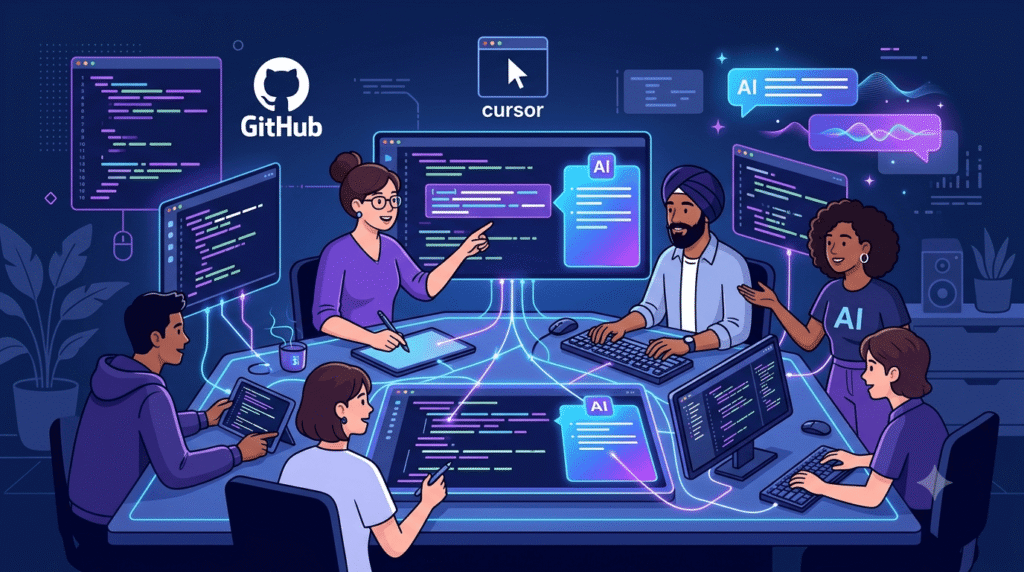
12 Best AI Tools for Social Media Marketing in 2026: Tested by Use Case
Managing social media in 2026 means producing more content, across more platforms, at higher quality, with smaller teams…
Read →The question isn’t just “which AI writes the best code?” — it’s “which AI coding tool keeps the whole team aligned, visible, and shipping together?”
In 2026, that distinction matters more than ever. AI coding agents can now handle entire features end-to-end. But an agent that only one developer can see, control, or review creates new coordination problems even as it solves old productivity ones.
This guide the 8 best AI coding tools for team collaboration — evaluated on shared context, code review, real-time editing, governance, and how well they fit teams of different sizes and technical levels.
Before the rankings, here’s the framework we used to evaluate each tool:
| Tool | Best For | Team Plan Price | Free Plan | Collaboration Style |
|---|---|---|---|---|
| GitHub Copilot | GitHub-native teams | $19/user/mo | ❌ | PR & issue-centered |
| Cursor Teams | Standardized AI IDE | $40/user/mo | ✅ (limited) | Editor-centered |
| Replit | Browser-native shared builds | $26/user/mo | ✅ | Live shared environment |
| Tabnine | Privacy-first enterprise teams | Custom | ✅ | IDE-integrated, policy-controlled |
| Zed | Real-time human pair coding | $30/seat/mo | ✅ | Multiplayer editor |
| Taskade | All-in-one productivity + agents | $49/mo (team) | ✅ | Workspace-embedded agents |
| n8n | Technical teams, agent orchestration | €60/mo | ✅ (self-hosted) | Workflow-level collaboration |
| Devin | Async ticket delegation | $20/mo | ✅ (limited) | Async agent assignment |
Best for: Teams already using GitHub for source control, issues, and PRs Team pricing: Business 39/user/mo Free plan: ❌
GitHub Copilot is the most natural choice for teams whose entire development lifecycle already runs through GitHub. In 2026, it’s evolved well beyond autocomplete — Agent Mode can now write code, create pull requests, respond to review feedback, and run background tasks autonomously, all within the GitHub workflow your team already uses.
The collaboration advantage is organizational familiarity. An AI agent’s work enters the same issue → branch → PR → review pipeline as human work. Existing permissions, checks, and reviewers still apply. There’s no new platform to learn, no new access controls to configure, and no context that lives outside your existing stack.
What makes it great for teams:
Limitations for teams:
Pricing: Individual 19/user/mo | Enterprise $39/user/mo
Team verdict: If your team lives in GitHub, Copilot is the lowest-friction AI upgrade you can make. It doesn’t reinvent your workflow — it makes it faster.
Best for: Engineering teams that want every developer on the same AI-first editor Team pricing: $40/user/mo (Teams) | Enterprise custom Free plan: ✅ (limited individual plan)
Cursor is the most widely adopted AI coding IDE in 2026, with over 1 million active users. The Teams tier adds the organizational layer that makes it genuinely collaborative: centralized billing, usage analytics, SAML/OIDC SSO, shared rules and skills via a team marketplace, and Bugbot — an agentic code reviewer that automatically reviews PRs before humans do.
The key value for teams is standardization. When every developer uses the same AI-first editor with the same shared rules, prompts, and model configurations, you eliminate the “everyone configured their agent differently” problem that creates inconsistent output and review headaches.
What makes it great for teams:
Limitations for teams:
Pricing: Free (individual, limited) | Pro 40/user/mo | Enterprise custom
Team verdict: Cursor Teams is the best choice when your goal is a consistent, high-quality AI coding experience across every developer’s machine.
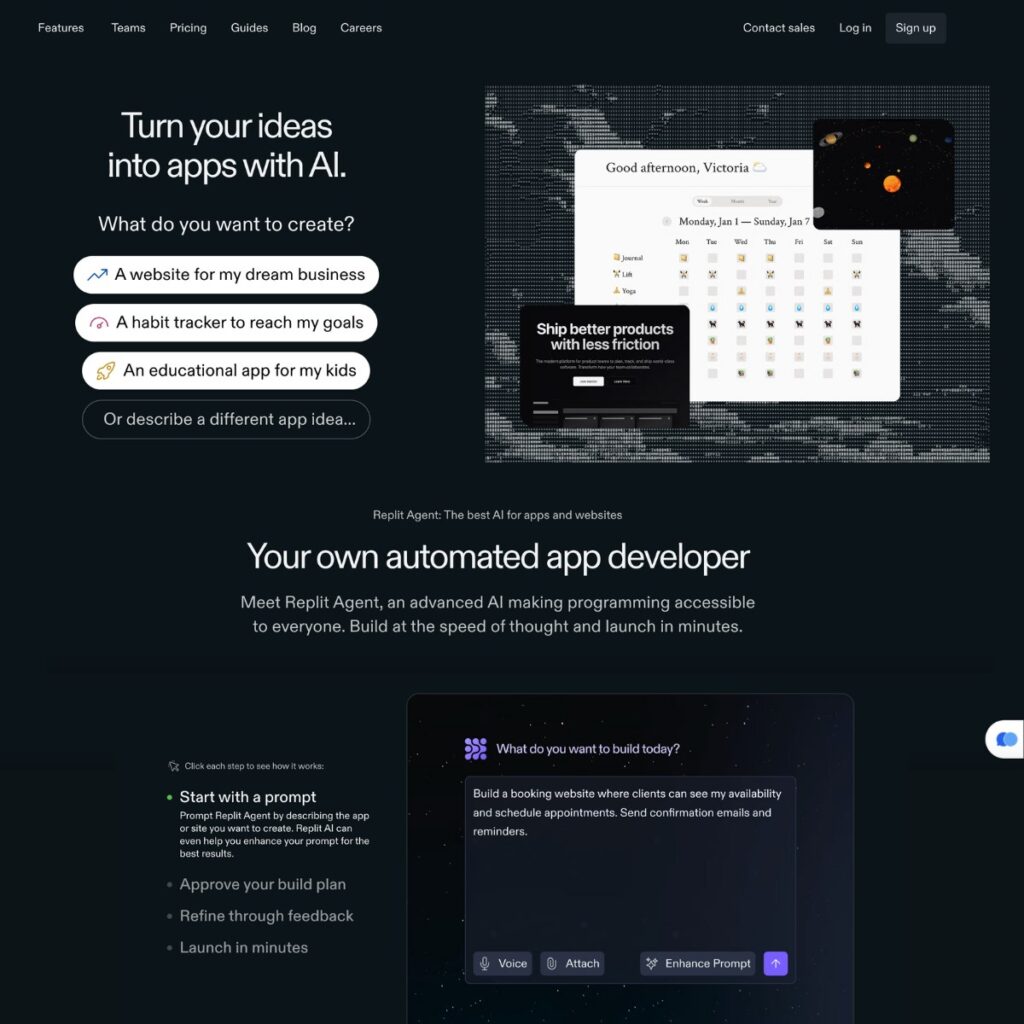
Best for: Teams that want instant shared environments, fast prototyping, and zero local setup Team pricing: Teams $26/user/mo | Enterprise custom Free plan: ✅
Replit is the only tool on this list where the entire project — code, runtime, collaboration, and deployment — lives in the browser. That single architectural decision makes it uniquely powerful for team collaboration: there’s no “works on my machine” problem, no environment setup friction, and no delay between writing code and sharing a live URL.
Replit Agent can build from natural-language requirements, and teammates can inspect, continue, or fork the project in the same hosted environment. For startups, internal tools, and teaching environments, this is the fastest path from idea to shared, working product.
What makes it great for teams:
Limitations for teams:
Pricing: Free | Core 26/user/mo | Enterprise custom
Team verdict: For teams that value speed and shared environments over local-first control, Replit removes more friction than any other tool on this list.
Best for: Regulated industries, enterprise teams with strict data privacy requirements Team pricing: Enterprise custom Free plan: ✅ (basic)
Tabnine’s entire value proposition for teams is privacy and control. It can run entirely on-premises — meaning your code never leaves your environment — supports custom LLM configurations, and gives team administrators granular control over what data is used, which models are active, and what coding policies are enforced.
For teams in finance, healthcare, legal, or government — where code confidentiality is non-negotiable — Tabnine is the only tool on this list that can genuinely meet those requirements. The trade-off is capability: Tabnine’s suggestions are less impressive than Claude Code or Cursor on complex reasoning tasks, but for compliance-heavy teams, that’s an acceptable trade.
What makes it great for teams:
Limitations for teams:
Pricing: Free (basic) | Pro $12/mo | Enterprise custom
Team verdict: If your team operates in a regulated industry or has strict data residency requirements, Tabnine is the only AI coding tool that can meet those needs without compromise.
Best for: Teams that need live, synchronous co-editing in code Team pricing: Business $30/seat/mo Free plan: ✅
Zed was built with multiplayer editing as a core architectural feature — not an afterthought. While most AI coding tools treat collaboration as “sharing a link after the agent finishes,” Zed lets multiple developers edit the same file simultaneously, in real time, in a fast native editor.
In 2026, Zed also runs external AI agents over the Agent Client Protocol (ACP), so Claude, Codex, GitHub Copilot, and Cursor agents can all work inside the editor while keeping their own authentication and billing. The Business tier adds organization-wide AI model policies and data governance controls.
What makes it great for teams:
Limitations for teams:
Pricing: Free | Business $30/seat/mo
Team verdict: When two or more developers need to be in the same code at the same time — incident response, pair programming, onboarding — Zed is the best tool available.
Best for: Small teams that want AI agents embedded in their project management workflow Team pricing: Business $49/mo (team) | Enterprise custom Free plan: ✅
Taskade takes a fundamentally different approach to team AI: instead of a standalone coding tool, it embeds AI agents directly into a shared productivity workspace that includes project management, docs, team chat, and automations — all in one interface.
For development teams that struggle with the coordination layer around coding — sprint planning, task tracking, documentation, async communication — Taskade solves the organizational problem that pure coding tools ignore. AI agents in Taskade can be assigned as team members, run automations, generate documentation, and keep project context connected to the work being done.
What makes it great for teams:
Limitations for teams:
Pricing: Free | Plus 19/mo | Business $49/mo | Enterprise custom
Team verdict: If your team’s bottleneck is coordination and communication around coding rather than the coding itself, Taskade is the most integrated solution available.
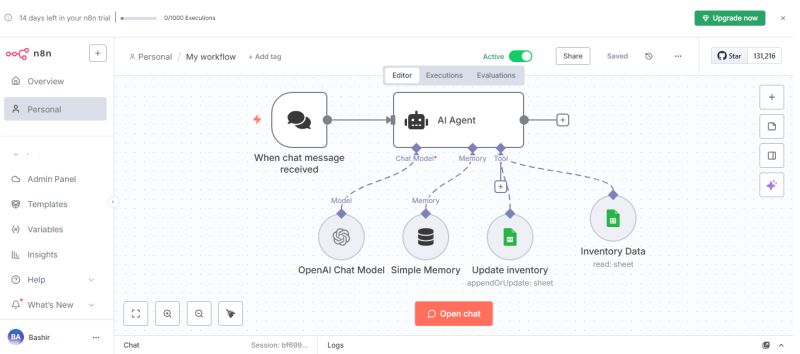
Best for: Technical teams, DevOps, and engineering teams that want full control over AI agent orchestration Team pricing: Business €800/mo (40,000 executions + SSO) | Enterprise custom Free plan: ✅ (Community Edition, self-hosted)
n8n isn’t a coding assistant in the traditional sense — it’s a visual workflow automation platform that lets technical teams build, orchestrate, and govern multi-agent AI systems with complete transparency and control.
For engineering teams that need to connect AI coding agents to the rest of their stack — CI/CD pipelines, databases, Slack, Jira, GitHub — n8n is the orchestration layer that makes it possible. Every step is visible, debuggable, and auditable. You can intervene with rule-based logic, mock external systems, and re-run individual steps without restarting the whole workflow.
What makes it great for teams:
Limitations for teams:
Pricing: Community (free, self-hosted) | Starter €24/mo | Pro €60/mo | Business €800/mo | Enterprise custom
Team verdict: For technical teams that need to orchestrate AI agents across their entire development stack — with full visibility and control — n8n is the most powerful option available.
Best for: Teams ready to delegate scoped, well-defined tasks to an autonomous AI agent Team pricing: Teams plan available | Enterprise custom Free plan: ✅ (limited)
Devin, from Cognition, takes the most autonomous approach on this list. Rather than assisting a developer in real time, Devin acts as a digital teammate — you assign it a scoped ticket, it researches, implements, runs tests, and delivers a pull request, all without human intervention during execution.
The collaboration model is async and integration-driven: Devin connects to Slack, Teams, Linear, Jira, GitHub, GitLab, and Bitbucket, so assignment and handoff happen through tools your team already watches. For teams with well-defined backlogs and clear acceptance criteria, Devin can meaningfully increase throughput without adding headcount.
What makes it great for teams:
Limitations for teams:
Pricing: Free (limited) | Pro 200/mo | Teams & Enterprise custom
Team verdict: Devin is the right choice when your team has more clearly scoped work than bandwidth to execute it. Think of it as a junior developer who never sleeps.
Your team lives in GitHub → GitHub Copilot — deepest GitHub integration, agent mode, lowest adoption friction.
You want every developer on the same AI IDE → Cursor Teams — standardized editor, shared rules, Bugbot PR review.
You need instant shared environments → Replit — browser-native, zero setup, live collaboration.
You’re in a regulated industry → Tabnine — on-premises deployment, custom LLMs, compliance-ready.
You need live pair programming → Zed — true multiplayer editing, fast native editor.
Your bottleneck is coordination, not code → Taskade — AI agents embedded in project management and team chat.
You’re building multi-agent systems → n8n — full orchestration control, 500+ integrations, self-hostable.
You want to delegate scoped tasks async → Devin — autonomous ticket execution, PR delivery, Slack/Jira integration.
1–3 developers (solo/founding team): Start with Cursor (individual plan) or GitHub Copilot. Focus on individual velocity before optimizing for collaboration overhead.
4–10 developers (early-stage team): GitHub Copilot Business or Cursor Teams. Add Replit if you’re building internal tools or prototypes. Consider Devin for backlog overflow.
10–50 developers (scaling team): GitHub Copilot Enterprise or Cursor Teams with centralized governance. Add n8n for agent orchestration across your stack. Tabnine if compliance is a requirement.
50+ developers (enterprise): GitHub Copilot Enterprise for code-centered governance. Tabnine for regulated environments. n8n for multi-agent orchestration. Zed for incident response and pairing.
1. Agents create coordination problems, not just solutions. When every developer runs their own AI agent, the team’s coordination problem shifts from “how do we write code faster?” to “how do we know what the agents are doing, why, and whether it’s right?” The best team tools in 2026 solve this visibility problem.
2. Consumption-based pricing is replacing seat-based pricing. Microsoft Agent 365, ChatGPT Work, and Claude Cowork all bill by usage in 2026. Budget for AI coding tools based on execution volume, not headcount.
3. Model routing beats model picking. The winning pattern for teams is routing different tasks to different models — using Claude for complex reasoning, GPT for speed, Gemini for Google-integrated workflows — rather than standardizing on one model for everything. Tools like n8n and GitHub Copilot’s Agent HQ already support this natively.
4. The collaboration layer matters as much as the coding layer. The best AI coding tool for your team isn’t necessarily the one with the highest benchmark score. It’s the one that keeps your team aligned, your agents visible, and your review process intact.
What is the best AI coding tool for team collaboration in 2026?
GitHub Copilot is the best overall choice for most teams — it integrates directly into existing GitHub workflows, supports agent mode, and has mature governance controls. For teams that want a standardized AI IDE, Cursor Teams is the top alternative.
Can multiple developers use AI coding tools simultaneously on the same project?
Yes — tools like Replit and Zed support real-time collaborative editing. GitHub Copilot and Cursor Teams support parallel development through branches and PRs. Devin can run multiple autonomous agents on different tasks concurrently.
Which AI coding tool is best for small development teams?
For teams of 2–5 developers, GitHub Copilot Business (26/user/mo) is the best choice if you want a shared browser-native environment.
How do AI coding tools handle code review for teams?
GitHub Copilot’s Agent Mode creates PRs that go through your existing review process. Cursor’s Bugbot automatically reviews PRs before human review. Devin delivers complete PRs with test results. All three integrate with standard GitHub/GitLab review workflows.
Are AI coding tools safe for enterprise teams?
Yes, with the right tool. Tabnine offers on-premises deployment for complete data control. GitHub Copilot Enterprise and Cursor Enterprise both offer SOC 2 compliance, SAML/SSO, audit logs, and data governance controls. Always verify compliance certifications against your organization’s requirements.
What’s the difference between AI coding tools for individuals vs. teams?
Individual tools optimize for personal velocity — faster autocomplete, better code generation, smarter debugging. Team tools add shared context, work visibility, governance controls, centralized billing, and review workflows. The best team tools make AI-generated work as reviewable and traceable as human-written code.

Managing social media in 2026 means producing more content, across more platforms, at higher quality, with smaller teams…
Read →Freelancers in 2026 are running one-person businesses. You’re the writer, the marketer, the project manager, the accountant, and…
Read →If you’ve built an AI tool, SaaS product, or automation platform, you already know the hardest part isn’t…
Read →