Before noise. After clarity. — clean hidden marks from your AI-pasted text
Last updated September 4, 2026
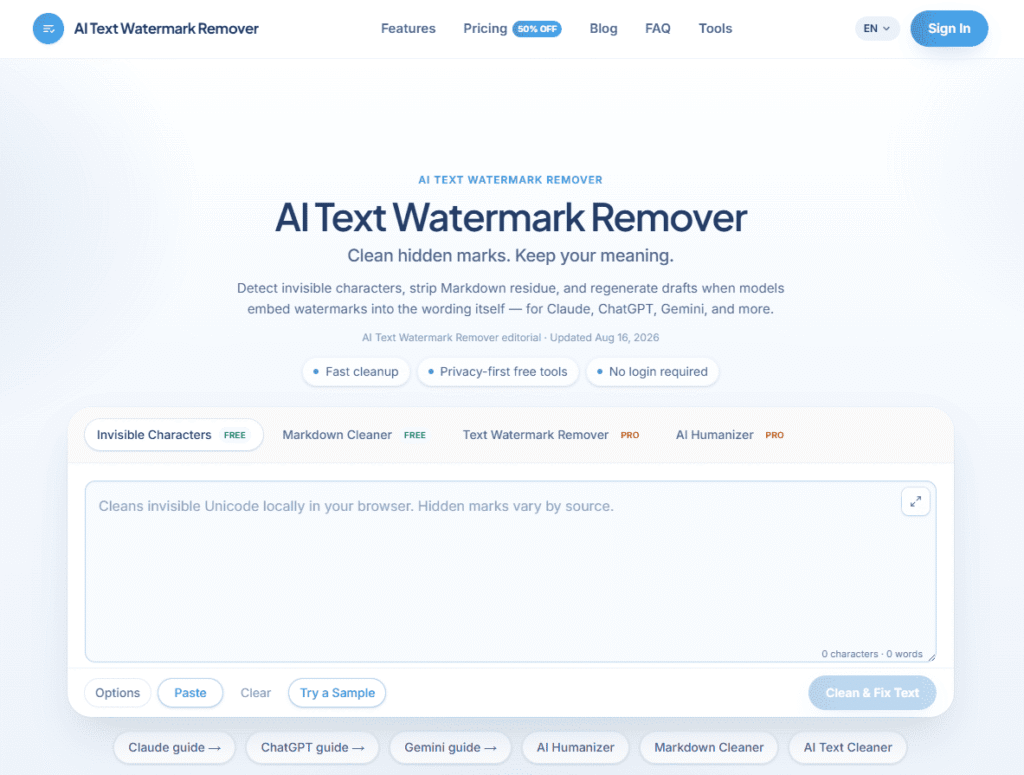
AI Text Watermark Remover is a browser-based tool for cleaning text pasted from ChatGPT, Claude, Gemini, and other AI chat interfaces — stripping invisible Unicode characters, non-breaking spaces, and formatting artifacts that commonly get pasted in alongside the visible text and can break downstream tools like markdown renderers, CMS editors, or plain-text pipelines. It also includes an AI Humanizer for adjusting tone and phrasing, and a Markdown cleaner for stripping leftover formatting syntax.
The site itself makes an important distinction, and it’s worth repeating here rather than skipping past it: most of what gets flagged as an AI “watermark” in casual pasted text is actually invisible formatting characters and copy-paste artifacts, not a deliberate cryptographic or statistical watermark of the kind AI labs use for content-provenance research. This tool is positioned around the former — general text hygiene — not defeating a lab’s underlying detection system. If your use case involves representing AI-generated content as entirely human-written in a context where that distinction matters (academic submissions, journalism disclosure requirements, platform terms of service), that’s a separate ethical and often policy question this tool doesn’t resolve for you — check the actual requirements that apply to your situation rather than assuming a cleaner paste equals compliant disclosure.
Built around a credit-based system with separate Starter, Professional, and Advanced tiers, the tool targets recurring paste workflows — SEO and content teams, editorial desks, agencies handling client AI drafts, and technical writers cleaning documentation pasted from AI assistants.
Pros
Cons
Browse more in AI Tools For Watermark Removal →
What is an AI text watermark remover?
A tool that scans and removes hidden invisible characters, formatting artifacts, and paste residue from text copied out of AI chat interfaces like ChatGPT, Claude, or Gemini — primarily a text-hygiene tool rather than a way to defeat an AI lab’s underlying content-detection systems.
Is pasted AI text actually watermarked?
Often what looks like a “watermark” is really invisible formatting characters or copy-paste artifacts rather than a deliberate statistical or cryptographic watermark. This tool’s own materials draw that distinction directly — worth understanding before assuming any tool guarantees undetectable AI content.
Do I still need to disclose AI-assisted content after using this tool?
Yes, if disclosure is required by your context (academic policy, publication guidelines, platform terms of service). Cleaning invisible characters from pasted text doesn’t change any disclosure obligation that applies to you — check the actual policy for your situation.
Is this different from the ChatGPT paste residue?
The site distinguishes ChatGPT’s paste residue as its own specific pattern, separate from Claude’s or Gemini’s — see the tool’s model-specific guides for how each platform’s artifacts differ.
How does formatting stay intact after cleanup?
The tool is built to remove invisible characters and residue while preserving intended visible structure like headings and lists, rather than stripping formatting wholesale.
Can I try it for free?
Free tools are included alongside the paid tiers — check the live pricing page for current free-tier scope and limits.
| Criteria | Rating |
|---|---|
| Accuracy & Reliability | ⭐ 4.0/5 |
| Ease of Use | ⭐ 4.5/5 |
| Features & Functionality | ⭐ 4.0/5 |
| Performance | ⭐ 4.3/5 |
| Customization | ⭐ 3.8/5 |
| Security & Privacy | ⭐ 3.9/5 |
| Customer Support | ⭐ 3.6/5 |
| Value for Money | ⭐ 4.2/5 |
| Integrations | ⭐ 3.4/5 |

TeamPost is an AI LinkedIn ghostwriter built for teams. Every employee gets their own AI ghostwriter that learns…

DeepSeek is an advanced AI platform developed by DeepSeek AI, offering powerful large language models (LLMs) for chat,…
Originality.ai is an AI detection and content-integrity platform combining AI detection, plagiarism checking, readability scoring, and fact-checking tools…
StealthGPT is an advanced AI humanizer designed to rewrite AI-generated content into more natural, human-like writing. Whether you’re…
Bing AI, now integrated into Microsoft Copilot, is an AI-powered assistant that combines web search, content generation, coding…
EarnDraft is an AI ebook creator that turns a one-line idea into a complete outline, five written chapters,…
Semihuman AI is an advanced AI humanizer that transforms AI-generated text into natural, human-like content capable of bypassing…
Humanize AI is a free AI text humanizer that rewrites AI-generated content into natural, human-like writing while preserving…

Winston AI is a powerful AI detection platform that helps educators, writers, businesses, and publishers identify AI-generated content…
Text Blaze is a productivity and text automation tool designed to eliminate repetitive typing and streamline everyday communication.…
Humanizer Pro is an advanced AI humanization platform that transforms AI-generated content into natural, human-like writing while preserving…

Claude AI is a next-generation conversational AI assistant created by Anthropic. Built to help individuals, teams, and businesses,…
