Last updated July 27, 2026
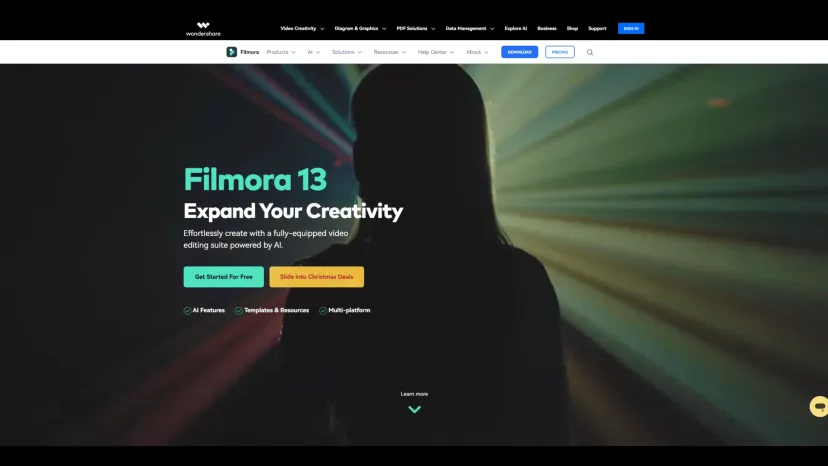
Filmora is an AI-powered video editing software developed by Wondershare that enables creators, marketers, educators, and businesses to produce professional-quality videos with minimal effort. Combining an intuitive drag-and-drop interface with advanced AI editing features, Filmora helps users create stunning videos for YouTube, TikTok, Instagram, Facebook, business marketing, education, and more.
Filmora 15 introduces powerful AI workflows that simplify every stage of video production—from generating captions and enhancing video quality to removing objects, creating animations, and applying cinematic effects. Whether you’re a beginner or an experienced editor, Filmora provides everything needed to transform ideas into engaging visual stories.
Filmora is designed to make professional video editing accessible to everyone. Instead of requiring years of editing experience, Filmora combines traditional editing tools with intelligent AI features that automate complex tasks while giving creators complete creative control.
With support for Windows, macOS, Android, iPhone, and iPad, Filmora offers seamless editing across devices. Its rich library of templates, stock media, transitions, music, titles, stickers, LUTs, and plugins allows creators to produce polished videos quickly without needing additional software.
Millions of creators worldwide trust Filmora for content creation, marketing videos, educational content, business presentations, gaming videos, travel vlogs, and social media content.
Filmora stands out by combining professional-grade editing tools with AI-powered automation in an interface that’s easy for beginners yet powerful enough for professionals. Features like AI Object Remover, AI Video Enhancement, Dynamic Captions, Dual Timeline Editing, Pen Tool, and millions of built-in creative assets enable users to create studio-quality videos faster than traditional editing software.
Its seamless workflow across desktop and mobile devices, along with an extensive collection of royalty-free resources, makes Filmora one of the most versatile AI video editors available today.
PixVerse AI is an AI-powered video creation platform built for generating high-quality videos from text prompts and images.…

Ella by Novella is a browser-based AI video editor and creator workspace that runs directly inside the Chrome…

MimicPC is a browser-based AI workspace that lets users run powerful AI applications without installing software or configuring complex…
VEED.IO is an all-in-one AI-powered online video editing platform that enables creators, businesses, educators, and marketing teams to…

Hailuo AI is an advanced AI-powered creative platform developed by MiniMax that enables users to generate cinematic videos,…

Munch AI is an intelligent content repurposing platform built for creators and marketing teams that want to generate…

WUI.AI is an AI-powered video repurposing platform that transforms long-form videos into engaging short clips for TikTok, Instagram…
Cutout.Pro is an AI-powered visual content creation and editing platform that helps users create professional-quality images and videos…

CapCut is a powerful AI-powered video editing platform that helps creators produce professional-quality videos quickly and easily. Developed…
Sonix is an AI-powered transcription, translation, and subtitle platform that helps individuals and teams convert audio and video…
Deepshot AI is an AI-powered lip-sync and video localization platform that enables creators to edit spoken dialogue, translate…
Flowjin is an AI-powered content repurposing platform that transforms long-form videos, podcasts, webinars, interviews, and audio recordings into…
