
Last updated July 28, 2026
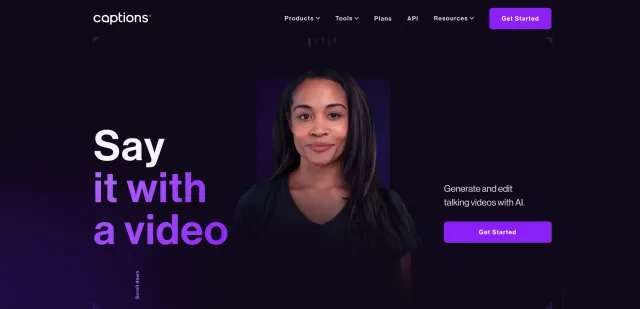
Captions is an AI-powered video creation and editing platform that helps creators produce professional-quality videos faster using advanced artificial intelligence. From automatic video editing and AI avatars to subtitles, dubbing, eye contact correction, and ad generation, Captions simplifies every stage of the video production process.
Designed for content creators, marketers, businesses, educators, and social media influencers, Captions eliminates the need for complex editing software by offering an intuitive, cloud-based workspace powered by AI. Whether you’re creating YouTube videos, TikTok clips, Instagram Reels, product advertisements, online courses, or business presentations, Captions enables you to produce polished videos in minutes instead of hours.
With powerful automation features and multilingual support, Captions has become one of the leading AI video editing tools for creators looking to scale content production while maintaining professional quality.
Automatically edits videos by removing filler words, trimming silence, enhancing pacing, and improving overall flow.
Create realistic AI avatars that can present scripts and generate engaging videos without appearing on camera.
Generate high-converting promotional videos and advertisements with AI-powered templates and editing.
Generate highly accurate captions automatically to improve accessibility and viewer engagement.
Translate and dub videos into 28+ languages while synchronizing lip movements for natural-looking multilingual videos.
Automatically adjusts eye direction so speakers appear to maintain natural eye contact with the camera.
Edit videos directly from your browser without downloading professional editing software.
Generate and refine scripts for marketing videos, tutorials, presentations, and social media content.
Reduce unwanted background noise and improve voice clarity using AI.
Export videos optimized for YouTube, TikTok, Instagram Reels, Facebook, LinkedIn, and other platforms.
Captions is perfect for:
Captions stands out by combining nearly every stage of video production into one AI-powered platform. Instead of using separate software for editing, subtitles, dubbing, avatars, and advertisements, creators can manage everything from a single interface.
Its AI Eye Contact technology and multilingual AI dubbing with lip synchronization are particularly impressive, enabling creators to produce professional-quality global content with minimal effort.
Captions supports:
Captions provides a comprehensive learning center featuring:
These resources help users quickly master the platform regardless of experience level.
If you’re considering similar AI video editing tools, you may also explore:
Yes. Captions offers a free plan with limited features so users can explore the platform before upgrading.
Yes. It uses AI to automatically create accurate subtitles for your videos.
Yes. Users can generate videos using customizable AI avatars.
Yes. Captions supports AI translation and dubbing in over 28 languages with synchronized lip movements.
Yes. Captions is available on both iOS and Android in addition to its web platform.
Absolutely. Captions is widely used for YouTube videos, Shorts, TikTok, Instagram Reels, marketing videos, and educational content.
| Category | Rating |
|---|---|
| Features | ⭐⭐⭐⭐⭐ (4.9/5) |
| Ease of Use | ⭐⭐⭐⭐⭐ (4.8/5) |
| AI Automation | ⭐⭐⭐⭐⭐ (4.8/5) |
| Performance | ⭐⭐⭐⭐⭐ (4.7/5) |
| Customization | ⭐⭐⭐⭐☆ (4.5/5) |
| Value for Money | ⭐⭐⭐⭐☆ (4.6/5) |
| Customer Support | ⭐⭐⭐⭐☆ (4.5/5) |

adcreator.ai is an AI-powered UGC video ad platform that turns a single product photo into a talking video…
Descript is a modern content creation platform built for video creators, podcasters, marketers, educators, and businesses. Unlike traditional…

Videoleap is a powerful AI-powered video editing platform developed by Lightricks that makes professional video creation simple for…

Runway AI is an advanced AI-powered creative platform that enables creators to generate, edit, and enhance videos, images,…
Magica AI is an all-in-one AI platform that combines the world’s leading AI models into a single intelligent…
WeryAI is an all-in-one AI creative platform that brings together leading AI models for video generation, image creation,…
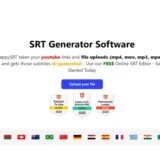
HappySRT is an AI-powered subtitle generation and transcription platform that helps creators automatically generate, edit, and export accurate…
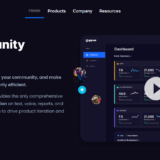
GGWP is an AI-powered gaming platform that helps developers, gaming communities, and publishers create safer and more engaging…

FineShare is an AI-powered multimedia platform that provides a collection of tools for voice generation, voice changing, voice…
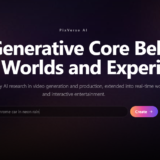
PixVerse AI is an AI-powered video creation platform built for generating high-quality videos from text prompts and images.…

Lumen5 is an AI-powered video creation platform that transforms blog posts, articles, scripts, and other text-based content into…
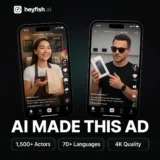
HeyFish AI enables businesses to create engaging AI-powered video advertisements in just a few minutes. Simply choose an…
