Last updated July 31, 2026
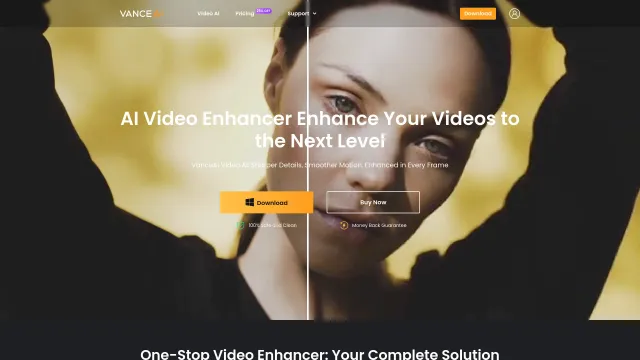
Vance Video AI is an AI-powered video enhancement software designed to improve video quality using advanced machine learning technology. Whether you’re restoring old footage, upscaling low-resolution videos, reducing noise, or stabilizing shaky clips, Vance Video AI automates complex editing tasks with just a few clicks. It’s an excellent solution for content creators, filmmakers, YouTubers, marketers, and video professionals who want professional-quality results without spending hours on manual editing.
With powerful AI models for upscaling, denoising, deinterlacing, and stabilization, Vance Video AI transforms ordinary videos into crisp, high-resolution content suitable for social media, marketing campaigns, streaming platforms, and professional productions.
Vance Video AI is widely used by:
Unlike traditional video enhancement software, Vance Video AI relies on deep-learning models trained specifically for video restoration. Its ability to upscale videos to 8K, intelligently remove noise, stabilize shaky footage, and restore old recordings makes it an outstanding solution for creators looking for professional-quality results without complex editing workflows.
Vance AI provides documentation, tutorials, and video guides covering AI upscaling, denoising, stabilization, and other enhancement features to help both beginners and professionals maximize the platform.
| Category | Rating |
|---|---|
| ⭐ Accuracy & Reliability | 4.8/5 |
| 🎨 Ease of Use | 4.5/5 |
| ⚙️ Features & Functionality | 4.9/5 |
| ⚡ Performance & Speed | 4.7/5 |
| 🎛️ Customization | 4.6/5 |
| 🔒 Privacy & Security | 4.5/5 |
| 💬 Support & Documentation | 4.4/5 |
| 💰 Value for Money | 4.5/5 |
| 🔗 Integrations | 4.2/5 |
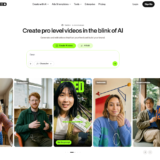
VEED.IO is an all-in-one AI-powered online video editing platform that enables creators, businesses, educators, and marketing teams to…
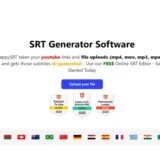
HappySRT is an AI-powered subtitle generation and transcription platform that helps creators automatically generate, edit, and export accurate…

Ella by Novella is a browser-based AI video editor and creator workspace that runs directly inside the Chrome…

Stivio is an online image to video AI generator that turns any photo into a moving HD video…
Virvid AI is built for creators who want to grow faceless social media channels without spending hours scripting,…

InVideo AI is an AI-powered video creation platform that enables users to generate professional-quality videos from simple text…
HitPaw VikPea is an AI-powered video enhancement software that restores, upscales, sharpens, and colorizes videos with just a…
Loudly is an AI-powered music generation platform that helps creators, marketers, filmmakers, and businesses produce original, royalty-free music…

AutoShorts.ai is an AI-powered faceless video automation platform that creates, schedules, and publishes short-form videos automatically across TikTok,…

Vimeo AI is an AI-powered video creation and hosting platform that helps individuals, businesses, educators, and marketing teams…
WeryAI is an all-in-one AI creative platform that brings together leading AI models for video generation, image creation,…

Raphael AI is a completely free AI image generator — the world’s first with no sign-up requirement, no…
