
Last updated July 27, 2026

CapCut is a powerful AI-powered video editing platform that helps creators produce professional-quality videos quickly and easily. Developed for content creators, marketers, businesses, and beginners, CapCut combines advanced editing tools with intelligent AI features to simplify video production for platforms like TikTok, YouTube, Instagram Reels, Facebook, and more.
Whether you’re creating short-form content, promotional videos, tutorials, or cinematic edits, CapCut provides everything you need—from AI-powered editing and automatic captions to visual effects, templates, transitions, and 4K exports—all within an intuitive interface.
CapCut makes professional video editing accessible to everyone. Instead of spending hours learning complex editing software, users can leverage AI tools to automatically generate captions, remove backgrounds, stabilize footage, enhance audio, and create polished videos in minutes.
With support across desktop, web, Android, and iOS, CapCut allows creators to edit anywhere while maintaining high-quality output.
CapCut is ideal for:

Speak AI is an AI-powered voice intelligence platform that helps businesses capture, transcribe, analyze, and automate insights from…
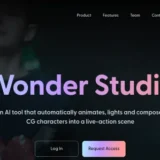
Wonder Studio is an AI-powered visual effects platform that automates one of the most time-consuming parts of filmmaking—animating,…

MimicPC is a browser-based AI workspace that lets users run powerful AI applications without installing software or configuring complex…

Filmora is an AI-powered video editing software developed by Wondershare that enables creators, marketers, educators, and businesses to…
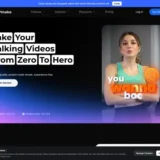
Vmake is an AI-powered video creation and enhancement platform built for creators, marketers, and businesses producing short-form videos.…

Ella by Novella is a browser-based AI video editor and creator workspace that runs directly inside the Chrome…
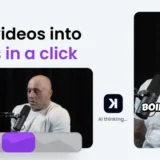
Klap AI helps creators, marketers, podcasters, educators, agencies, and businesses repurpose long videos into viral short-form content automatically.…
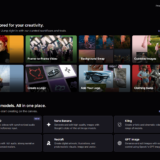
Kaiber is an AI-powered creative platform that enables users to generate high-quality videos, animations, and visual content from…
FineVoice is an advanced AI voice generation platform that helps creators, businesses, educators, and developers produce natural-sounding voiceovers…

quso.ai is an all-in-one AI-powered social media management platform that helps creators, marketers, agencies, and businesses create, edit,…
Twelve Labs is an advanced AI video understanding platform that helps businesses search, analyze, classify, and generate insights…
Vmaker AI is a browser-based AI video creation platform that helps creators, marketers, educators, and businesses produce professional…
