
Write Faster. Research Smarter with AI.
Last updated August 13, 2026
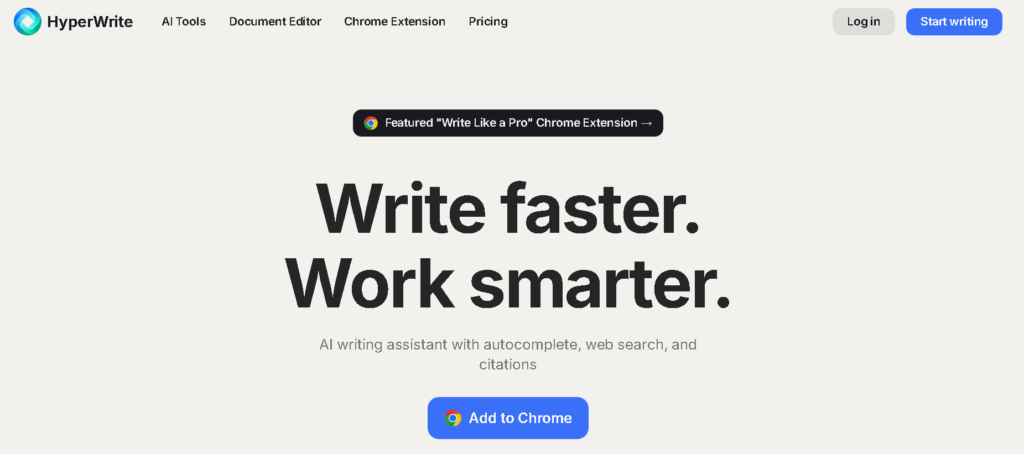
HyperWrite is an AI-powered writing and research assistant designed to help users write faster, research information, and improve everyday communication. It combines AI writing assistance, real-time research, citations, personalized AI personas, TypeAhead suggestions, and hundreds of specialized AI tools in one platform.
Available through its web platform and Chrome extension, HyperWrite can assist with everything from writing emails and articles to conducting research, generating ideas, rewriting content, and improving communication. Its browser-based workflow makes AI assistance accessible while users work across different websites and online documents.
Whether you’re a content creator, student, researcher, marketer, entrepreneur, or business professional, HyperWrite provides a flexible set of AI-powered tools to streamline writing and research workflows.
Uncommon Use Cases: HyperWrite can also be useful for creating internal documentation, brainstorming product ideas, preparing presentations, researching unfamiliar topics, and building personalized AI writing workflows.
If you’re looking for alternatives to HyperWrite, consider:
HyperWrite is an AI-powered writing and research assistant that helps users create, rewrite, research, and improve content using AI-powered tools.
HyperWrite offers access to its platform with limitations, while paid plans provide additional AI messages, custom personas, research capabilities, and other advanced features.
HyperWrite’s Premium plan is listed at $19.99/month, while the Ultra plan costs $44.99/month. Annual billing can provide savings compared with monthly billing.
HyperWrite can be used for content writing, research, email writing, rewriting, brainstorming, marketing, academic work, and general productivity.
Yes. HyperWrite provides a Chrome extension that brings AI writing assistance and TypeAhead suggestions directly into browser-based workflows.
Yes. HyperWrite’s Premium plan includes citation and real-time information capabilities for research-focused workflows.
HyperWrite is particularly useful for writers, researchers, students, marketers, business professionals, content creators, and anyone who regularly works with written content.
| Criteria | Rating |
|---|---|
| Accuracy & Reliability | ⭐ 4.5/5 |
| Ease of Use | ⭐ 4.7/5 |
| Features & Functionality | ⭐ 4.7/5 |
| Performance | ⭐ 4.6/5 |
| Customization | ⭐ 4.7/5 |
| Security & Privacy | ⭐ 4.2/5 |
| Support & Resources | ⭐ 4.4/5 |
| Value for Money | ⭐ 4.3/5 |
| Integrations | ⭐ 4.6/5 |

Jasper AI is a marketing-focused AI platform built to run end-to-end marketing workflows through purpose-built AI agents —…

Perplexity AI is an intelligent AI search and research platform designed to replace traditional search engines with conversational,…

Writesonic has evolved from an AI writing tool into an AI Search Growth Engine — a platform built…

DeepSeek is an advanced AI platform developed by DeepSeek AI, offering powerful large language models (LLMs) for chat,…

ChatGPT, built by OpenAI, remains the most widely used AI assistant in the world — the default most…

Koala AI is an AI growth platform built for content creators, bloggers, niche site owners, and SEO professionals who…

QuillBot is an AI-powered writing platform built around one core strength — paraphrasing — and expanded into a…

TeamPost is an AI LinkedIn ghostwriter built for teams. Every employee gets their own AI ghostwriter that learns…

Claude AI is a next-generation conversational AI assistant created by Anthropic. Built to help individuals, teams, and businesses,…

SellyAI is an AI-powered product listing generator that turns a photo, a product URL, or a few typed words…

Yomu AI is an AI-powered academic writing and research assistant designed to help students, researchers, academics, and other…
Genei is an AI-powered research and summarisation tool that helps students, academics, journalists, and professional writers work through background…
