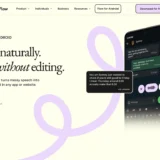
AI Voice Dictation & Speech-to-Text for Every App
Last updated August 19, 2026
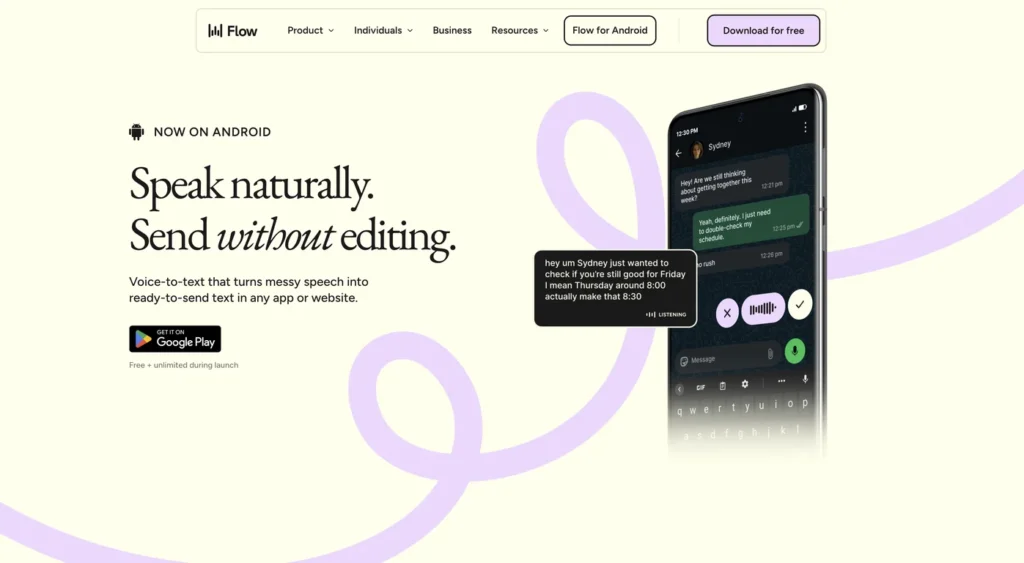
Wispr Flow is an AI-powered speech-to-text and voice productivity tool designed to let users speak naturally instead of typing. It works across apps on Mac, Windows, iOS, and Android and supports speech-to-text in more than 100 languages.
The platform can learn names and jargon over time, helping make voice dictation more personalized and useful for everyday communication and work.
Wispr Flow turns spoken words into text across the apps you already use. Instead of typing messages, emails, documents, or notes manually, users can speak naturally and let Flow convert their speech into text.
Its cross-platform support makes it useful for people who want a consistent voice-typing workflow across computers and mobile devices.
Wispr Flow supports speech-to-text across more than 100 languages, making it suitable for multilingual users and international teams.
The system can also learn names and specialized terminology as you use it, helping improve the experience for personal vocabulary and industry-specific jargon.
Wispr Flow includes a meeting notetaker for Mac that can capture meeting conversations and create notes.
It can identify different speakers and lets users ask questions about individual meetings or their meeting history.
Users can ask questions about their meetings and search through recorded meeting information instead of manually reviewing entire conversations.
This can help users find decisions, discussions, and important information from previous meetings.
Wispr Flow is designed to work alongside other productivity and AI tools. Users can use their notes with tools such as Claude and ChatGPT through MCP support.
The platform also connects with services such as calendars and Slack to fit into existing workflows.
Wispr Flow highlights privacy as part of its product offering. Users can opt out of model training, and the platform describes its product as HIPAA-ready.
Enterprise customers receive additional security and administrative features, including SAML SSO, SCIM, audit logs, MDM, domain management, and compliance support.
| Criteria | Rating |
|---|---|
| Voice Dictation | ⭐ 4.8/5 |
| Speech-to-Text | ⭐ 4.8/5 |
| Language Support | ⭐ 4.7/5 |
| AI Productivity | ⭐ 4.7/5 |
| Meeting Notes | ⭐ 4.6/5 |
| Integrations | ⭐ 4.5/5 |
| Ease of Use | ⭐ 4.8/5 |
Wispr Flow is an AI-powered voice dictation and speech-to-text tool that converts spoken language into text across apps and devices.
Yes. Wispr Flow offers a free plan at ₹0/month with speech-to-text across supported devices and 100+ languages.
Wispr Flow Pro costs ₹400 per user per month according to the provided pricing information.
Yes. Wispr Flow supports speech-to-text in more than 100 languages.
Yes. The provided pricing information lists support for Mac, Windows, iOS, and Android.
Yes. Wispr Flow includes a meeting notetaker for Mac, including speaker identification and the ability to ask questions about meetings.
Yes. Wispr Flow allows users to use their notes with Claude, ChatGPT, and other AI tools through MCP.
Yes. The provided information states that Wispr Flow can connect with Slack and calendars.
Yes. The Enterprise plan includes advanced security and administration features such as SAML SSO, SCIM, audit logs, MDM, domain management, dedicated support, and volume discounts.
Actor (Actor.do) is a privacy-focused AI work assistant built to automate email management and daily agenda planning —…
Magica AI is an all-in-one AI platform that combines the world’s leading AI models into a single intelligent…
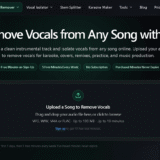
Tunii is an AI vocal remover and stem-splitting tool that isolates vocals from any song, creating clean instrumental…
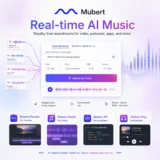
Mubert AI is a real-time AI music generator that creates original, royalty-free soundtracks for videos, podcasts, games, apps,…

VidiRelay is an AI-powered video transcription tool that converts YouTube, TikTok, Instagram, and Facebook videos — or your…
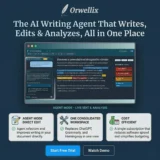
Orwellix is an all-in-one AI writing assistant that combines AI-powered writing, editing, grammar correction, readability analysis, plagiarism detection,…

Notion AI is the AI layer built into Notion, the all-in-one workspace used for notes, docs, wikis, and…

Resemble AI is a deepfake detection platform built to identify AI-generated audio, video, and images in real time…

Fyxer is an AI-powered email assistant designed to help professionals take control of their inbox, meetings, and daily…

Zanus AI is a private, on-premise AI operating system built for enterprises, government agencies, healthcare providers, law firms, and…
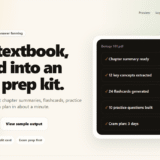
textbooks.ai is an AI-powered exam prep tool that turns any textbook PDF into a complete study kit —…

Claude AI is a next-generation conversational AI assistant created by Anthropic. Built to help individuals, teams, and businesses,…
