Remove hidden Unicode and Markdown from drafts for clean CMS publishing
Last updated August 29, 2026
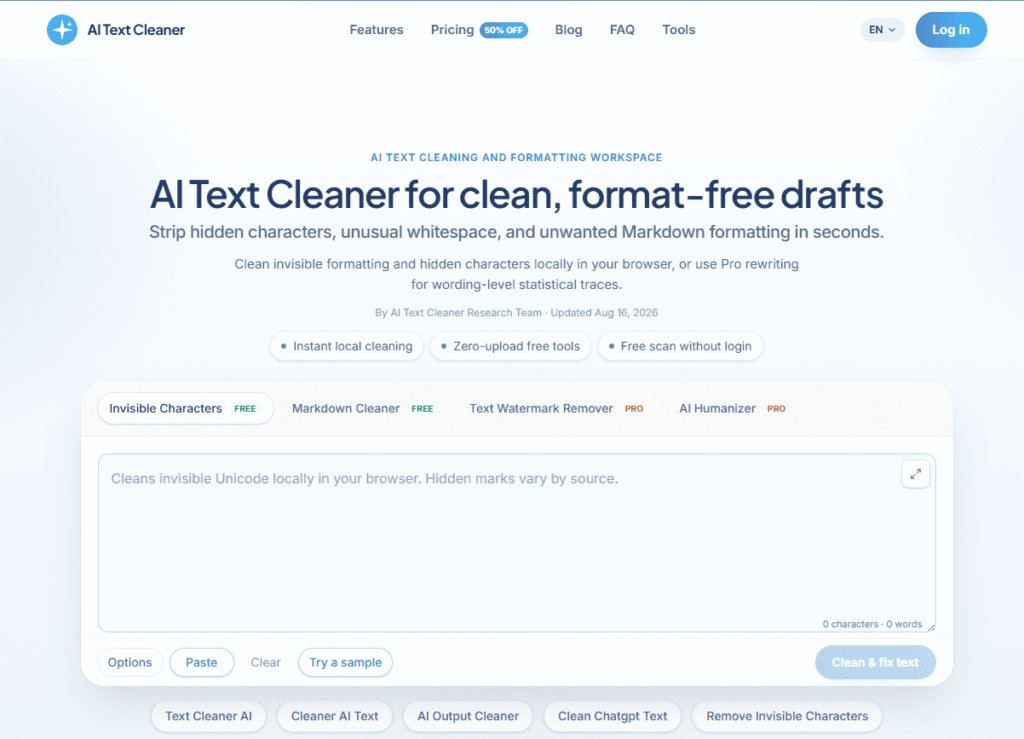
AI Text Cleaner is a text-hygiene tool built around four functions: removing invisible/non-printing Unicode characters, cleaning up leftover Markdown formatting, stripping text watermarks, and humanizing AI-generated text. The first two (invisible characters, markdown) are free and run entirely in your browser; the latter two (Text Watermark Remover, AI Humanizer) are credit-based paid features.
Worth being clear about, on two fronts:
Worth pausing on before using the paid features specifically: if your goal is evading an institution’s or platform’s AI-content policy rather than fixing a formatting problem, that’s a different consideration than what most users of the free tools are actually doing — check the specific policy that applies to your situation first.
Pros
Cons
What is AI Text Cleaner?
AI Text Cleaner is a text-hygiene tool that removes invisible Unicode characters and markdown residue from AI-generated text (free), and offers paid Text Watermark Remover and AI Humanizer tools for further processing.
Is AI Text Cleaner free to use?
The Invisible Character Removal and Markdown Cleaner tools are free forever and run entirely in your browser. Text Watermark Remover and AI Humanizer are paid, credit-based features.
How do credits work?
10 credits equal roughly 1,000 words processed through the Text Watermark Remover or AI Humanizer. Free tools (invisible characters, markdown) don’t consume credits.
Does AI Text Cleaner remove AI watermarks?
Yes, that’s the specific function of its paid Text Watermark Remover tool — worth understanding what type of watermark you’re removing and why before using it, since some watermarking exists specifically as a content-provenance signal.
Is my text sent to a server?
The free tools (invisible character removal, markdown cleaning) run entirely client-side in your browser. Confirm how the paid Text Watermark Remover and AI Humanizer features handle text, since more advanced processing may require server-side handling.
How is this different from Clean Paste AI?
Both tools address similar invisible-character and markdown cleanup problems with a similar structure. AI Text Cleaner additionally bundles paid watermark-removal and humanizing features directly into its pricing tiers — compare current feature sets and pricing directly if you’re deciding between the two.
| Criteria | Rating |
|---|---|
| Accuracy & Reliability | ⭐ 4.3/5 |
| Ease of Use | ⭐ 4.7/5 |
| Features & Functionality | ⭐ 4.2/5 |
| Performance | ⭐ 4.4/5 |
| Customization | ⭐ 4.0/5 |
| Security & Privacy | ⭐ 4.5/5 |
| Customer Support | ⭐ 3.9/5 |
| Value for Money | ⭐ 4.3/5 |
| Integrations | ⭐ 3.4/5 |

SEOpital is an AI SEO writing tool built around a single goal: getting your content to rank on Google.…

QuillBot is an AI-powered writing platform built around one core strength — paraphrasing — and expanded into a…

SellyAI is an AI-powered product listing generator that turns a photo, a product URL, or a few typed words…

Winston AI is a powerful AI detection platform that helps educators, writers, businesses, and publishers identify AI-generated content…
Semihuman AI is an advanced AI humanizer that transforms AI-generated text into natural, human-like content capable of bypassing…

Perplexity AI is an intelligent AI search and research platform designed to replace traditional search engines with conversational,…
Writesonic has evolved from an AI writing tool into an AI Search Growth Engine — a platform built…
Humanizer Pro is an advanced AI humanization platform that transforms AI-generated content into natural, human-like writing while preserving…
AI Text Watermark Remover is a browser-based tool for cleaning text pasted from ChatGPT, Claude, Gemini, and other…
GPTZero is a leading AI detection platform that helps educators, businesses, publishers, and professionals identify AI-generated content with…
StealthGPT is an advanced AI humanizer designed to rewrite AI-generated content into more natural, human-like writing. Whether you’re…
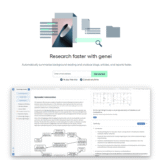
Genei is an AI-powered research and summarisation tool that helps students, academics, journalists, and professional writers work through background…
