
12 Best ChatGPT Alternatives I Have Tested (Updated 2027)
ChatGPT is still the most widely used AI assistant in the world. But it is not always the…
Read →Three tools. Three completely different answers to the same question.
The question is: what does “best AI video generator” actually mean for your workflow?
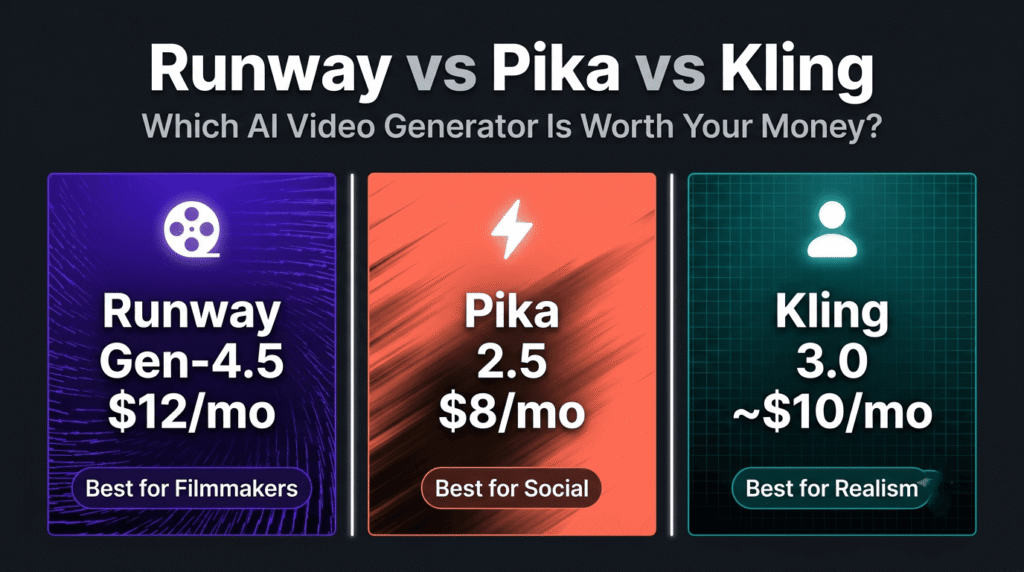
Because here is the honest truth about Runway, Pika, and Kling in 2026 — none of them is universally better than the other two. Each one leads in a specific category, and using the wrong one for your use case is the most common and most expensive mistake creators make.
Runway Gen-4.5 is the filmmaker’s tool. The most creative control, the most professional output, the steepest learning curve, and the highest cost per generated second. If you want to direct motion rather than just prompt it, Runway is the answer.
Kling 3.0 is the realism benchmark. The best photorealistic human motion of any tool at this price point, native 4K output, built-in audio, and multi-shot storyboarding. If your video involves real-looking people doing real-looking things, Kling wins.
Pika 2.5 is the social creator’s tool. The cheapest paid tier in the comparison at $8/month, the fastest generation, and unique creative effects — Pikaframes, Pikaswaps, Pikaffects — that no other platform has. If you need quick TikTok and Reels content without a production budget, Pika is the right call.
Here is the full breakdown.
| Runway Gen-4.5 | Pika 2.5 | Kling 3.0 | |
|---|---|---|---|
| Best for | Filmmakers, brand video, VFX | Social creators, TikTok, Reels | Photorealistic humans, cinematic ads |
| Starting price | $12/month | $8/month ⭐ cheapest | ~$10/month |
| Free tier | 125 credits (one-time only) | Limited experiments | ⭐ Daily login credits |
| Max resolution | 2K (Standard) / 4K (Pro+) | 480p Basic / 720p paid | ⭐ Native 4K up to 60fps |
| Max clip length | 10–16 seconds | ⚠️ 5 seconds hard limit | ⭐ 15 seconds (Narrative mode) |
| Native audio | ❌ No | ❌ No | ⭐ Yes — dialogue, SFX, lip-sync |
| Human motion quality | Good | Basic | ⭐ Best in class |
| Creative control | ⭐ Best — Motion Brush, camera paths | Basic | Motion Brush + camera paths |
| Generation speed | Fast (30–90 seconds) | ⭐ Fastest | Slower (5–10 minutes) |
| Image-to-video | ✅ Strong | ✅ Pikaframes | ✅ Kling 3.0 Omni |
| Multi-shot storyboarding | ❌ Single shot | ❌ No | ⭐ Up to 6 shots |
| Physics simulation | Good | Basic | ⭐ Advanced — water, fabric, collisions |
| Learning curve | ⚠️ Steepest | ⭐ Easiest | Moderate |
| Commercial licensing | ✅ Clear | ✅ Paid plans | ✅ Paid plans |
Before comparing features, it helps to understand what each platform has become — because all three have evolved significantly from their original positioning.
Runway started as a research-backed AI video tool and has become the professional filmmaker’s platform of choice. Gen-4.5 is built around shot design, camera movement, and generative editing. Tools like Act Two (performance capture), Aleph (scene extension), Motion Brush (directional motion control), and Director Mode (camera scripting) make it the most complete creative suite in this comparison. Runway is used in Super Bowl commercial productions and indie film pipelines — it is the only tool of the three with verified broadcast-scale commercial licensing and full REST API access for enterprise workflows.
Kling is developed by Kuaishou Technology — one of China’s largest short-video platforms — and it shows. Kling 3.0 is built around one thing: making AI-generated video of humans look real. The model achieves 94% prompt adherence accuracy on physics-based scene generation and leads every independent benchmark on natural human motion, gait, gestures, and lip-sync quality. The 2026 update ships three sub-models for different jobs: 3.0 Omni for image-to-video consistency, 3.0 Narrative for multi-shot sequences up to 15 seconds, and 3.0 Audio-Visual for character voice-driven animation with native lip-sync in five languages.
Pika is the social creator’s tool — and it has leaned into that positioning hard in 2026. Pika 2.5 is not trying to compete with Runway on cinematic quality or Kling on realism. It is optimised for speed, accessibility, and creative experimentation at the lowest price point in the comparison. Pikaframes, Pikaswaps, and Pikaffects are genuinely unique features — image-to-video manipulation and stylistic transformation tools that do not exist in the same form on any other platform. For TikTok concept tests, Reels variations, and social-format experimentation, Pika is the fastest path from idea to publishable clip.
Runway is the tool you use when you want to direct a video, not just generate one.
The Motion Brush is the feature that separates Runway from every other tool in this comparison. You paint direction vectors directly onto regions of a frame — telling specific parts of the scene which way to move and how fast. A character’s arm moves left while the background stays still. Water flows in one direction while the foreground subject remains static. This level of granular motion control does not exist in Pika or Kling at the same depth.
Camera controls are equally precise — pan, tilt, zoom, dolly, and orbit all configurable per shot. Combined with Director Mode for camera scripting and Act Two for performance capture (mapping real human movement onto AI-generated characters), Runway gives filmmakers a genuine production toolkit rather than a prompt box.
Character consistency across shots is handled through the Gen-4 References system — upload reference images of your characters, locations, and objects, and Runway maintains visual consistency across every generated clip. For brand video production where a product or character needs to look identical across a 30-second ad, this is the feature that makes Runway the marketer’s pick.
Gen-4 Turbo generates 10-second clips in roughly 30 seconds — about five times faster than standard Gen-4. For rapid ad iteration and concept testing, this speed advantage is significant.
The honest limitations: Runway has no native audio generation — you need external tools for sound. The free tier’s 125 credits are one-time only (not monthly), so you burn through them fast during testing. The learning curve is the steepest of the three — the interface overwhelms beginners, and getting the most out of Motion Brush and Director Mode requires meaningful time investment. Cost per generated second is the highest of the three tools.
Runway pricing:
| Plan | Monthly | Credits | Resolution | Key Features |
|---|---|---|---|---|
| Free | $0 | 125 one-time | 720p | Basic generation, watermark |
| Standard | $12/month | 625/month | 2K | No watermark, Gen-4.5 access |
| Pro | $35/month | 2,250/month | 4K | Priority generation, all tools |
| Unlimited | $95/month | Unlimited | 4K | Unlimited generation, API access |
Best for: Indie filmmakers, VFX artists, brand video producers, marketing agencies running commercial campaigns, and any creator who wants to direct motion rather than just prompt it.
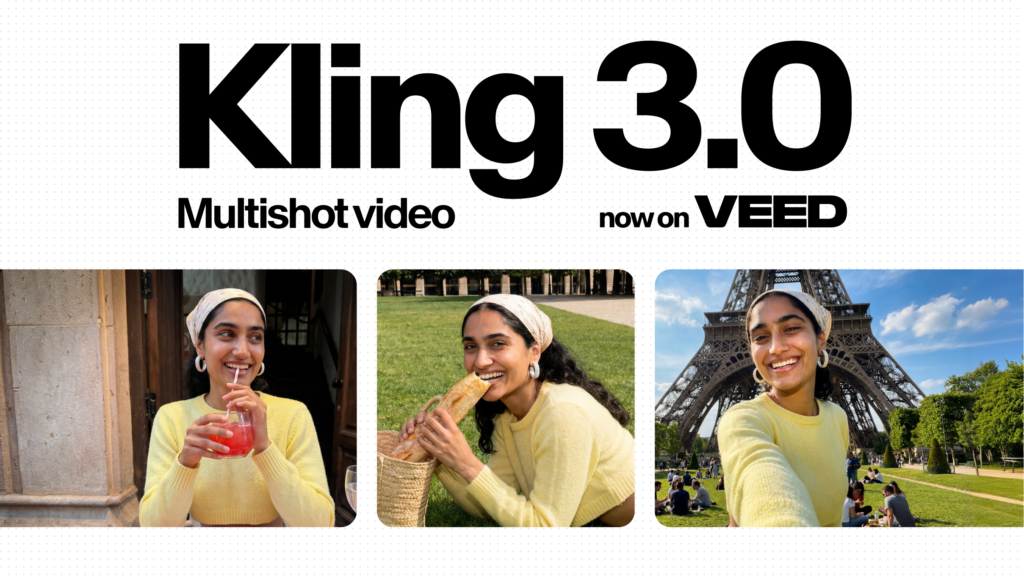
If your video involves a real-looking person moving, speaking, or reacting, Kling 3.0 is the strongest option in this comparison — and it is not particularly close.
The model’s human motion quality is the benchmark in 2026. Gait, gestures, facial expressions, and lip-sync are all noticeably more natural than either Runway or Pika on character-heavy content. Independent benchmarks from June 2026 comparing Veo 3.1, LTX 2.3, and Kling 3.0 awarded Kling the top spot for cinematic camera cuts and photorealistic human output. Kuaishou’s own benchmark data shows 94% prompt adherence accuracy on physics-based scene generation — water dynamics, fabric simulation, and natural body movement all handled with a level of physical accuracy that Runway and Pika do not match.
The three sub-models are what make Kling 3.0 genuinely versatile:
Kling 3.0 Omni — designed for image-to-video workflows. Upload a reference image, describe the motion, and Omni uses the image as a consistency anchor throughout generation. The strongest image-to-video model of the three for maintaining subject identity across the clip.
Kling 3.0 Narrative — multi-shot storyboarding up to 6 scenes per clip, with clips up to 15 seconds. The longest per-generation clip length of the three tools. For short films, product demos, and narrative social content, Narrative mode handles multi-angle storytelling in a single workflow.
Kling 3.0 Audio-Visual — native audio generation including dialogue, sound effects, ambient audio, and lip-sync in five languages. This is the feature that most clearly separates Kling from Runway and Pika — neither competitor offers native audio generation at this level.
Native 4K output at up to 60fps is available on paid plans — the highest resolution output of the three tools at the entry price point.
Daily login credits provide ongoing free access at limited resolution — a genuinely useful free tier that refreshes daily, unlike Runway’s one-time 125 credits.
The honest limitations: Generation is slow — 5 to 10 minutes per clip versus Runway’s 30 to 90 seconds. USD pricing has some complexity due to the platform’s Chinese origin — verify current pricing at klingai.com before subscribing. Some features are locked behind higher VIP tiers. Colour accuracy can drift on specific descriptors. The workflow is less editor-like than Runway — it is a generation tool rather than a full creative suite.
Kling pricing:
| Plan | Monthly (approx.) | Credits | Resolution | Key Features |
|---|---|---|---|---|
| Free | $0 | Daily login credits | 720p limited | Basic generation, watermark |
| Standard | ~$10/month | 660 credits | 1080p | All 3.0 sub-models, no watermark |
| Pro | ~$26/month | Higher limits | 4K | Priority queue, extended clips |
| Premier | ~$65/month | Maximum limits | 4K 60fps | Highest volume, all features |
USD pricing sourced from January 2026 benchmarks — verify current rates at klingai.com before purchasing.
Best for: Social media creators, marketers producing human-centred content, fashion and apparel brands, product advertisers, and anyone making video where photorealistic human motion is the primary requirement.
Pika 2.5 is the most accessible AI video tool in this comparison — and it knows exactly what it is.
At $8/month for the Basic plan, it is the cheapest paid entry point of the three. For solo creators, students, and anyone testing AI video for the first time, Pika’s price point removes the financial barrier that makes Runway and Kling harder to justify before you know what you need.
The unique creative tools are Pika’s real differentiator. Pikaframes, Pikaswaps, and Pikaffects are image-to-video manipulation and stylistic transformation features that do not exist in the same form on Runway or Kling:
Pikaframes — define a start frame and an end frame, and Pika animates the transition between them. Useful for product reveals, before-and-after content, and creative visual transitions.
Pikaswaps — swap elements within an existing video while keeping the rest of the scene intact. Change a product, a garment, or a background element without re-generating the whole clip.
Pikaffects — apply stylistic effects and visual transformations to existing footage. Useful for social-format creative experimentation and meme-adjacent content.
Generation speed is Pika’s strongest practical advantage — clips generate in seconds rather than minutes. For rapid iteration on social content where you need to test 10 different versions of a hook, Pika’s speed is genuinely valuable.
The honest limitations — and they are significant: Pika generates a maximum of 5 seconds per clip. That is the hardest per-generation limit in this comparison and a real constraint for anything requiring duration. The Basic plan outputs at 480p — not production quality for anything beyond mobile social formats. Prompt adherence for complex multi-element scenes is noticeably weaker than Runway or Kling. There is no native audio generation. The Trustpilot rating sits around 1.6 stars due to user frustration with credit-burning failed generations — a reliability concern worth noting before subscribing.
Pika pricing:
| Plan | Monthly | Key Features |
|---|---|---|
| Free | $0 | Limited in-app experiments, watermark |
| Basic | $8/month | More generations, 480p, Pikaframes/Pikaswaps/Pikaffects |
| Standard | $24/month | 720p, higher generation limits, priority queue |
| Pro | $55/month | Maximum limits, highest resolution, commercial rights |
Best for: Solo creators, social media managers, TikTok and Reels content producers, students, and anyone who needs fast, cheap AI video for social formats where 5 seconds and mobile resolution are sufficient.
We tested all three on the same brief — a 10-second product commercial for a luxury watch brand, cinematic close-up, warm side lighting, slow motion.
Runway Gen-4.5 produced the most visually directed output. The Motion Brush gave precise control over which elements moved and how — the watch face stayed sharp while the background had a subtle depth-of-field blur effect. Camera movement felt intentional rather than generated. The output required the least post-production work of the three. Generation took approximately 60 seconds.
Kling 3.0 produced the most photorealistic output. The watch’s reflective surfaces, the fabric texture of the background, and the lighting physics were all handled with a level of physical accuracy that Runway did not match. The Narrative mode’s 15-second clip length gave more room to work with than Runway’s 10-second ceiling. Generation took approximately 8 minutes.
Pika 2.5 produced a stylised, social-format output that looked good on a phone screen but would not pass as production quality on a larger display. The 5-second limit meant the brief had to be significantly simplified. Generation took under 30 seconds.
The practical takeaway: For production-quality commercial video, Runway and Kling are the serious options. Runway for creative direction and brand consistency. Kling for photorealism and physical accuracy. Pika for social-format content where speed and cost matter more than production quality.
| Use Case | Best Choice | Why |
|---|---|---|
| Cinematic brand film | Runway | Motion Brush, camera control, character consistency |
| Photorealistic human video | Kling | Best human motion quality, 94% prompt adherence |
| TikTok and Reels content | Pika | Cheapest, fastest, social-format optimised |
| Product commercial | Kling | Physics accuracy, 4K, native audio |
| VFX and visual effects | Runway | Act Two, Aleph, professional toolset |
| Multi-shot storyboarding | Kling | Narrative mode, 6 shots, 15 seconds |
| Image-to-video | Kling | 3.0 Omni — best subject consistency |
| Budget-conscious creators | Pika | $8/month entry, daily free experiments |
| Free daily usage | Kling | Daily login credits refresh every day |
| Enterprise API workflows | Runway | Full REST API, broadcast licensing |
| Fashion and apparel video | Kling | Fabric simulation, human motion quality |
| Quick concept testing | Pika | Fastest generation, lowest cost per test |
| Native audio in video | Kling | Only tool with built-in dialogue and SFX |
| Indie film production | Runway | Act Two performance capture, Director Mode |
The pricing comparison looks simple on the surface — Pika at 10, Runway at $12. But the real cost depends on how many videos you produce per month and what quality you need.
Cost per generated second (approximate):
For creators generating 100 short-form videos per month, Kling’s lower cost per second reduces production costs by 40–60% compared to Runway’s standard plan. For enterprise teams running automated commercial video pipelines, Runway’s Unlimited plan at $95/month is the only option with genuine unlimited generation and API access.
Free tier comparison:
The honest verdict on pricing: Kling delivers the best value per generated second at production scale. Pika is the cheapest entry point for casual use. Runway is the most expensive but the only option for enterprise workflows and broadcast-quality commercial production.

Choose Runway if:
Choose Kling if:
Choose Pika if:
Runway is the right choice for professionals who need to direct video, not just generate it. The Motion Brush, camera controls, Act Two, and Director Mode make it the most capable creative tool of the three. The price and learning curve are real — but for filmmakers and brand teams where output quality directly affects revenue, the investment is justified.
Kling is the right choice for anyone whose video involves real-looking humans. The photorealism, native audio, 4K output, and daily free credits make it the best value-per-quality tool in this comparison. For social creators, marketers, and product advertisers who need their AI video to look like it was actually filmed, Kling 3.0 is the answer.
Pika is the right choice for social creators on a budget who need fast, cheap content for mobile formats. The $8/month entry price, unique creative effects, and generation speed make it the most accessible tool of the three. The 5-second clip limit and 480p Basic resolution are real constraints — but for TikTok and Reels content where those constraints do not matter, Pika delivers genuine value.
The smartest strategy for serious creators: start with Kling’s free daily credits to test AI video without spending anything. If you need more creative control, add Runway’s Standard plan at $12/month. Use Pika only if social-format speed and cost are your primary requirements.
Which is the best AI video generator in 2026 — Runway, Pika, or Kling?
There is no single best — each leads in a different category. Runway is best for filmmakers and brand video producers who need creative control over motion and camera direction. Kling is best for photorealistic human video, native audio, and 4K output at the lowest cost per second. Pika is best for social creators who need fast, cheap content for TikTok and Reels. The right choice depends entirely on your use case and budget.
Is Runway worth the price in 2026?
Yes — for filmmakers, VFX artists, and brand video producers where output quality directly affects revenue. Runway’s Motion Brush, camera controls, Act Two performance capture, and broadcast-scale commercial licensing justify the premium for professional workflows. For casual creators and social media content, Kling or Pika deliver better value per dollar.
Does Kling AI have a free plan?
Yes. Kling offers daily login credits that refresh every day — the most generous ongoing free tier of the three tools. Runway’s free tier is 125 one-time credits that do not renew. Pika has limited in-app experiments on the free tier. For testing AI video without spending money, Kling’s daily credits are the best starting point.
What is the 5-second limit on Pika?
Pika 2.5 generates a maximum of 5 seconds per clip — the hardest per-generation limit in this comparison. This is a real constraint for any content requiring duration. Runway generates 10–16 seconds per clip. Kling’s Narrative mode generates up to 15 seconds. If you need clips longer than 5 seconds, Pika is not the right tool.
Which AI video generator has the best human motion quality?
Kling 3.0 leads on human motion quality by a significant margin. The model achieves 94% prompt adherence accuracy on physics-based scene generation and produces the most natural gait, gestures, facial expressions, and lip-sync of any tool at this price point. Independent benchmarks from June 2026 awarded Kling the top spot for photorealistic human output over Runway and Pika.
Does Runway have native audio generation?
No. Runway Gen-4.5 does not generate native audio — you need external tools for sound design and music. Kling 3.0 Audio-Visual is the only tool in this comparison with built-in audio generation including dialogue, sound effects, ambient audio, and lip-sync in five languages. Pika also lacks native audio outside limited Pikaformance features.
What is Kling 3.0 Narrative mode?
Kling 3.0 Narrative is a sub-model designed for multi-shot storyboarding. It generates sequences of up to 6 shots per clip with clips up to 15 seconds — the longest per-generation clip length of the three tools. For short films, product demos, and narrative social content that requires multiple angles and scene transitions, Narrative mode handles the full sequence in a single workflow.
Which AI video generator is cheapest in 2026?
Pika 2.5 has the cheapest paid entry at 10/month. Runway Standard is 0.08–0.20–$0.35 per second. For high-volume production, Kling is significantly cheaper than Runway despite the similar entry price.
Can I use Runway and Kling together?
Yes — and many professional creators do. A common workflow is using Kling 3.0 Omni for image-to-video generation with photorealistic human subjects, then importing the clips into Runway’s editor for Motion Brush refinement, camera control adjustments, and post-generation editing. The two tools complement each other — Kling for realism, Runway for creative direction.
What is Runway Act Two?
Act Two is Runway’s performance capture feature — it maps real human movement onto AI-generated characters. You record or upload footage of a person moving, and Act Two transfers that motion to your AI character while maintaining the generated visual style. It is used in indie film production and commercial advertising workflows where precise character animation is required. Available on Pro and Unlimited plans.
Which AI video generator is best for TikTok content?
Pika 2.5 is the strongest choice for TikTok content — the $8/month entry price, fast generation speed, 9:16 vertical format support, and unique creative effects (Pikaframes, Pikaswaps, Pikaffects) make it the most accessible tool for social-format video. Kling is the better choice if your TikTok content features real-looking people and you need higher production quality. Runway is generally overkill for TikTok unless you are producing high-end branded content.
Is Pika good for professional video production?
No — Pika 2.5 is not designed for professional video production. The 5-second clip limit, 480p resolution on the Basic plan, and weaker prompt adherence on complex scenes make it unsuitable for commercial, cinematic, or broadcast-quality work. For professional production, Runway or Kling are the appropriate tools. Pika’s strength is social-format content where speed and cost matter more than production quality.
Related: Midjourney vs DALL-E vs Stable Diffusion 2026 → | Jasper vs Copy.ai vs Writesonic → | Perplexity vs ChatGPT → | MiniMax H3 Review → | Hailuo AI Review → | Browse AI Tools For Video Generation →

ChatGPT is still the most widely used AI assistant in the world. But it is not always the…
Read →If you have been searching for Zanus AI pricing and hitting a wall — you are not alone.…
Read →Searching “free AI video generator no watermark no sign up” usually turns up a wall of listicles promising…
Read →