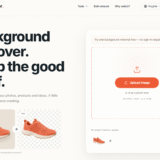
Clean cutouts for product photos, the easy way
Last updated October 12, 2026
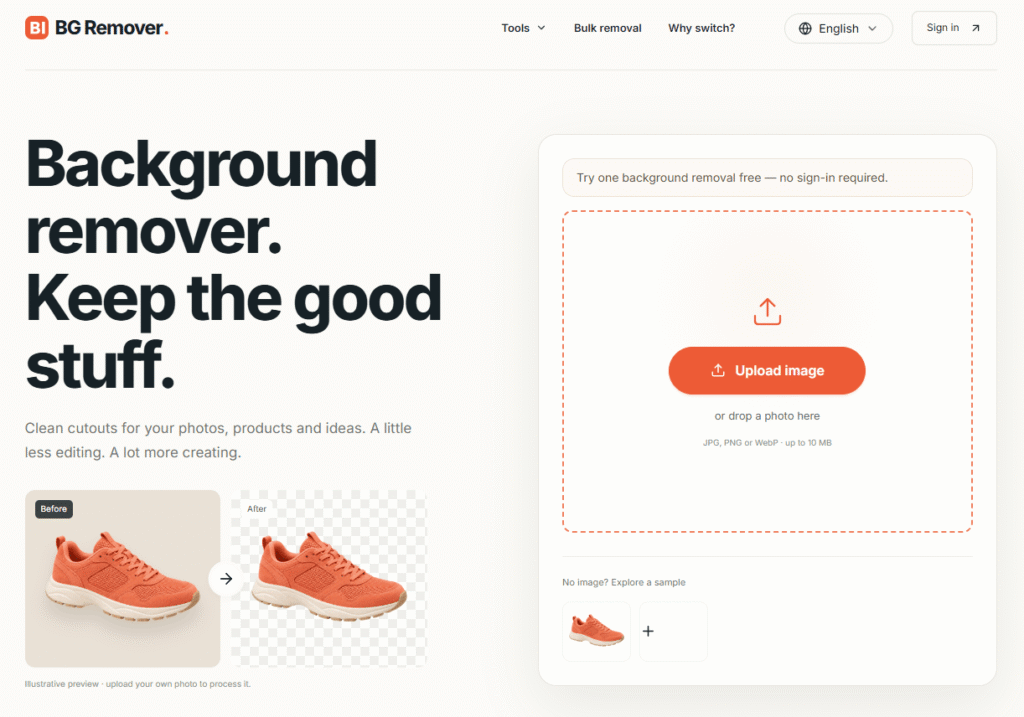
BGRemover is a 100% free AI background remover that creates clean transparent PNGs from any photo in seconds — no sign-up, no login, and no watermark on downloads up to 512px on the longest side.
Upload a PNG, JPG, JPEG, or WebP image up to 10MB, let the AI separate the subject from the background, inspect the cutout at 100% in the workspace, and download the result as a transparent PNG or white background image. The entire workflow — upload, generate, inspect, download — happens in one browser workspace without leaving the page.
BGRemover handles the most demanding edge cases: fine hair and fur, reflective product surfaces, logo letterforms, glasses frames, and transparent objects. The workspace lets you zoom to 100% and inspect every edge before downloading — so you catch halos, clipped details, and background colour bleed before they reach your listing or campaign.
Beyond single images, BGRemover also supports batch processing for up to 20 images simultaneously and a separate video background remover for removing backgrounds from video clips.
As one of the most capable AI image editing tools available for free, BGRemover sits alongside tools like Raphael AI as a go-to resource for creators who need professional image results without a desktop editor.
Step 1 — Upload your image In the workspace, add a PNG, JPG, JPEG, or WebP up to 10MB. A clear subject and visible outline give the AI the best starting point.
Step 2 — Generate, then open Preview Select Generate. When processing finishes, Preview is where you review the cutout before choosing an output.
Step 3 — Check at 100%, then download Inspect hair, fur, glasses, logos, feet, and transparent gaps. Download only after the edge is clean for your listing, layout, or campaign.
| Output | Best For |
|---|---|
| Transparent PNG | Websites, layouts, logos, layered design files |
| White Background | Catalogs, marketplaces, templates needing consistent backdrop |
| Color Background | Brand-specific backgrounds, social media, campaign assets |
1. Product Photo Background Remover Create clean product images with consistent backgrounds for listings, catalogs, and campaigns. Remove tables, walls, and clutter from the original shot to make the product stand out. Pair with white or brand colours for product listings, promotions, and ads.
2. Remove Background from Logo Make a logo transparent for websites, decks, packaging, and social graphics. Inspect complex curves, sharp corners, and small lettering — the spaces inside letters matter as much as thin strokes.
3. Remove Background from Signature Turn a scanned handwritten signature into a transparent PNG for documents and designs.
4. Passport and ID Photos Prepare a photo with the required crop and background. Remove a busy background first, then check hair, ears, and collar edges. Always confirm the destination’s current photo rules before submitting.
5. Website and Campaign Assets Place a transparent person, product, or logo in a webpage, presentation, social post, or ad. Reuse the same cutout with different page colours and layouts without cutting out the image again.
6. Batch Product Photo Editing Upload multiple images, process them together, check edges in each result, then download a ZIP with consistent backgrounds — ideal for product launches and image library organisation.
| Subject Type | What to Inspect |
|---|---|
| Hair and fur | Background colour between strands, halos around outline, unnatural gaps |
| Product outlines | Inside handles, lid and metal joints, natural reflective edges |
| Text and logos | Letter openings, thin strokes, details against different backgrounds |
| Glasses | Thin frames, lens transparency, ear tips |
| Reflective surfaces | Metal, glass, and glossy product surfaces |
| Transparent objects | Glass bottles, clear packaging, water |
BGRemover fits naturally alongside other AI image editing tools in a creator’s toolkit. If you use Headshotsly for AI headshots or Raphael AI for image generation, BGRemover handles the background removal step that comes after — preparing your images for use in listings, campaigns, and designs.
| BGRemover | Remove.bg | Canva BG Remover | Adobe Express | |
|---|---|---|---|---|
| Free with no sign-up | ✅ | ❌ Sign-up required | ❌ Sign-up required | ❌ Sign-up required |
| No watermark free | ✅ Up to 512px | ❌ Low res only | ❌ | ❌ |
| Inspect at 100% | ✅ | ❌ | ❌ | ❌ |
| Batch processing | ✅ 20 images | ✅ Paid | ✅ Paid | ✅ Paid |
| Video background removal | ✅ | ❌ | ❌ | ✅ |
| Color background output | ✅ | ✅ | ✅ | ✅ |
| API access | ✅ | ✅ | ❌ | ❌ |
| Starting price | Free | Free limited | Free limited | Free limited |
What is BGRemover and how does it work?
BGRemover is a free AI background remover that separates the main subject from an image background. Upload an image, let the AI create the cutout, check the edge at 100% in the workspace, and download as a transparent PNG or white background image — no sign-up or login required.
Is BGRemover really free?
Yes. BGRemover is 100% free with no sign-up, no login, and no watermark on downloads up to 512px on the longest side. Paid plans unlock full resolution downloads.
Which image formats does BGRemover support?
PNG, JPG, JPEG, and WebP files up to 10MB.
Does BGRemover work on hair, fur, glasses, and logos?
Yes, but these subjects need a close review. Inspect fine hair, fur, thin glasses frames, lettering, transparent areas, reflections, and soft shadows before downloading.
Are uploaded images private?
Before uploading a sensitive, personal, or client-owned image, read the Privacy Policy and confirm that the stated processing, storage, and deletion terms fit your needs.
Can I use BGRemover results commercially?
You still need the rights to the original photo, person, property, logo, or trademark. Background removal does not grant commercial rights in the source image.
Does BGRemover support batch processing?
Yes. Upload up to 20 images, process them together, review each result, and download a ZIP file with consistent backgrounds.
Does BGRemover support video?
Yes. A separate video background remover is available with 1 free video download included.
| Criteria | Rating |
|---|---|
| Accuracy & Reliability | ⭐ 4.9/5 |
| Ease of Use | ⭐ 4.6/5 |
| Features & Functionality | ⭐ 4.9/5 |
| Performance | ⭐ 4.8/5 |
| Customization | ⭐ 4.7/5 |
| Security & Privacy | ⭐ 4.6/5 |
| Customer Support | ⭐ 4.3/5 |
| Value for Money | ⭐ 4.2/5 |
| Integrations | ⭐ 4.8/5 |
GoEnhance AI is an all-in-one AI video and image enhancement platform that helps creators produce professional-quality content with…
Gemini Watermark Remover is a free browser-based tool that removes the visible Gemini AI watermark from supported Gemini-generated…
Luna Lisa is an AI image generation and photo editing platform built around its VIP Luna Lisa image…
VidMage is an AI-powered face swap platform that lets you instantly swap faces in photos, videos, and GIFs…
Pixlr is a free, browser-based AI photo editor and image generator that combines a full photo editing suite,…
ReWords AI is an online AI tool built for one specific, genuinely useful job: replacing existing text inside…
AI Baby Generator is an advanced AI-powered future baby prediction tool that creates realistic images of your potential…

ProductShot AI is an AI product photography tool built specifically for ecommerce — turning a single product photo…

MimicPC is a browser-based AI workspace that lets users run powerful AI applications without installing software or configuring complex…
TextRemover is an AI-powered image text removal tool that lets you remove any visible text, watermark, overlay, or…
Craiyon is an AI image generator that turns text prompts into original images and artwork. It is designed…

Cutout.Pro is an AI-powered visual content creation and editing platform that helps users create professional-quality images and videos…
