
5 Best AI Tools for Advertising in 2027 (Tested and Ranked)
Running ads in 2027 without AI is like editing video without a timeline. You can do it —…
Read →The Verity Mod is one of the most popular AI companion mods for Minecraft — but getting the AI actually working is where most players get stuck.
This guide covers everything: the best AI provider for Verity, the best AI model for Verity mod, how to set up Groq, OpenRouter, and Ollama, and which free options work best in 2027. Whether you are on Java Edition or Bedrock, this is the complete Verity AI setup guide.
The Verity Mod is a Minecraft AI companion modification that brings an interactive, horror-inspired AI character into your game. Verity uses generative AI — meaning she responds to what you say in real time, remembers context, and holds genuine conversations rather than following a fixed script.
To make Verity work properly, you need to connect her to an AI provider — a service that powers her responses. Without an AI provider configured, Verity either does not respond or gives very limited answers.
The good news: several AI providers work with Verity, including free options. This guide tells you exactly which one to use and how to set it up.
Yes. The Verity Mod uses generative AI — the same technology behind ChatGPT, Claude, and DeepSeek. When you talk to Verity in Minecraft, your message is sent to an AI language model which generates a response in character.
This is what makes Verity different from traditional Minecraft mods — she is not following a decision tree or a script. She is using a live AI model to respond, which means every conversation is unique.
Is the Verity Mod safe? Yes. The Verity Mod is safe to use. It connects to external AI providers via API — the same way any AI app works. Your Minecraft game data is not shared. Only the text of your conversation is sent to the AI provider you choose.
Verity supports multiple AI providers. Here is the complete comparison:
| AI Provider | Cost | Speed | Quality | Best For |
|---|---|---|---|---|
| Groq | ✅ Free tier | ⚡ Fastest | ⭐⭐⭐⭐ | Best free option — recommended for most players |
| OpenRouter | ✅ Free + Paid | ⚡ Fast | ⭐⭐⭐⭐⭐ | Best for accessing multiple models |
| Ollama | ✅ 100% Free | 🖥️ Local | ⭐⭐⭐⭐ | Best for privacy — runs on your own PC |
| OpenAI (GPT) | 💰 Paid | ⚡ Fast | ⭐⭐⭐⭐⭐ | Best quality — but costs money |
Groq is the best free AI provider for Verity in 2027. It is:
For most Minecraft players who want Verity working quickly without spending money, Groq is the answer.
OpenRouter gives you access to dozens of AI models through one API key — including free models from Meta, Mistral, and others. If you want to experiment with different AI models for Verity without paying for each separately, OpenRouter is the best choice.
Ollama runs AI models locally on your own PC — no data sent to any external server. If you are privacy-conscious or want Verity to work completely offline, Ollama is the right choice. It requires more setup and a reasonably powerful PC, but it is 100% free and private.
Once you have chosen your AI provider, you need to choose which AI model to use. Here are the best options:
| Model | Speed | Character Quality | Recommended |
|---|---|---|---|
| llama-3.3-70b-versatile | ⚡ Fast | ⭐⭐⭐⭐⭐ | ✅ Best overall |
| llama-3.1-8b-instant | ⚡⚡ Fastest | ⭐⭐⭐ | Good for low-end PCs |
| mixtral-8x7b-32768 | ⚡ Fast | ⭐⭐⭐⭐ | Strong alternative |
Recommended: llama-3.3-70b-versatile — best balance of character quality and speed on Groq’s free tier.
| Model | Size | Character Quality | Recommended |
|---|---|---|---|
| llama3.2:3b | 2GB | ⭐⭐⭐ | ✅ Best for low-end PCs |
| llama3.1:8b | 4.7GB | ⭐⭐⭐⭐ | ✅ Best balance |
| llama3.3:70b | 43GB | ⭐⭐⭐⭐⭐ | Best quality — needs powerful PC |
| mistral:7b | 4.1GB | ⭐⭐⭐⭐ | Strong alternative |
Recommended for most players: llama3.1:8b — good character quality without needing a high-end GPU.
Step 1 — Get Your Groq API Key
Step 2 — Install the Verity Mod
Step 3 — Configure the AI Provider in Verity
llama-3.3-70b-versatileStep 4 — Test It Talk to Verity in game. She should respond within 1-2 seconds using the Groq API. If she does not respond, double-check your API key is pasted correctly with no extra spaces.
Step 1 — Install Ollama
Step 2 — Download a Model Open your terminal or command prompt and run:
ollama pull llama3.1:8b
Wait for the model to download (approximately 4.7GB).
Step 3 — Configure Verity
http://localhost:11434llama3.1:8bStep 4 — Test It Talk to Verity. Since Ollama runs locally, response speed depends on your PC’s GPU. A dedicated GPU will give faster responses than CPU-only inference.
Step 1 — Get Your OpenRouter API Key
Step 2 — Configure Verity
meta-llama/llama-3.1-8b-instruct:free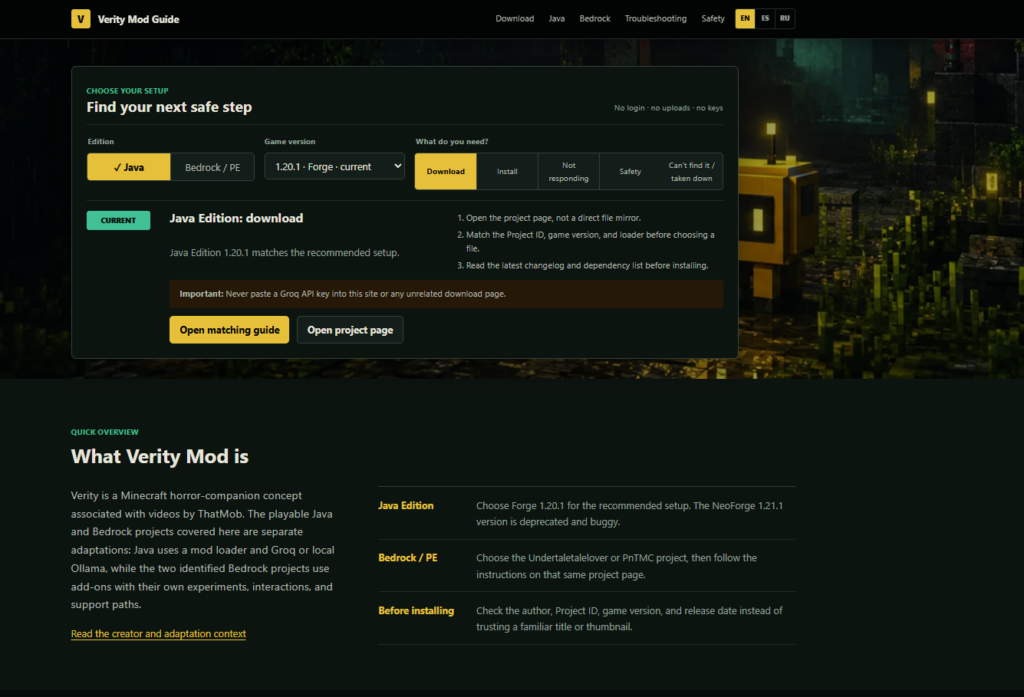
Verity is not responding at all
Verity is responding but not staying in character
llama-3.3-70b-versatile on Groq or llama3.1:8b on OllamaVerity AI setup not working on Bedrock
Ollama is too slow
Still not working?
Yes. The Verity Mod itself is free to download and use. The AI provider you connect it to may have costs depending on which one you choose:
| Provider | Cost |
|---|---|
| Groq | Free tier available — no credit card required |
| Ollama | 100% free — runs locally on your PC |
| OpenRouter | Free models available — paid models require credits |
| OpenAI | Paid — requires a funded OpenAI account |
For most players, Groq gives the best free experience with no setup complexity.
The Verity Mod uses the same underlying AI technology as the tools reviewed on HeloAITools — large language models (LLMs) that generate responses in real time. If you are interested in exploring AI beyond Minecraft, here are the best tools to try:
Browse all AI Chatbot and AI Assistant tools reviewed on HeloAITools →
| Question | Answer |
|---|---|
| Does Verity use generative AI? | ✅ Yes |
| Is the Verity Mod safe? | ✅ Yes |
| Best free AI provider for Verity | ✅ Groq |
| Best free Ollama model for Verity | ✅ llama3.1:8b |
| Best overall AI model for Verity | ✅ llama-3.3-70b-versatile (Groq) |
| Does Verity cost anything? | ✅ Mod is free — AI provider may have costs |
| Does Verity work on Bedrock? | ⚠️ Check official mod page for Bedrock support |
| Is Ollama good for Verity? | ✅ Yes — best for privacy and offline use |
Q1. How do I set up Verity AI?
Install the Verity Mod, create a free Groq account at console.groq.com, get your API key, open Verity’s AI Settings in Minecraft, select Groq as your provider, paste your API key, and select llama-3.3-70b-versatile as your model. Full step-by-step instructions above.
Q2. What is the best AI provider for Verity?
Groq is the best free AI provider for Verity in 2027 — fast, free, and easy to set up. For privacy, Ollama is the best option as it runs locally on your PC.
Q3. What is the best AI model for Verity mod?
llama-3.3-70b-versatile on Groq is the best AI model for Verity — best character quality on the free tier. For Ollama, llama3.1:8b is the best balance of quality and performance.
Q4. What is the best Ollama model for Verity?
llama3.1:8b is the best Ollama model for Verity for most players — good character quality without requiring a high-end GPU. If you have a powerful PC, llama3.3:70b gives the best quality.
Q5. Is the Verity Mod generative AI?
Yes. The Verity Mod uses generative AI — large language models (LLMs) — to generate Verity’s responses in real time. This is the same technology used by ChatGPT, Claude, and DeepSeek.
Q6. Is the Verity Mod safe to use?
Yes. The Verity Mod is safe. It connects to AI providers via API — only the text of your conversation is sent. Your Minecraft data is not shared. Ollama is the most private option as it runs entirely locally.
Q7. Does Verity cost anything?
The Verity Mod is free. Groq and Ollama are both free AI providers that work with Verity. OpenAI requires a paid account. Most players can get Verity fully working for free using Groq.
Q8. How do I use Ollama with Verity?
Install Ollama from ollama.com, run ollama pull llama3.1:8b in your terminal, then configure Verity’s AI Settings to use Ollama with the URL http://localhost:11434 and model llama3.1:8b.

Running ads in 2027 without AI is like editing video without a timeline. You can do it —…
Read →The challenge is knowing which tool actually fits your situation. Per-conversation pricing sounds cheap until your volume spikes.…
Read →Instagram Reels is the most competitive short-form video format in 2027. Over 200 billion Reels are played every…
Read →