

5 Best AI Tools for Advertising in 2027 (Tested and Ranked)
Running ads in 2027 without AI is like editing video without a timeline. You can do it —…
Read →Posting consistently on LinkedIn is one of those things everyone agrees matters and almost nobody actually sustains — staring at a blank post box three times a week isn’t a habit, it’s a chore. These 8 tools generate LinkedIn posts automatically from a topic, a source article, a voice note, or your own past writing, so the bottleneck stops being “what do I even write” and starts being “which draft do I actually publish.”
Quick answer: For general-purpose AI writing with LinkedIn templates built in, Jasper and Copy.ai are the strongest all-rounders. For LinkedIn-only, voice-matched growth tools, Taplio and Supergrow lead the dedicated category.
| Tool | Best For | Starting Price |
|---|---|---|
| Taplio | Max automation — content + CRM + outreach in one place | From $39/mo |
| Supergrow | Budget-friendly, voice-trained LinkedIn writing | From $16-19/mo |
| AuthoredUp | Formatting and post-performance analytics, not generation | From $12.50-19.95/mo |
| Jasper | Brand-voice writing across LinkedIn and other channels | See listing |
| Copy.ai | Repeatable, templated LinkedIn post workflows | See listing |
| Writesonic | LinkedIn writing plus AI-search-visibility tracking | See listing |
| Rytr | Budget entry point for solo creators and freelancers | See listing |
| HyperWrite | Autocomplete-style writing that works everywhere you type | See listing |
Pricing shifts often in this category — verify current numbers on each vendor’s site before subscribing.
Best for: Creators who want content generation, scheduling, and LinkedIn-specific outreach in one platform.
Taplio is the most fully-featured LinkedIn-only tool on this list — its AI draws on a large library of high-performing LinkedIn posts to generate drafts, then pairs that with scheduling, a content-idea engine, analytics, and a lead/CRM layer for creators using LinkedIn for business development, not just visibility. The tradeoff is cost and setup: no free tier, and its automation features (auto-DMs, connection requests) run through a browser extension rather than LinkedIn’s official API, which carries some account-risk tradeoff worth understanding before enabling the more aggressive automation features.
Best for: Solo creators and founders who want voice-matched posts without a steep price.
Supergrow builds a “Content DNA” voice profile from your own past writing — tone, vocabulary, and recurring themes — so generated drafts sound like you rather than a generic template. Its PostCast feature turns a spoken voice note into a written post, and it includes a carousel maker for LinkedIn’s native slide-post format. It’s consistently positioned across independent reviews as the budget pick in this category, with a real free tier before paid plans.
Best for: Creators who already write their own posts but want better formatting and performance data.
AuthoredUp is worth including with an honest caveat: it’s not primarily a generation tool. Its strength is a rich-text formatting editor (so posts don’t lose their line breaks and emoji spacing when pasted into LinkedIn) plus genuinely deep analytics on how your own past posts performed. If your bottleneck is writing itself, this isn’t the tool; if your bottleneck is publishing polish and knowing what’s actually working, it’s a strong pairing with any generator on this list.
Best for: Teams producing LinkedIn content alongside blog posts, ads, and email in one brand voice.
Jasper’s LinkedIn template library sits inside a much broader AI writing platform, making it the pick if LinkedIn is one channel among several rather than your only one. Brand voice controls help keep output consistent across a whole marketing team, not just a single creator’s tone. See our full Jasper review, pricing, and alternatives →
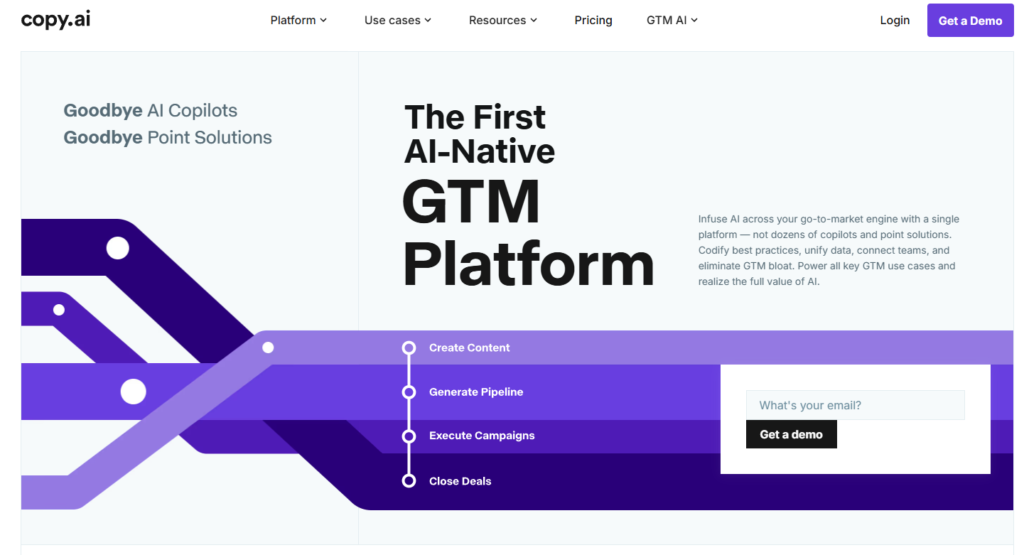
Best for: Repeatable LinkedIn workflows — the same post type, produced consistently.
Copy.ai leans into structured, reusable workflows rather than one-off prompts, which suits creators or teams publishing the same kind of LinkedIn post regularly (weekly insights, product updates, hiring announcements) and wanting a consistent, repeatable process rather than starting from scratch each time. See our full Copy.ai review, pricing, and alternatives →
Best for: Writers who also want to track their brand’s visibility in AI search results.
Writesonic’s 2026 repositioning bundles its writing tools (including LinkedIn content) with AI-search-visibility tracking — monitoring whether ChatGPT, Gemini, and Perplexity mention your brand. A slightly unusual combination for a LinkedIn-focused need specifically, but a genuine bonus if you’re already thinking about broader AI-era visibility beyond just LinkedIn. See our full Writesonic review, pricing, and alternatives →
Best for: Freelancers and solo creators who want a low-cost way to keep posting consistently.
Rytr is the most budget-friendly general-purpose option on this list, without the depth of Jasper or Copy.ai’s brand-voice and workflow tooling. A reasonable starting point if you’re testing whether AI-assisted LinkedIn posting is worth building a habit around before committing to a pricier dedicated tool. See our full Rytr review, pricing, and alternatives →
Best for: Writers who want AI suggestions everywhere they type, not locked inside one editor.
HyperWrite’s autocomplete-style writing assistant works across your browser rather than requiring you to draft inside a dedicated app first — useful if you like drafting LinkedIn posts directly in LinkedIn’s own composer with AI suggestions as you go, rather than writing elsewhere and pasting in. See our full HyperWrite review, pricing, and alternatives →
What is the best AI tool for generating LinkedIn posts automatically?
It depends on your setup. Taplio and Supergrow are the strongest dedicated LinkedIn-only options; Jasper and Copy.ai are better if you need consistent brand voice across LinkedIn and other channels too.
Can AI actually write LinkedIn posts that sound like me?
Some tools (Supergrow’s Content DNA, for example) build a voice profile from your own past writing specifically to avoid generic-sounding output. Results still improve with editing — treat AI drafts as a strong starting point, not a finished, publish-ready post every time.
Is it safe to automate LinkedIn posting with AI tools?
Posting drafts you’ve reviewed is generally fine. Be more cautious with tools that automate connection requests or DMs through browser extensions rather than LinkedIn’s official API, since that carries more account-risk than straightforward content generation and manual publishing.
Do I need a paid tool, or can free AI tools generate good LinkedIn posts?
Several tools on this list (Supergrow, Rytr) offer real free tiers or low-cost entry points, and general AI assistants can also draft a reasonable LinkedIn post directly from a prompt. Dedicated tools add value mainly through voice-matching, scheduling, and analytics on top of the raw generation.
How many LinkedIn posts should I generate and publish per week?
There’s no universal number, but consistency matters more than volume — 2-3 well-edited posts a week sustained over months typically outperforms a burst of daily posting that stops after two weeks.

Running ads in 2027 without AI is like editing video without a timeline. You can do it —…
Read →The challenge is knowing which tool actually fits your situation. Per-conversation pricing sounds cheap until your volume spikes.…
Read →Instagram Reels is the most competitive short-form video format in 2027. Over 200 billion Reels are played every…
Read →