
8 Best AI Tools to Create a Faceless YouTube Channel Automatically in 2026
You do not need a camera. You do not need a studio. You do not need to show…
Read →Studying and research both involve the same recurring problems: finding reliable sources fast, writing clearly under deadline pressure, organizing scattered notes, and turning research into something presentable. We put together this guide by function rather than as a generic list, so you can find the right AI tool for the actual task in front of you — a literature review, a thesis chapter, a class presentation, or a stack of lecture recordings you haven’t transcribed yet.
Quick answer: Perplexity is the strongest AI research tool for finding and citing sources. QuillBot is the best all-around academic writing tool for students. GPTZero is the most useful AI detector for checking your own work before submission. Notion AI is the best option for organizing research and notes in one place.
| Tool | Best For | Starting Price | Free Plan |
|---|---|---|---|
| Perplexity | AI research and cited answers | Free tier available | Yes |
| QuillBot | Paraphrasing and academic writing | ₹334/mo (Premium) | Yes |
| Grammarly | Grammar and clarity for papers | ₹392/member/mo (Plus) | Yes |
| DeepL Write | Non-native English academic writing | Free corrections | Yes |
| GPTZero | Checking your own work before submission | Free tier available | Yes |
| Notion AI | Organizing research and notes | $0-$12/mo (trial of AI) | Yes |
| Decktopus | Class and thesis presentations | Free tier available | Yes |
| VidiRelay | Lecture transcription | $9.99 (200 credits) | 50 welcome credits |
Perplexity is built specifically to replace the “search, click ten tabs, cross-reference” research workflow — it answers questions directly with cited sources, which matters enormously for academic work where you need to trace a claim back to where it came from, not just get a confident-sounding answer.
For broader reasoning, drafting, and working through a research problem conversationally, ChatGPT and Claude are both strong general-purpose options — Claude in particular tends to handle long documents and careful, methodical reasoning well, which suits literature review and thesis-length work.
A note on using AI for research: always verify AI-cited sources actually say what the tool claims, and check your institution’s specific policy on AI-assisted research before relying on any of these for graded or published work — policies vary widely by school and even by course.
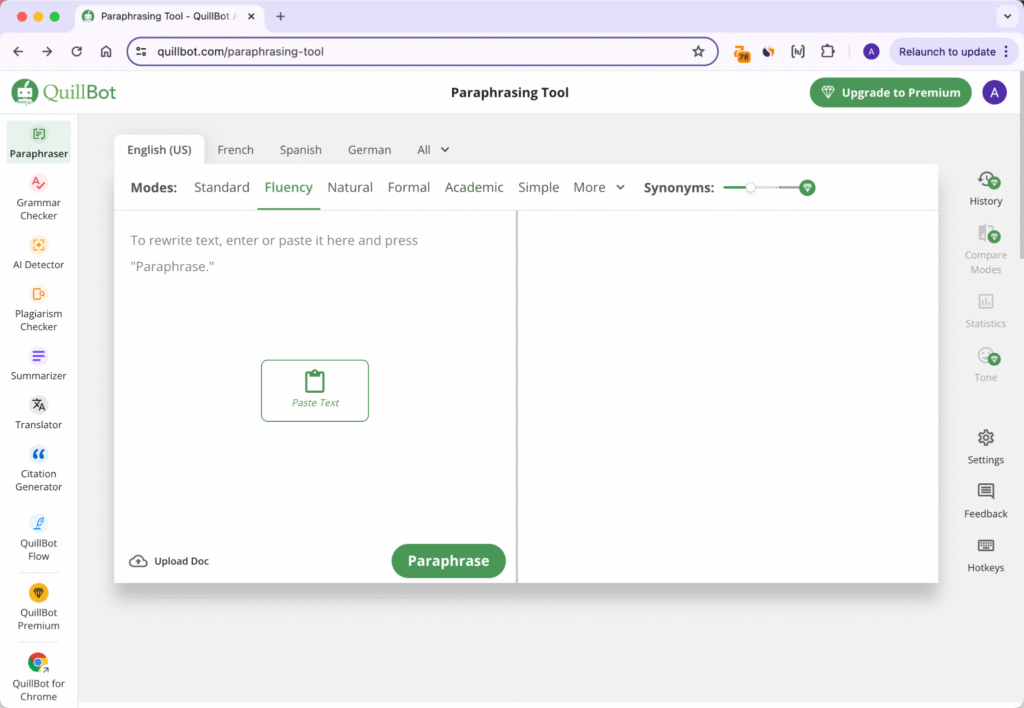
QuillBot is the strongest all-around pick for students specifically — its paraphrasing tool, grammar checker, and plagiarism checker cover the most common academic writing needs in one subscription, and its free plan is genuinely usable for shorter passages.
Grammarly is the better choice if you want one tool for everyday writing beyond just academic work — emails, applications, and general clarity checks — with plagiarism and AI-detection built in as well.
DeepL Write deserves a specific mention for international and non-native English-speaking students: it’s built on translation-grade language AI and is particularly good at making writing sound natural and fluent, not just grammatically correct — a common gap other grammar tools don’t fully close.
GPTZero was originally built for education and remains the most relevant AI detector for students specifically — it offers sentence-level highlighting rather than a single score, and a genuinely usable free tier.
Worth being clear about: the legitimate use case here is checking your own original writing before submission, in case AI-detection tools your school uses (like Turnitin) flag something unfairly — false positives on entirely human-written text are a real, documented problem. Using a detector to help you evade a plagiarism or AI-use policy you’re supposed to follow is a different situation entirely, and one worth thinking through against your specific school’s academic integrity policy, not just “which tool works.”
Decktopus turns an outline or topic into a structured slide deck quickly, useful when a presentation is due and you’d rather spend your time on content than slide formatting.
MagicSlides is a solid alternative worth comparing, particularly if you’re already working inside Google Slides.
VidiRelay converts lecture recordings (or any video/audio) into searchable, editable, timestamped transcripts — genuinely useful for turning a 90-minute recorded lecture into notes you can actually search and study from, rather than re-watching the whole thing.
Sonix is a strong alternative, particularly for multilingual transcription needs.
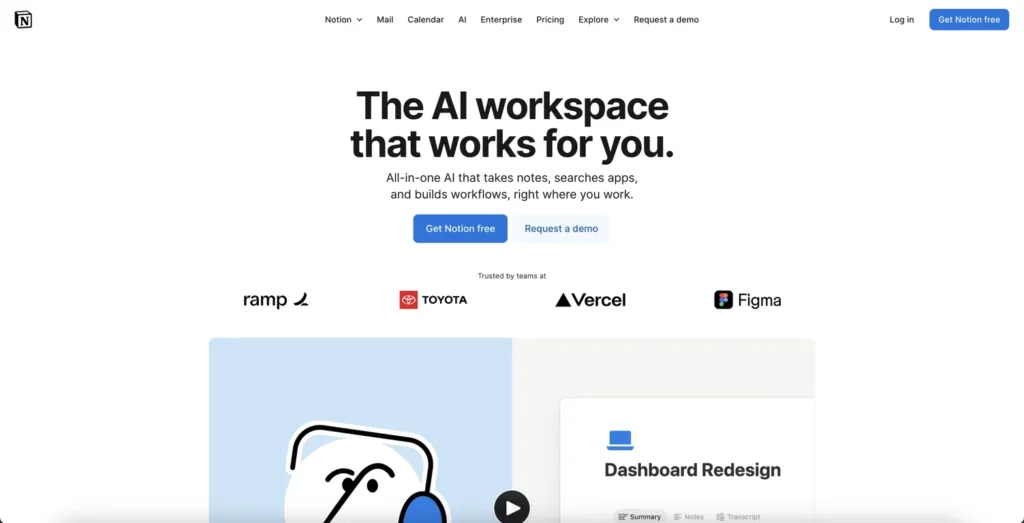
Notion AI is the strongest option if you want one place for lecture notes, research sources, reading lists, and writing drafts, rather than scattered documents across different apps. Its AI features can summarize, search across your notes, and help draft from what you’ve already gathered.
What are the best free AI tools for students?
Perplexity, QuillBot, Grammarly, DeepL Write, GPTZero, Decktopus, and Notion AI all offer genuinely usable free tiers, covering research, writing, detection, presentations, and note organization without requiring payment to start.
What is the best AI tool for academic research?
Perplexity is the strongest pick for research specifically, since it answers questions with cited sources rather than an unsupported summary, which matters for tracing claims back to their origin in academic work.
What is the best AI tool for writing a thesis or dissertation?
Claude tends to handle long-document reasoning and careful writing well for thesis-length work, while QuillBot and Grammarly are better suited to line-by-line editing, paraphrasing, and grammar checking throughout the writing process.
Can AI detectors be trusted to check my own work?
No detector, including GPTZero, is 100% accurate, and false positives on genuinely human-written text are a documented issue. Treat a detector’s result as one data point worth reviewing, not a final verdict, and check your specific school’s policy on AI-assisted work.
What AI tools help with lecture notes?
VidiRelay and Sonix both convert recorded lectures into searchable, timestamped transcripts, which is faster than re-watching a recording to find specific content when studying.
Is it okay to use AI tools for schoolwork?
It depends entirely on your specific institution’s and course’s policy, which varies significantly. Using AI to research, organize notes, or check your own writing before submission is generally lower-risk than using it to generate work you submit as entirely your own — when in doubt, ask your instructor directly rather than assuming.

You do not need a camera. You do not need a studio. You do not need to show…
Read →Two tools. Both edit video with AI. Both have millions of users who swear by them. And yet…
Read →There is a reason millions of people use both of these tools every single day. They are not…
Read →