
12 Best ChatGPT Alternatives I Have Tested (Updated 2027)
ChatGPT is still the most widely used AI assistant in the world. But it is not always the…
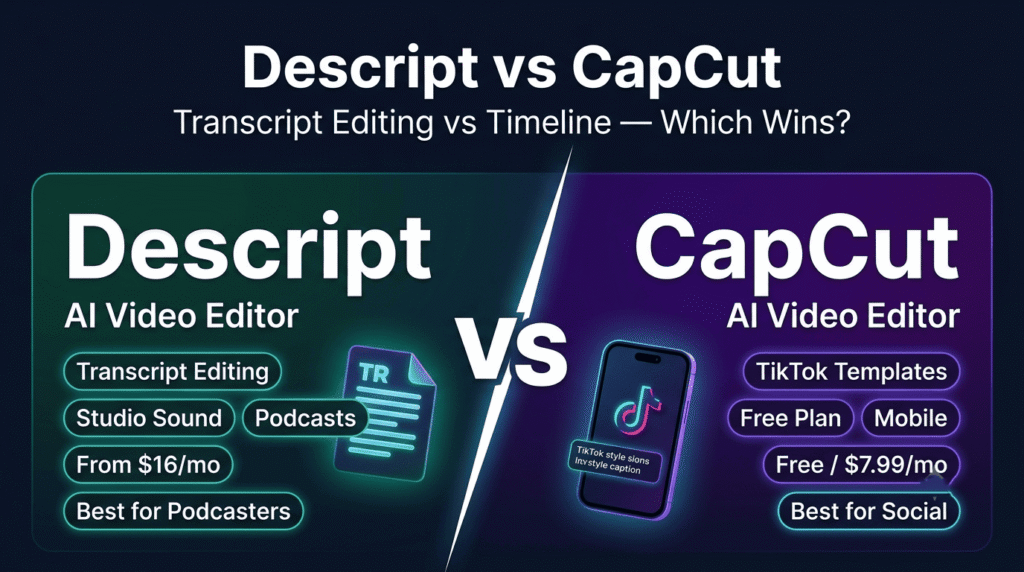
Read →Two tools. Both edit video with AI. Both have millions of users who swear by them. And yet they solve completely different problems — and using the wrong one for your workflow will cost you hours every single week.
That is the single most important thing to understand about Descript vs CapCut in 2026. This is not a race where one tool wins and the other loses. It is a question of which problem you are actually trying to solve.
Here is the clearest way to think about it:
Descript thinks in words. It converts your recording into a transcript and lets you edit the video by editing the text. Delete a sentence from the transcript — the corresponding audio and video disappears. Move a paragraph — the media moves with it. For podcasters, interviewers, educators, and anyone whose content is built around spoken dialogue, this workflow saves hours per episode. Descript’s AI — the Underlord suite — is built to fix technical problems: Studio Sound removes background noise, Remove Filler Words deletes every “um” and “uh” in one click, and AI clipping identifies the best moments automatically.
CapCut thinks in visuals. It is a timeline-first editor built for speed, effects, and social publishing. Trending templates, animated captions, beat-synced cuts, background removal, chroma key, speed ramps, and a full-featured mobile app that matches the desktop experience. For TikTok creators, Reels producers, and anyone whose content is built around visual momentum and social formats, CapCut is the fastest path from footage to published clip. And the free plan — with no watermark, no time limit on editing, and no credit card required — is genuinely one of the best free tiers in any creative tool.
That one distinction explains 90% of the decisions you need to make. Everything below fills in the other 10%.
| Descript | CapCut | |
|---|---|---|
| Best for | Podcasts, interviews, long-form, spoken-word editing | TikTok, Reels, Shorts, social-first visual content |
| Editing model | ⭐ Transcript-first — edit video by editing text | Timeline + templates — drag, trim, effects |
| AI focus | ⭐ Fix technical problems — noise, filler words, clipping | ⭐ Visual flair — captions, effects, beat sync, avatars |
| Free plan | Limited — watermarked exports | ⭐ Genuinely free — no watermark, no time limit |
| Starting price | $16/month (Hobbyist, annual) | ⭐ $7.99/month (Pro) |
| Mobile editing | ⚠️ Limited — record and comment only | ⭐ Full-featured — matches desktop experience |
| Filler word removal | ⭐ Deep — integrated into transcript view | Basic — added to Pro, not transcript-integrated |
| Studio Sound / audio cleanup | ⭐ Yes — one-click professional audio | ❌ No equivalent |
| Voice cloning | ⭐ Yes — Overdub AI voice clone | ❌ No |
| Screen recording | ⭐ Yes — built in | ❌ No |
| Remote recording | ⭐ Yes — podcast-grade remote recording | ❌ No |
| AI translation and dubbing | ⭐ Business plan | ❌ No |
| AI avatars | ✅ Business plan | ✅ Yes |
| Templates library | Limited | ⭐ Massive — trending TikTok formats updated regularly |
| Caption styles | Accurate — transcript-based | ⭐ Animated — social-style, eye-catching |
| Beat sync | ❌ No | ⭐ Auto-Cut — syncs clips to music automatically |
| Background removal | ❌ No | ⭐ Yes — one-click |
| Speed ramp | ❌ No | ⭐ Yes |
| Chroma key | ❌ No | ⭐ Yes |
| 4K export | ✅ Creator plan ($24/month annual) | ✅ Pro plan ($7.99/month) |
| Team collaboration | ✅ Business plan | ✅ Team plan |
| Adobe Premiere / Final Cut export | ⭐ Yes — with cuts intact | ❌ No — closed loop |
| Platforms | Mac, Windows, Web | ⭐ Mac, Windows, Web, iOS, Android |
| G2 / rating | ⭐ 4.9/5 | 4.9/5 |
Descript is a modern content creation platform built around one genuinely innovative idea: what if you could edit video the same way you edit a document? Record or import your audio or video, and Descript automatically generates a transcript. From that point, the transcript is your editing surface. Delete words — the media disappears. Rearrange sentences — the media rearranges. The AI assistant Underlord handles the technical work: Studio Sound makes cheap microphones sound professional, Remove Filler Words eliminates every hesitation in one click, AI Clipping identifies the best moments from long recordings, and AI Translation and Dubbing localises content across languages. Trusted by YouTubers, podcasters, marketers, educators, journalists, and corporate teams. G2 rating: 4.9/5.
CapCut is a powerful AI-powered video editing platform developed by ByteDance — TikTok’s parent company — and it shows in every design decision. The platform is built for speed, visual momentum, and social publishing. A massive library of trending templates updated regularly with the latest TikTok formats. Animated caption styles that replicate the look of viral content. Auto-Cut that syncs your clips to a beat automatically. Background removal, chroma key, speed ramps, and AI avatars — all in a timeline-first interface that works identically on desktop, web, iOS, and Android. Downloaded over 1 billion times globally. The free plan includes no watermark, no editing time limit, and no credit card requirement — making it the most accessible professional video editor available at any price point. G2 rating: 4.9/5.
This is the single most important factor in choosing between the two tools, and it is worth spending time on.
Descript’s transcript-first workflow is genuinely transformative for spoken-word content. Imagine you have recorded a 45-minute podcast interview. In a traditional timeline editor, finding and cutting a specific sentence means scrubbing through the waveform, listening, finding the right frame, and making the cut manually. In Descript, you read the transcript, find the sentence, select it, and delete it. The media disappears. The edit is done. For a 45-minute recording with 20 cuts to make, the time saving is not marginal — it is measured in hours per episode.
Reddit users in the podcasting community consistently report saving 2 to 3 hours per episode after switching to Descript’s transcript workflow. One thread from 2026 titled “Descript is saving me 3 hours per episode” has hundreds of upvotes — the sentiment is representative, not exceptional.
CapCut’s timeline-first workflow is genuinely transformative for visual content. Imagine you have shot 10 clips on your phone for a TikTok video. In Descript, you would import the clips, wait for transcription, and work through a text-based interface that was not designed for this kind of content. In CapCut, you import the clips, select a trending template, apply animated captions, add a beat-synced music track, and publish — all from your phone, in under 20 minutes. For high-volume social content where visual momentum matters more than spoken precision, CapCut’s workflow is the right tool.
The practical takeaway: If your content starts with a recording — a podcast, an interview, a webinar, a talking-head video, a screen recording — Descript is the faster editing path. If your content starts with clips, footage, or a creative concept — a TikTok, a Reel, a product video, a music-driven edit — CapCut is the faster editing path.
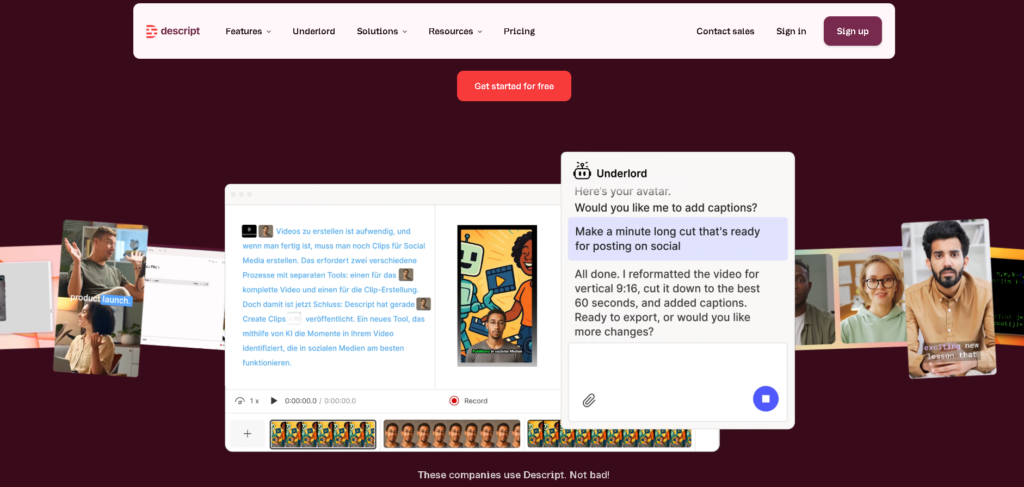
Underlord is Descript’s AI assistant and the feature that most clearly separates it from every other video editor in this comparison. It is not a single tool — it is a suite of AI capabilities that automate the most time-consuming parts of spoken-word video production:
Studio Sound — one-click audio enhancement that removes background noise, echo, and room reverb. Makes a USB microphone recorded in a home office sound like a professional studio recording. No audio engineering knowledge required. This single feature alone justifies the Hobbyist plan for podcasters who record in imperfect acoustic environments.
Remove Filler Words — automatically identifies and removes every “um,” “uh,” “like,” “you know,” and other filler words from the transcript in one click. The integration with the transcript view means you can review the removals before committing — unlike CapCut’s basic filler removal which operates on the timeline without transcript context.
AI Clipping — analyses long recordings and identifies the most engaging moments, generating short clips ready for social publishing. For a 60-minute podcast episode, AI Clipping can produce 5 to 10 social clips in minutes without manual review of the full recording.
AI Translation and Dubbing — available on the Business plan ($50/month annual). Translate and re-voice video content across multiple languages while preserving the original speaker’s delivery. For creators and businesses producing multilingual content, this is a significant workflow advantage over CapCut which has no equivalent feature.
AI Avatars — generate AI presenter footage from a script on the Business plan. Useful for corporate training, product demos, and any content where a human presenter is needed but filming is not practical.
Descript’s Overdub feature creates an AI voice clone of the speaker — trained on a sample of their voice — that can be used to fix mistakes, add new lines, or regenerate sections of audio without re-recording. For podcasters and YouTubers who want to correct a mispronounced word or add a sentence they forgot to say, Overdub eliminates the need to re-record the entire segment. Available from the Hobbyist plan.
CapCut has no equivalent voice cloning feature.
Descript includes a built-in screen recorder — useful for product demos, tutorials, and software walkthroughs. Record your screen, import it directly into Descript, and edit using the transcript of any narration. CapCut has no screen recording capability.
Remote podcast recording — Descript supports high-quality remote recording for podcast interviews, capturing each participant’s audio and video locally for maximum quality. This positions Descript as a complete podcast production platform — record, edit, and publish without switching tools.
Descript exports to Adobe Premiere Pro and Final Cut Pro with cuts intact — meaning the edit you made in Descript’s transcript view transfers to the professional timeline editor with all the cuts preserved. For creators who use Descript for the transcript-based rough cut and then finish in a professional NLE, this integration is genuinely valuable.
CapCut is a closed loop — it is designed for direct social platform publishing, not for integration with professional post-production workflows.
Descript pricing:
| Plan | Monthly | Annual | Media Hours | AI Credits | Key Features |
|---|---|---|---|---|---|
| Free | $0 | $0 | Limited | Limited | Watermarked exports, basic editing |
| Hobbyist | $24/month | $16/month | 10 hrs/month | 400 | 1080p watermark-free, Studio Sound, Filler Words, Overdub |
| Creator | $35/month | $24/month | 30 hrs/month | 800 | 4K exports, full Underlord, 20+ AI tools, unlimited stock media |
| Business | $65/month | $50/month | 40 hrs/month | 1,500 | Brand Studio, AI translation and dubbing, custom AI avatars, team collaboration |
| Enterprise | Custom | Custom | Unlimited | Custom | SOC 2, SSO, SCIM, dedicated onboarding |
The honest limitations: Descript’s free plan has watermarked exports — not a usable free tier for published content. The media hours and AI credits system can catch heavy users off guard mid-month. The mobile app is limited to recording and commenting — not a full editing experience. The template library is significantly smaller than CapCut’s. Visual effects, transitions, and social-format polish are weaker than CapCut.

CapCut’s free plan is genuinely remarkable. No watermark on exports. No time limit on editing sessions. No credit card required. Access to auto-captions, templates, transitions, text effects, background removal, and basic AI tools — all free. For solo creators, students, and anyone producing social content on a budget, CapCut’s free tier delivers professional-quality output that would cost 50 per month on any competing platform.
CapCut Pro at 7.99/month, it is the cheapest paid video editing tier in this comparison by a significant margin.
CapCut’s template library is updated continuously with the latest trending TikTok and Reels formats. When a new video style goes viral — a specific caption animation, a transition style, a music-driven edit format — CapCut typically has a template for it within days. For creators who need to participate in trends quickly, this library is the fastest path from concept to published clip.
Descript’s template library is significantly smaller and not optimised for social trend participation.
Auto-Cut — automatically syncs your clips to a music track’s beat. Select your clips, select a track, and CapCut cuts the video to match the rhythm automatically. For music-driven content — travel videos, product showcases, lifestyle content — this saves significant manual editing time.
Animated Captions — CapCut’s caption styles replicate the animated text formats that perform best on TikTok and Reels. Word-by-word highlighting, bouncing text, colour-coded speakers, and dozens of social-native styles. Descript’s captions are more accurate and editable but significantly less visually dynamic.
Background Removal — one-click AI subject detection removes backgrounds from video footage. Useful for product videos, talking-head content, and any clip where a clean background is needed without a green screen setup.
Chroma Key — traditional green screen support for creators who do use physical green screens.
Speed Ramp — dynamic speed changes within a single clip — slow motion into normal speed into fast forward — a technique widely used in travel and lifestyle content.
AI Avatars — generate AI presenter footage from a script. Available on paid plans.
CapCut’s mobile app is a full-featured editing environment — not a stripped-down companion to the desktop tool. Every major feature available on desktop is available on mobile. Many TikTok creators edit entirely on their phones using CapCut, shooting and publishing within hours without touching a computer.
Descript’s mobile app is limited to recording and commenting. It is not a mobile editing tool. For creators who edit on the go, CapCut is the only practical choice between the two.
CapCut pricing:
| Plan | Monthly | Annual | Key Features |
|---|---|---|---|
| Free | $0 | $0 | No watermark, auto-captions, templates, effects, background removal, HD export |
| Pro | $7.99/month | ~74.99/year) | 4K export, premium templates, advanced effects, Remove Fillers, additional cloud storage |
| Team | ~$24.99/month | Varies by region | Shared projects, team editing, cloud collaboration, brand templates |
CapCut pricing varies by region and platform — verify current rates at capcut.com before subscribing.
The honest limitations: CapCut has no transcript-based editing — finding and cutting specific spoken content requires manual timeline scrubbing. No Studio Sound equivalent — audio cleanup requires external tools. No screen recording. No voice cloning. No remote recording. No Adobe Premiere or Final Cut Pro integration. Team collaboration features are less developed than Descript’s Business plan. The Remove Fillers tool on Pro is not integrated into a transcript view — it operates on the timeline without the precision of Descript’s version.
The pricing gap between the two tools is significant — and it favours CapCut at every tier.
Free tier: CapCut’s free plan is genuinely usable for professional content production — no watermark, no editing limits. Descript’s free plan has watermarked exports — it is a trial, not a working tool.
Entry paid tier: CapCut Pro at 16/month (annual). CapCut is half the price with no editing time limits. Descript’s Hobbyist plan gives 10 media hours per month — sufficient for moderate podcast production but limiting for heavy users.
Mid tier: CapCut has no direct equivalent to Descript’s Creator plan at 7.99/month. Descript’s Creator plan adds 4K export, 30 media hours, and full Underlord access.
Choose Descript if:
Choose CapCut if:
Use both if:
Descript is the right choice for any creator whose content is built around spoken dialogue. The transcript-first editing workflow, Studio Sound, filler word removal, voice cloning, screen recording, and remote recording make it the most complete spoken-word content production platform available at this price point. The time savings on podcast and interview editing are real, measurable, and reported consistently by creators who have made the switch.
CapCut is the right choice for any creator whose content is built around visual momentum and social publishing. The free plan with no watermark, the trending template library, animated captions, beat-synced editing, and full-featured mobile app make it the most accessible and most social-optimised video editor available at any price point. For TikTok and Reels creators, there is no better tool at $0 per month.
The smartest approach for most content creators: use both. Record and edit in Descript for the transcript workflow and audio cleanup. Export clips and bring them into CapCut for social-format packaging, animated captions, and effects. Together, these two tools cover the full spectrum of content production needs for $16/month or less — and that combination is genuinely hard to beat.
What is the main difference between Descript and CapCut?
The biggest difference is the editing workflow. Descript uses transcript-based editing — you edit video by editing the automatically generated text transcript, making it the fastest tool for podcasts, interviews, webinars, and any spoken-word content. CapCut uses a traditional timeline with templates and effects, making it the fastest tool for TikTok, Reels, Shorts, and visual social content. One thinks in words. The other thinks in visuals.
Is CapCut really free with no watermark?
Yes. CapCut’s core features are free with no watermark on exports. This includes auto-captions, templates, transitions, text effects, background removal, and basic AI tools. CapCut Pro at $7.99 per month adds premium templates, 4K export, advanced effects, and the Remove Fillers tool — but most creators can produce polished social content without paying anything.
Which is better for podcast editing — Descript or CapCut?
Descript is significantly better for podcast editing. The transcript workflow makes it faster to find and cut specific content, Studio Sound makes home recordings sound professional in one click, Remove Filler Words eliminates hesitations automatically, and AI Clipping identifies the best moments for social clips. CapCut has no transcript editing, no Studio Sound equivalent, and no remote recording capability. For podcasters, Descript is the clear choice.
Which is better for TikTok and Instagram Reels — Descript or CapCut?
CapCut is significantly better for TikTok and Reels. The trending template library, animated caption styles, Auto-Cut beat sync, background removal, speed ramps, and full-featured mobile app are all optimised for social-format content. Descript can export vertical video for TikTok, but its workflow was not designed for this kind of content and the template library is far smaller.
Does Descript have a free plan?
Yes, but it is limited. Descript’s free plan includes basic editing and transcription but exports with a watermark — making it a trial tool rather than a usable free tier for published content. The Hobbyist plan at $16 per month (annual billing) is the practical entry point for removing the watermark and accessing Studio Sound, filler word removal, and Overdub voice cloning.
Can I use Descript and CapCut together?
Yes — and this is the recommended workflow for creators who produce both long-form and social content. Use Descript to record, transcribe, and edit your long-form content using the transcript workflow. Export clips from Descript. Bring those clips into CapCut to add animated captions, trending effects, and social-format packaging. This workflow covers the full content production spectrum for $16 per month or less.
Does CapCut have filler word removal?
Yes, but it is less powerful than Descript’s version. CapCut Pro includes a Remove Fillers tool, but it operates on the timeline without transcript context — you cannot review the removals word by word before committing. Descript’s filler word removal is integrated into the transcript view, giving you full visibility and control over every removal before it is applied.
Which AI video editor is better for beginners?
Both are beginner-friendly, but in different ways. CapCut has a lower learning curve — most users are productive within 30 minutes, and the template library means you can produce polished content without understanding editing principles. Descript takes approximately an hour to learn but the transcript concept is intuitive for anyone who has edited a document. For beginners producing social content, CapCut is the easier starting point. For beginners producing podcasts or interviews, Descript’s transcript workflow is actually simpler than learning a traditional timeline editor.
Does Descript support 4K export?
Yes — 4K export is available from the Creator plan at 16 per month exports at 1080p. CapCut supports 4K export on the Pro plan at $7.99 per month — making CapCut the cheaper path to 4K output.
Which video editor is better for YouTube creators?
It depends on your YouTube content type. For talking-head videos, interviews, educational content, and any YouTube format built around spoken dialogue, Descript is the stronger choice — the transcript editing, Studio Sound, and filler word removal directly improve production quality and reduce editing time. For YouTube Shorts, music-driven content, vlogs, and any format built around visual momentum, CapCut is the stronger choice. Many successful YouTube creators use both — Descript for long-form episodes and CapCut for Shorts.
Is Descript good for screen recording and tutorials?
Yes — Descript includes a built-in screen recorder and is one of the strongest tools for tutorial and product demo production. Record your screen, narrate as you go, and edit using the transcript of your narration. Remove mistakes, restructure sections, and clean up audio — all through the text-based workflow. CapCut has no screen recording capability.
Related: Descript Full Review → | CapCut Full Review → | Riverside Review → | Klap AI Review → | Gling Review → | Browse AI Tools For Video Editing →

ChatGPT is still the most widely used AI assistant in the world. But it is not always the…
Read →You do not need a camera. You do not need a studio. You do not need to show…
Read →There is a reason millions of people use both of these tools every single day. They are not…
Read →