
12 Best ChatGPT Alternatives I Have Tested (Updated 2027)
ChatGPT is still the most widely used AI assistant in the world. But it is not always the…
Read →You do not need a camera. You do not need a studio. You do not need to show your face.
Some of the largest channels on YouTube — finance explainers, true crime documentaries, history breakdowns, horror stories — are run entirely by creators who never appear on screen. In 2026, the tools that power these channels have become fast enough, affordable enough, and good enough that a single person can produce, voice, edit, and publish a complete YouTube video in under 30 minutes.
This guide covers the 8 best AI tools to create a faceless YouTube channel automatically — what each one does, what it costs, who it is best for, and how to combine them into a workflow that runs without you.
A faceless YouTube channel publishes videos without the creator ever appearing on camera. Instead of a talking head, the content uses stock footage, AI-generated visuals, screen recordings, animations, or AI avatars — paired with a voiceover narration that drives the story.
The format works across dozens of niches:
YouTube’s 2026 monetization thresholds give faceless channels two paths to ad revenue: 1,000 subscribers + 4,000 watch hours, or 1,000 subscribers + 10 million Shorts views in 90 days. Channels using the tools in this guide are hitting those thresholds in 3–6 months.
Every faceless channel runs the same five-step pipeline:
The tools below cover each stage. Some handle the entire pipeline in one platform. Others specialise in one step and do it better than any all-in-one tool can.
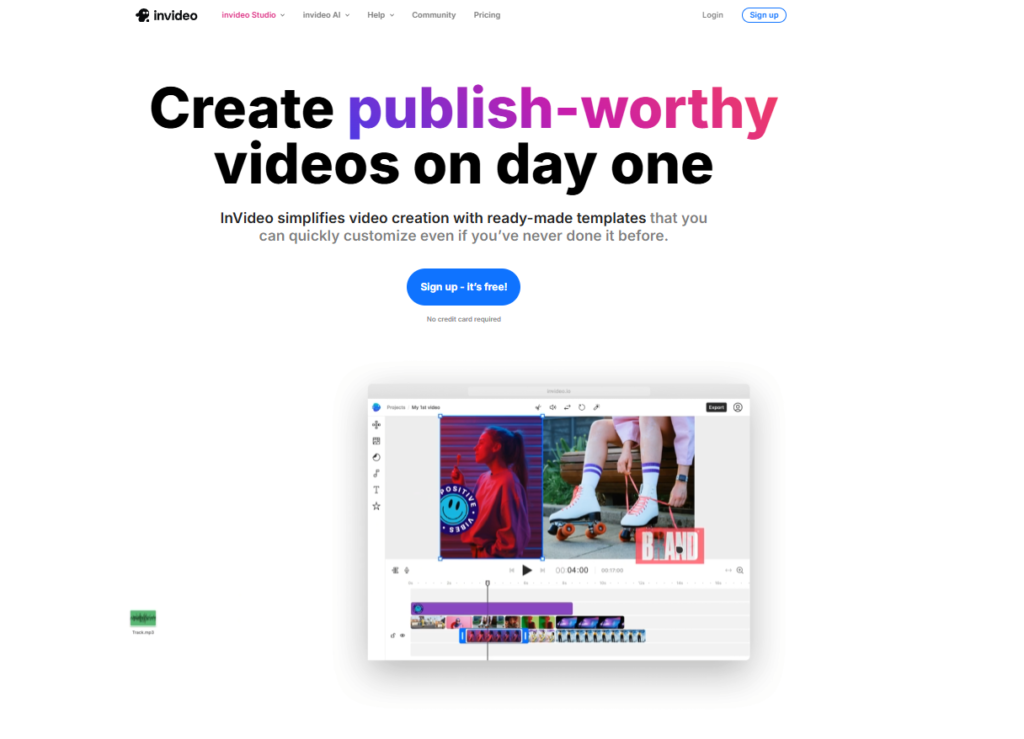
Best for: Creators who want to go from a text prompt to a finished, publishable video in one platform Starting price: Free (watermarked) | Plus from 60/month Free plan: Yes — limited credits, watermarked exports
InVideo AI is the most complete end-to-end AI video platform for faceless YouTube channels in 2026. Type a topic or paste a script, and InVideo generates the script, selects stock footage from a 16-million-clip library, adds an AI voiceover, syncs captions, and assembles a finished video — in about 10 minutes.
What makes InVideo stand out in 2026 is its model access. The Plus plan bundles Veo 3.1 and Seedance 2.5 — two of the most capable AI video generation models available — into a single subscription. Buying those models separately would cost 450/month. InVideo includes both from $25/month.
Key features for faceless channels:
What to watch out for:
Who it is for: Beginners who want one tool that handles everything, and established creators who want to scale output without building a multi-tool stack.
Pro tip: Use InVideo for the visual assembly and voiceover, but write your script in ChatGPT first. The AI-generated scripts are functional but generic — a custom script dramatically improves retention.
Best for: Channels where narration quality is the primary differentiator Starting price: Free (10,000 characters/month) | Starter from 22/month Free plan: Yes — generous free tier for testing
If your faceless channel lives on narration — history, true crime, documentary, lore, finance — ElevenLabs is the voice. It appears on nearly every serious faceless channel creator’s tool list, and for good reason: the voice quality in 2026 is genuinely difficult to distinguish from human narration in casual listening.
ElevenLabs offers over 3,000 voices across accents, ages, and emotional tones. More importantly, its voice cloning feature lets you create a consistent “channel host” voice from a 30-second audio sample — giving your channel a recognisable identity without ever recording yourself.
Key features for faceless channels:
Pricing breakdown:
What to watch out for:
Who it is for: Any faceless channel where voice quality matters — history, documentary, true crime, finance, educational content. If your channel is narration-driven, ElevenLabs is non-negotiable.
Pair it with: InVideo AI for visuals, or Lumen5 for blog-to-video repurposing. ElevenLabs handles the voice; the other tool handles everything else.
Best for: Creators who already have written content and want to convert it into YouTube videos automatically Starting price: Starter from 19 annual) | Professional from $35/month annual Free plan: No — 14-day free trial available
Pictory specialises in one workflow that it does better than any other tool: paste a URL or script, get a finished video. It reads your blog post, article, or written script, automatically selects relevant stock footage from a licensed library, generates captions, and assembles a complete video in minutes.
For faceless channels built around repurposing written content — news commentary, article summaries, listicles, educational explainers — Pictory removes the entire production bottleneck. Write the content once, convert it to video automatically.
Key features for faceless channels:
What to watch out for:
Who it is for: Bloggers, newsletter writers, and content marketers who want to repurpose written content into YouTube videos without starting from scratch. Also strong for news commentary and article-based channels.
Combine with: ElevenLabs for premium voiceover quality on the Starter plan, or use Pictory’s built-in ElevenLabs integration on Professional.

Best for: Channels that publish news summaries, article breakdowns, or topic explainers at high volume Starting price: Free (watermarked) | Basic from 79/month Free plan: Yes — watermarked exports
Lumen5 is a text-to-video platform built specifically for converting written content into social and YouTube videos at scale. Its AI reads your text, identifies key sentences, matches them to relevant stock footage, and assembles a video with captions and music — automatically.
Where Lumen5 stands out is speed and volume. For channels that publish daily or multiple times per week — news summaries, trending topic breakdowns, weekly roundups — Lumen5’s workflow is faster than any other tool in this list. You can go from article to published video in under 15 minutes.
Key features for faceless channels:
What to watch out for:
Who it is for: High-volume faceless channels publishing news, article summaries, or topic explainers. If you are publishing 5+ videos per week, Lumen5’s speed advantage compounds significantly.
See also: Our full Lumen5 review covers the complete feature set, pricing tiers, and how it compares to Pictory for content repurposing workflows.
Best for: Creators who want powerful AI editing features without a monthly subscription Starting price: Free | Pro from $9.99/month Free plan: Yes — genuinely useful, no watermark on most exports
CapCut is the most widely used free video editor among faceless YouTube creators in 2026, and for good reason. Its AI features — auto-captions, background removal, smart cut, text-to-video, and AI voiceover — cover the core faceless channel workflow at zero cost.
For creators who want to assemble their own videos rather than use a fully automated pipeline, CapCut provides the editing layer. Bring in your ElevenLabs voiceover, your AI-generated or stock footage, and CapCut handles the assembly, captions, transitions, and music.
Key features for faceless channels:
What to watch out for:
Who it is for: Beginners who want to start a faceless channel with zero budget, and established creators who want a fast, free editing layer to assemble footage from other AI tools.
Best workflow: Generate your script in ChatGPT, record your voiceover in ElevenLabs, source footage from a stock library or generate it in InVideo, then assemble everything in CapCut. Total cost: $22/month (ElevenLabs Creator plan only).
Best for: Channels that want a consistent AI “presenter” without showing a real face Starting price: Free (1 minute/month) | Creator from 99/month Free plan: Yes — 1 minute of video per month
HeyGen takes a different approach to faceless content: instead of stock footage or AI-generated visuals, it uses AI avatars — photorealistic digital presenters that lip-sync to your script in 175+ languages.
The result is a channel that looks like a talking-head presenter channel, but the presenter is entirely AI-generated. For educational content, explainer videos, and tutorial channels, this format consistently outperforms pure stock footage in retention — viewers have a visual anchor to focus on throughout the video.
Key features for faceless channels:
Pricing:
What to watch out for:
Who it is for: Educational channels, explainer channels, and tutorial creators who want a consistent AI presenter. Also strong for multilingual channels targeting non-English audiences.
Compare: See our full HeyGen vs Synthesia comparison to understand which AI avatar platform is right for your specific channel format.
Best for: Channels that need high-quality, original AI-generated footage rather than stock clips Starting price: Free (limited) | Standard from 35/month Free plan: Yes — 125 credits on signup
Runway is the most capable standalone AI video generation tool available in 2026. Where InVideo and Pictory use stock footage libraries, Runway generates original video footage from text prompts — cinematic, photorealistic clips that look nothing like generic stock video.
For faceless channels in competitive niches — history, science, documentary, horror — original AI-generated visuals are a significant differentiator. Channels using Runway footage stand out from the hundreds of channels using the same stock clips from the same libraries.
Key features for faceless channels:
What to watch out for:
Who it is for: Established faceless channels that want to differentiate with original AI visuals, and creators in visually competitive niches where stock footage looks generic.
See also: Our Runway vs Pika vs Kling comparison breaks down which AI video generator produces the best footage for each content type.
Best for: Writing scripts, generating video ideas, researching topics, and building your content calendar Starting price: Free | Plus from $20/month Free plan: Yes — generous free tier
ChatGPT is not a video tool — but it is the most important tool in a faceless channel creator’s stack. Every video starts with a script, and the quality of that script determines everything: watch time, retention, click-through rate, and whether the video gets recommended.
The AI-generated scripts from InVideo, Pictory, and Lumen5 are functional but generic. They follow predictable structures, use filler phrases, and lack the specific hooks and storytelling beats that drive retention. A script written in ChatGPT — with a strong hook, clear structure, and specific details — consistently outperforms auto-generated scripts on every metric.
Key features for faceless channel creators:
Prompt templates for faceless channels:
Script prompt: “Write a 10-minute YouTube script about [topic] for a faceless channel. Target audience: [audience]. Tone: [tone]. Include a strong hook in the first 30 seconds, 3 main sections with clear transitions, and a call to action at the end. Avoid filler phrases.”
Hook prompt: “Write 10 different opening hooks for a YouTube video about [topic]. Each hook should create curiosity or tension in the first 2 sentences. No questions as hooks.”
Title prompt: “Generate 15 YouTube title variations for a video about [topic]. Mix curiosity gaps, numbers, and benefit-driven titles. Keep each under 60 characters.”
Who it is for: Every faceless channel creator. Script quality is the single biggest lever for channel growth — and ChatGPT is the fastest way to produce high-quality scripts at volume.
See also: Our ChatGPT vs Claude vs Gemini comparison covers which AI writing tool produces the best scripts for different content types. For long-form documentary scripts, Claude often outperforms ChatGPT on tone and structure.
| Tool | Best For | Starting Price | Free Plan | Automation Level |
|---|---|---|---|---|
| InVideo AI | All-in-one video pipeline | $25/month | Yes (watermark) | ⭐⭐⭐⭐⭐ |
| ElevenLabs | AI voiceover quality | $5/month | Yes | ⭐⭐⭐⭐ |
| Pictory | Blog/script to video | $25/month | No (trial) | ⭐⭐⭐⭐ |
| Lumen5 | High-volume text-to-video | $29/month | Yes (watermark) | ⭐⭐⭐⭐ |
| CapCut | Free AI video editing | Free / $9.99/month | Yes | ⭐⭐⭐ |
| HeyGen | AI avatar presenter | $24/month | Yes (1 min/mo) | ⭐⭐⭐⭐ |
| Runway | Cinematic AI visuals | $15/month | Yes (limited) | ⭐⭐⭐ |
| ChatGPT | Script writing & strategy | $20/month | Yes | ⭐⭐⭐ |
Best for: Beginners testing a niche before committing to a full stack
Total: $22/month | Production time: ~45 minutes per video
Best for: Established channels publishing 3–5 videos per week
Total: $50/month | Production time: ~20 minutes per video
Best for: Channels monetising and scaling to daily publishing
Total: $126/month | Production time: ~15 minutes per video
Pick a niche with high RPM and consistent search demand. Finance, technology, history, and true crime consistently outperform lifestyle and motivation content on revenue per view. Use Perplexity or ChatGPT to research what the top 10 channels in your niche are publishing and identify gaps.
Do not use the auto-generated scripts from video tools. Write your script in ChatGPT with a specific hook, clear structure, and original angle. A 10-minute video needs approximately 1,400–1,600 words of script.
Paste your script into ElevenLabs, select a voice that matches your channel’s tone, and generate the audio. Use the same voice for every video to build a consistent channel identity. Save the voice ID so you can reuse it.
Combine your voiceover, visuals, captions, background music, and transitions. Add auto-captions (CapCut does this in one click). Keep your intro under 30 seconds — YouTube data shows most viewers drop off in the first 30 seconds if the hook does not land.
Before uploading, use ChatGPT to write your title, description, and tags. Include your target keyword in the title, first 100 characters of the description, and 3–5 tags. Add chapter timestamps to improve watch time and search visibility.
The algorithm rewards consistency more than quality in the early stages. Publish at least 2–3 videos per week for the first 90 days. Use the best AI tools for social media marketing to repurpose your YouTube content into Shorts, Reels, and TikToks automatically.
Yes — and thousands of creators are doing it in 2026.
YouTube treats faceless content the same as any other content. The monetisation requirements are identical: 1,000 subscribers + 4,000 watch hours (or 10 million Shorts views in 90 days). YouTube does not penalise AI-generated content as long as it is original, valuable, and follows the platform’s guidelines.
The key requirement YouTube added in 2025: disclose AI-generated content in your video settings. Channels that disclose AI use are not penalised — channels that hide it and get flagged can face demonetisation.
Realistic timelines based on creator data:
What is the best AI tool to create a faceless YouTube channel? InVideo AI is the best single tool for beginners — it handles script, voiceover, footage, captions, and editing in one platform from $25/month. For the best results, combine ChatGPT for scripts, ElevenLabs for voiceover, and InVideo or CapCut for video assembly.
Can I start a faceless YouTube channel for free?
Yes. ChatGPT (free), ElevenLabs (free tier — 10,000 characters/month), CapCut (free), and Lumen5 (free tier) cover the full workflow at zero cost. The free tiers are limited but sufficient for testing your niche and publishing your first 5–10 videos before committing to paid plans.
How long does it take to make a faceless YouTube video with AI?
With a mid-tier stack (ChatGPT + ElevenLabs + InVideo), an experienced creator can produce a 10-minute video in 20–30 minutes. Beginners should expect 45–60 minutes per video until the workflow becomes familiar.
Do faceless YouTube channels make money?
Yes. Finance, technology, and history faceless channels consistently earn 21 per 1,000 views through YouTube ad revenue. A channel averaging 100,000 views per month earns 2,100/month from ads alone, before sponsorships, affiliate links, or digital products.
Is AI-generated content allowed on YouTube?
Yes. YouTube allows AI-generated content and does not penalise it in the algorithm. The platform requires creators to disclose AI-generated content in video settings (added in 2025). Channels that disclose AI use are not penalised — the disclosure requirement is about transparency, not restriction.
What is the best niche for a faceless YouTube channel in 2026?
Finance and investing has the highest RPM (21 per 1,000 views) and consistent search demand. True crime and horror stories monetise fastest (3–5 months) using a Shorts-first strategy. AI and technology explainers are growing rapidly with strong RPM (18) and an audience actively searching for new content.
Which AI tool produces the most realistic voiceover for YouTube?
ElevenLabs produces the most natural-sounding AI voiceover available in 2026. Its voice cloning feature and 3,000+ voice library make it the standard choice for faceless channels where narration quality drives retention. See our full ElevenLabs vs Murf AI comparison for a detailed breakdown.
Do I need to show my face to grow a YouTube channel?
No. YouTube’s algorithm rewards watch time and engagement — not whether a face appears on screen. Kurzgesagt, Bright Side, and hundreds of finance and history channels have millions of subscribers without ever showing a creator’s face. The format you choose matters less than the quality of your hook, pacing, and content.
If you are starting your first faceless channel today, start with this combination:
This stack costs nothing and covers the full workflow. Once you have published 10 videos and validated your niche, upgrade to InVideo AI Plus ($25/month) to automate the visual assembly and cut your production time in half.
The tools are ready. The only thing left is to pick a niche and publish your first video.

ChatGPT is still the most widely used AI assistant in the world. But it is not always the…
Read →Two tools. Both edit video with AI. Both have millions of users who swear by them. And yet…
Read →There is a reason millions of people use both of these tools every single day. They are not…
Read →