
10 Best AI Tools for Instagram Reels Content Creation (2027)
Instagram Reels is the most competitive short-form video format in 2027. Over 200 billion Reels are played every…
Read →The challenge is knowing which tool actually fits your situation. Per-conversation pricing sounds cheap until your volume spikes. A free plan sounds perfect until you hit the cap at 11pm on a Friday. And a tool that works brilliantly for a Shopify store may be completely wrong for a SaaS team on Zendesk.
This guide cuts through the noise. We tested and researched the top options, checked every pricing page, and ranked the seven best AI chatbots for customer support that keep your monthly bill under $50 — with honest notes on where each one earns that spot and where it falls short.
| Tool | Best For | Free Plan | Starting Price | AI Model | G2 Rating |
|---|---|---|---|---|---|
| Tidio (Lyro AI) | Small e-commerce & SMBs | ✅ Yes (50 conversations) | $29/month | Lyro AI | 4.7/5 |
| Chatbase | Fast FAQ chatbot setup | ✅ Yes (limited) | $40/month | Multiple LLMs | 4.8/5 |
| Freshdesk (Freddy AI) | Growing teams on Freshworks | ✅ Yes (2 agents) | $15/agent/month | Freddy AI | 4.4/5 |
| Tawk.to | Truly free live chat | ✅ Fully free | 29) | Apollo AI Assist | 4.6/5 |
| HubSpot Live Chat | CRM-connected support | ✅ Yes | Free (paid from $20/seat) | Customer Agent AI | 4.5/5 |
| Crisp | Small teams, shared inbox | ✅ Yes (2 seats) | $25/month | Crisp AI | 4.5/5 |
| ManyChat | Social & WhatsApp support | ✅ Yes | $15/month | AI Step | 4.6/5 |
Before diving into the tools, three things determine whether a budget chatbot actually saves you money or quietly costs more than you planned:
1. The pricing model matters more than the headline price. A tool advertising “0.50 per AI conversation is not a 279 product. Always model your actual conversation volume against the billing unit before you commit.
2. Resolution rate is the only metric that matters. A chatbot that deflects 20% of tickets saves you less than one that deflects 60%, even if the second one costs twice as much. Ask vendors for their stated resolution rate and, where possible, run a pilot on your real ticket queue before signing up.
3. Caps and escalation behaviour. Some tools stop responding entirely when they hit their daily or monthly conversation cap. Others escalate to a human agent. Know which behaviour your tool has — a bot that goes silent mid-conversation is worse than no bot at all.
Starting price: $29/month (Starter) | Free plan: Yes — 50 Lyro conversations lifetime G2 rating: 4.7/5 (1,907 reviews) | Best for: Small businesses, e-commerce, Shopify stores
Tidio is the most complete AI customer support package available under $50/month. It combines live chat, a shared inbox, a visual chatbot flow builder, and Lyro — its conversational AI agent — in a single platform that takes minutes to set up and requires no coding.
Lyro is not a rule-based chatbot that follows scripts. You feed it your FAQ content, help centre articles, and website pages, and it uses natural language understanding to answer customer questions in its own words — handling the intent behind a question, not just keyword matching. Tidio claims Lyro resolves up to 70% of common customer questions automatically, with a stated 67% resolution rate.
The practical difference shows up in edge cases. A rule-based bot fails the moment a customer phrases a question slightly differently than the script anticipated. Lyro handles variation because it understands meaning, not just phrasing.
| Plan | Monthly Price | Conversations | Lyro AI Conversations |
|---|---|---|---|
| Free | $0 | 50 | 50 (one-time lifetime) |
| Starter | $29/month | 100 | 50 Lyro included |
| Growth | $59/month | 250 | 50 Lyro included |
| Lyro AI add-on | $39/month | — | 50 AI conversations |
Best for: E-commerce stores and small businesses that want a no-code AI chatbot with live chat, a clean inbox, and Shopify integration — and can keep their monthly AI conversation volume under 100.
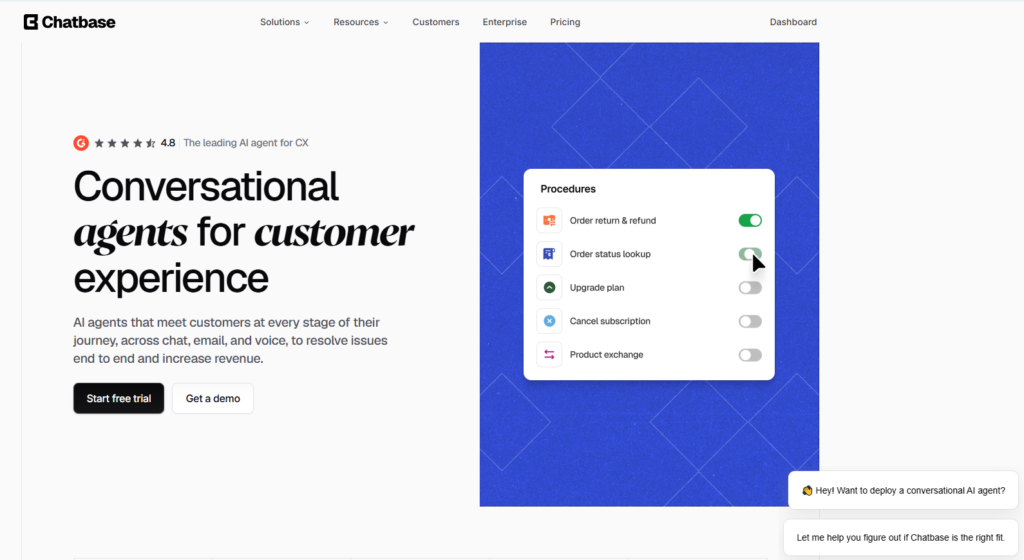
Starting price: $40/month (Hobby) | Free plan: Yes — 100 message credits/month G2 rating: 4.8/5 | Best for: Businesses that want a working AI chatbot in under 10 minutes
Chatbase does one thing exceptionally well: it turns your existing content into a working AI chatbot faster than any other tool on this list. Give it a URL, upload a PDF, paste in your FAQ text, and you have a deployable chatbot in minutes — no flows to build, no scripts to write, no engineering required.
Chatbase trains a custom AI model on your content using retrieval-augmented generation (RAG) — meaning the bot answers questions by searching your actual documents rather than hallucinating from general training data. The result is a chatbot that stays on-topic, cites your content, and declines to answer questions outside its knowledge base.
You embed the chat widget on your website with a single line of code, or deploy it inside Slack for internal support. The Hobby plan at $40/month gives you 2,000 message credits per month — enough for a small business handling a few hundred customer conversations.
| Plan | Monthly Price | Message Credits | Chatbots |
|---|---|---|---|
| Free | $0 | 100 credits/month | 1 |
| Hobby | $40/month | 2,000 credits/month | 2 |
| Standard | $150/month | 4,000 credits/month | 5 |
HeloAITools note: The Hobby plan at 50 and is genuinely useful for a small business with a well-documented FAQ. The free plan’s 100 credits per month is enough to test the product but not to run it in production.
Best for: Service businesses, SaaS companies, and content-heavy sites that want a fast, accurate FAQ chatbot without building a full helpdesk workflow. Not the right choice if you need order lookups, ticket management, or live agent escalation.
Starting price: $15/agent/month (Growth) | Free plan: Yes — 2 agents G2 rating: 4.4/5 (3,750 reviews) | Best for: Teams that want a full helpdesk with AI built in
Freshdesk is a full customer support platform — ticketing, omnichannel inbox, knowledge base, reporting — with Freddy AI layered on top. For a team of two to three agents, the Growth plan at 50/month while giving you a significantly more capable platform than a standalone chatbot.
Freshdesk’s AI works in two distinct ways, and understanding the difference matters for how you budget:
Freddy AI Agent handles frontline customer conversations — answering questions, classifying tickets, looking up order information, and resolving common queries without human involvement. Growth, Pro, and Enterprise plans include 500 free Freddy AI Agent sessions per month. After that, sessions are billed at $49 per 100 sessions.
Freddy AI Copilot assists your human agents — suggesting replies, summarising long conversations, adjusting tone, and providing ticket context. It is assignable per agent rather than forced on the whole team, which is a practical advantage for mixed teams where some agents want AI assistance and others do not.
| Plan | Price | Agents | Freddy AI Sessions |
|---|---|---|---|
| Free | $0 | 2 agents | Limited |
| Growth | $15/agent/month | Unlimited | 500 free/month |
| Pro | $49/agent/month | Unlimited | 500 free/month |
Best for: Teams of 2–3 agents who want a proper helpdesk with AI built in, not just a chatbot widget. The best value-per-feature ratio on this list for teams that handle tickets across multiple channels.
Starting price: $0 | Free plan: Fully free — unlimited agents, unlimited chats G2 rating: 4.6/5 | Best for: Small businesses that want live chat with zero monthly cost
Tawk.to is the only tool on this list that is genuinely, completely free — not freemium, not a limited trial, not “free for one agent.” Unlimited agents, unlimited chats, unlimited chat history, and a full feature set, all at $0/month. The company generates revenue through optional paid add-ons and a hired-agent service, not by limiting the core software.
For a small business that needs live chat and basic AI assistance without any monthly commitment, tawk.to is the obvious starting point.
The one catch: the “Powered by tawk.to” branding appears on your chat widget. Removing it costs 50 budget, and the total package (free chat + branding removal) at $29/month is exceptional value.
| Add-on | Price |
|---|---|
| Remove tawk.to branding | $29/month |
| Video + voice calling | $49/month |
| Hired agents (tawk.to staff your chat) | From $1/hour |
Best for: Small businesses, startups, and non-profits that need professional live chat with zero monthly cost. Also the best option for testing live chat before committing to a paid platform.
Starting price: Free | Free plan: Yes — unlimited agents, free CRM included G2 rating: 4.5/5 (4,462 reviews) | Best for: Businesses already using or planning to use HubSpot CRM
HubSpot’s live chat and chatbot builder are free — and unlike most free plans, they are genuinely useful. Every conversation is automatically logged in HubSpot’s free CRM, giving you a complete contact record for every customer who chats with you. For a business that wants to connect support conversations to sales and marketing data, this is the most powerful free option available.
The free chatbot builder handles lead qualification, meeting booking, FAQ responses, and basic support routing — all without paying anything.
HubSpot’s Customer Agent AI — its more capable AI resolution agent — requires a paid Service Hub plan. Paid plans start at 50/month. For a two-agent team, you are at $40/month — still under budget.
| Plan | Price | Key AI Features |
|---|---|---|
| Free | $0 | Basic chatbot builder, live chat, CRM |
| Starter | $20/seat/month | Customer Agent AI, advanced automation |
| Professional | $100/seat/month | Full AI suite, custom reporting |
Best for: Businesses that want to connect customer support conversations to CRM data, or teams already using HubSpot for marketing and sales who want to add support without a separate tool.
Starting price: Free (2 seats) | Paid from: $25/month (Pro, 4 seats) G2 rating: 4.5/5 | Best for: Small teams that want a modern, clean support inbox with AI
Crisp is a customer messaging platform that has grown from a simple live chat widget into a full customer support platform with a shared inbox, AI agent, knowledge base, and CRM — all in a clean, modern interface that is noticeably easier to use than Freshdesk or Zendesk at this price point.
The free plan gives two seats access to a shared inbox, live chat, and basic automation. The Pro plan at 50.
| Plan | Price | Seats | Key Features |
|---|---|---|---|
| Free | $0 | 2 | Shared inbox, live chat, basic automation |
| Pro | $25/month | 4 | AI agent, knowledge base, email, integrations |
| Unlimited | $95/month | Unlimited | Full feature set, unlimited everything |
Best for: Small teams of 2–4 people who want a clean, modern support inbox with AI and multichannel coverage, without the complexity of a full helpdesk platform.
Starting price: $15/month (Pro) | Free plan: Yes — up to 1,000 contacts G2 rating: 4.6/5 | Best for: Businesses whose customers primarily reach out via Instagram, Facebook, or WhatsApp
ManyChat is the leading platform for automating customer conversations on social media and messaging apps. If your customers contact you through Instagram DMs, Facebook Messenger, or WhatsApp rather than a website chat widget, ManyChat is the most capable tool under $50 for automating those conversations.
The Pro plan at 25/month, 2,500 contacts is 50.
| Plan | Price | Contacts |
|---|---|---|
| Free | $0 | Up to 1,000 (limited features) |
| Pro | From $15/month | 500 contacts |
| Pro | $25/month | 1,000 contacts |
| Pro | $45/month | 2,500 contacts |
Best for: E-commerce brands and service businesses whose customers primarily reach out via Instagram, Facebook Messenger, or WhatsApp — and who want to automate those conversations without a full helpdesk platform.
Use this decision framework to match the right tool to your situation:
You run an e-commerce store on Shopify → Start with Tidio (Lyro AI). The Shopify integration is native, the setup takes minutes, and Lyro handles order status and shipping questions automatically.
You need a working FAQ chatbot in under 10 minutes → Use Chatbase. Upload your content, embed the widget, done. No flows to build, no scripts to write.
You have 2–3 support agents and need a proper helpdesk → Choose Freshdesk (Freddy AI). At 30/month and you get a full omnichannel helpdesk with 500 free AI sessions.
You want zero monthly cost → Start with Tawk.to. Genuinely free, unlimited agents, unlimited chats. Add branding removal at $29/month when you are ready.
You are already using HubSpot for CRM or marketing → Use HubSpot Live Chat. The free plan connects every support conversation to your CRM automatically.
You have a small team and want a clean, modern inbox → Choose Crisp Pro at $25/month. Four seats, AI agent, knowledge base, and multichannel inbox.
Your customers contact you on Instagram, WhatsApp, or Facebook → Use ManyChat Pro from $15/month. Nothing else on this list handles social messaging automation as well.
Before you sign up for any tool, check these three things:
1. Conversation caps and what happens when you hit them. Tidio’s Lyro stops responding when the monthly cap is reached. Freshdesk’s Freddy AI sessions expire monthly with no rollover. Know your tool’s behaviour before you rely on it.
2. Per-conversation add-on costs. The base plan price is rarely the full cost. Tidio’s Lyro add-on is 49 per 100 sessions beyond the free 500. Model your volume against these rates.
3. Branding removal fees. Tawk.to charges 20/month. If a white-label widget matters to your brand, factor this into your budget.
What is the best free AI chatbot for customer support?
Tawk.to is the best genuinely free option — unlimited agents, unlimited chats, and a basic AI assistant at $0/month. HubSpot Live Chat is the best free option if you want CRM integration alongside your chat. Both are strong starting points before committing to a paid plan.
What is the difference between a chatbot and an AI agent?
A rule-based chatbot follows pre-written scripts and fails when customers phrase questions differently than expected. An AI agent (like Tidio’s Lyro or Freshdesk’s Freddy AI) understands natural language, learns from your content, and generates answers rather than following a fixed path. Most tools marketed as “AI chatbots” in 2026 are actually AI agents.
Do I need coding skills to set up an AI chatbot?
No. Every tool on this list offers no-code setup. Chatbase is the fastest — a working chatbot from a URL in under 10 minutes. Tidio, Crisp, and ManyChat all have visual flow builders that require no technical knowledge. Freshdesk and HubSpot have guided setup wizards.
What happens when an AI chatbot cannot answer a question?
The best tools escalate to a human agent automatically. Tidio’s Lyro detects when a question is outside its knowledge and routes to a live agent. Freshdesk’s Freddy AI escalates with full conversation context. Chatbase declines to answer questions outside its training data. Always test your tool’s escalation behaviour before going live.

Instagram Reels is the most competitive short-form video format in 2027. Over 200 billion Reels are played every…
Read →Posting consistently on LinkedIn is one of those things everyone agrees matters and almost nobody actually sustains —…
Read →If you sell on Etsy, you already know the problem. Your product is great. Your design is solid.…
Read →