
5 Best AI Tools for Advertising in 2027 (Tested and Ranked)
Running ads in 2027 without AI is like editing video without a timeline. You can do it —…
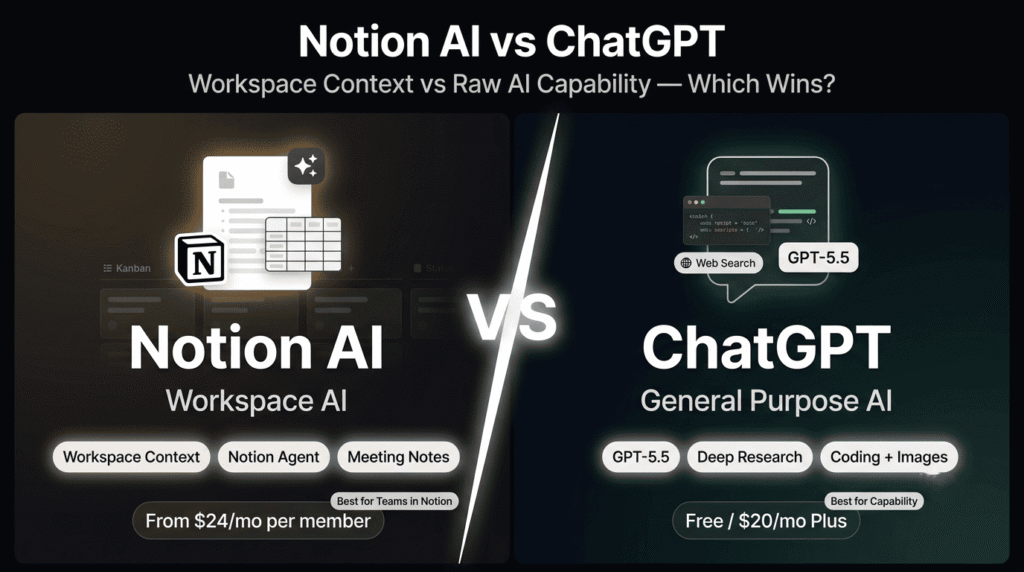
Read →This is one of the most searched AI comparisons of 2026 — and also one of the most misunderstood.
Most people frame it as a head-to-head race. Which AI writes better? Which one is smarter? Which one should you pay for? But that framing misses the point entirely, because Notion AI and ChatGPT are not competing for the same job.
Here is the clearest way to think about it:
ChatGPT is a general-purpose AI assistant. It is the most capable AI available to individuals at any price point in 2026. It writes, codes, researches, reasons, generates images, analyses data, and handles virtually any task you throw at it — from anywhere, on any topic, with no prior context required. Powered by GPT-5.5 on the Plus plan, it is the strongest standalone AI tool available.
Notion AI is a workspace-native AI. It is not trying to be the most capable AI in the world. It is trying to be the most useful AI for the work that already lives in your Notion workspace. It knows your pages, your databases, your wikis, your meeting notes, and your project history — and it uses that context to answer questions, summarise content, update tasks, and draft documents without you having to copy and paste anything into a separate tool.
The question is not which one is better. The question is: where does your work actually live?
If your work lives in Notion — your notes, your projects, your team’s knowledge base — Notion AI is the more useful tool for that work. If your work is scattered, standalone, or requires raw AI capability — coding, research, complex writing, image generation — ChatGPT is the stronger choice.
Most serious users end up using both. Here is exactly why.
| Notion AI | ChatGPT | |
|---|---|---|
| Best for | Teams in Notion — workspace Q&A, in-context editing, task automation | General-purpose AI — writing, coding, research, reasoning, any task |
| AI model | Mix of OpenAI + Claude models | ⭐ GPT-5.5 (Plus) / GPT-5.5 Pro (Pro) — best-in-class |
| Raw AI quality | Good for workspace tasks | ⭐ Best-in-class reasoning, writing, coding |
| Workspace context | ⭐ Knows your Notion pages, databases, wikis natively | ❌ No context unless you paste it in |
| Writing quality | Good for structured in-context editing | ⭐ Strongest general-purpose writing AI available |
| Coding | ❌ No coding capability | ⭐ Excellent — write, debug, explain, optimise |
| Web research | ❌ No web browsing | ⭐ Web browsing, file analysis, image understanding |
| Image generation | ❌ No | ⭐ Yes — DALL-E / Images 2.0 on Plus+ |
| Video generation | ❌ No | ⭐ Sora on Plus+ |
| Deep Research | ❌ No | ⭐ Yes — 10 runs/month on Plus |
| Task management | ⭐ Integrated with Notion databases, kanban, timelines | ❌ Can plan tasks but cannot manage them |
| Meeting notes | ⭐ AI Meeting Notes — Business plan | ❌ No |
| Enterprise Search | ⭐ Beta — answers across Notion + connected tools | ❌ No |
| AI Agents | ⭐ Notion Agent — multi-step task automation | ✅ Agent Mode on Plus+ |
| Team collaboration | ⭐ Real-time co-editing, shared workspace AI | Team plan — shared workspace, admin controls |
| Free plan | Trial only — no ongoing free AI access | ⭐ Genuinely free — GPT-5.6 Luna with limits |
| Entry paid price | $12/month (Plus — AI trial only) | ⭐ $8/month (Go plan) |
| Full AI access price | $24/month per member (Business) | $20/month (Plus) |
| Data privacy | Zero data retention with LLM providers (Enterprise) | No training on data — Business plan+ |
| Platforms | Web, iOS, Android, Windows, macOS | ⭐ Web, iOS, Android, Windows, macOS |
| HeloAITools rating | ⭐ 4.8/5 | ⭐ 4.9/5 |
Notion AI is the AI layer built directly into Notion — the all-in-one workspace used for notes, docs, wikis, and project management by teams at OpenAI, Figma, Vercel, NVIDIA, Volvo, L’Oréal, and Discord. Rather than being a separate product you switch into, Notion AI is woven into the workspace teams already use. In 2026, it has expanded well beyond writing assistance into three distinct capabilities: Notion Agent (AI that completes multi-step tasks autonomously — routing tickets, updating databases, drafting reports), AI Meeting Notes (automatically captures and organises meeting content), and Enterprise Search in beta (answers questions with citations across Notion and connected tools). Notion AI uses a mix of OpenAI and Claude models optimised for workspace tasks. HeloAITools rating: 4.8/5.
ChatGPT is OpenAI’s flagship AI assistant — the most widely used AI tool in the world and the most capable general-purpose AI available to individuals in 2026. Powered by GPT-5.5 on the Plus plan and GPT-5.5 Pro on the Pro tiers, it handles writing, coding, research, reasoning, image generation, video generation, data analysis, and virtually any task you can describe in natural language. The free plan gives access to GPT-5.6 Luna with usage limits. The Plus plan at 100 and $200/month push usage limits to 5x and 20x Plus respectively. HeloAITools rating: 4.9/5.
This is the distinction that explains everything else in this comparison.
Notion AI has context. ChatGPT has capability.
When you ask Notion AI “what are the overdue tasks in the Q3 product launch project?” — it answers from your actual Notion database. It knows the project exists. It knows which tasks are overdue. It can summarise the status, identify blockers, and draft a status update — all without you copying and pasting a single thing.
When you ask ChatGPT the same question — it has no idea what your Q3 product launch project is. You would need to paste the relevant content into the conversation first. ChatGPT’s Projects feature can hold uploaded files per conversation, and Memory stores your preferences — but neither gives it native access to your workspace content the way Notion AI does.
Flip the scenario. Ask ChatGPT to “write a 2,000-word analysis of the competitive landscape for a B2B SaaS product, with web research, structured sections, and a strategic recommendation” — and it delivers a genuinely excellent result, pulling from current web sources, reasoning through the analysis, and producing structured long-form content. Ask Notion AI the same question — and it will produce a reasonable draft, but without web browsing, without external research, and with noticeably weaker long-form reasoning than GPT-5.5.
The practical implication: Notion AI is the better tool for work that already exists in your workspace. ChatGPT is the better tool for work that needs to be created from scratch or requires external information.
ChatGPT Plus at $20/month gives access to GPT-5.5 — OpenAI’s most capable model available to individual subscribers in 2026. The jump from GPT-4 to GPT-5.5 is significant: stronger multi-step reasoning, better instruction following on complex briefs, more accurate long-form writing, and a 196K context window in Thinking mode that handles documents most tools cannot process in a single session.
GPT-5.5 Pro — exclusive to the 200 Pro tiers — pushes further on depth and accuracy for tasks like financial modelling, legal review, and long-document synthesis where precision compounds. The $200 Pro tier extends context to approximately 1.5 million tokens — the largest context window available to individual users at any price point.
Deep Research on the Plus plan (10 runs per month) is one of the most genuinely useful AI features released in 2026. Give ChatGPT a research question — “analyse the competitive landscape for AI productivity tools in 2026” — and Deep Research autonomously browses the web, synthesises information from multiple sources, and produces a structured, cited report. The quality is comparable to a junior analyst spending several hours on the same task.
Notion AI has no web browsing and no equivalent research capability. It can only reference content already in your Notion workspace.
ChatGPT writes, debugs, explains, and optimises code across dozens of programming languages. The Codex coding agent on Plus+ can execute multi-step coding tasks autonomously — writing functions, running tests, fixing errors, and iterating without manual intervention. Code Interpreter runs Python directly in the conversation for data analysis, visualisation, and automation.
Notion AI has no coding capability. This is not a close comparison — if coding is any part of your workflow, ChatGPT is the only choice between the two.
ChatGPT Plus includes DALL-E / Images 2.0 for image generation and Sora for video generation — both accessible directly within the chat interface. For creators, marketers, and anyone who needs visual content alongside text, this integration is genuinely valuable.
Notion AI has no image or video generation capability.
Agent Mode on ChatGPT Plus+ allows the AI to take autonomous actions — browsing the web, running code, managing files, and completing multi-step tasks without manual intervention at each step. For workflows that involve research, synthesis, and output generation in sequence, Agent Mode reduces a multi-hour manual process to a single prompt.
Notion Agent on the Business plan offers comparable autonomous task execution — but scoped to Notion workspace tasks rather than general web and file operations.
ChatGPT pricing:
| Plan | Monthly | Key Features |
|---|---|---|
| Free | $0 | GPT-5.6 Luna, unlimited text chat, limited tools |
| Go | $8/month | More messages, GPT-5.3 Instant, basic tools, may include ads |
| Plus | $20/month | GPT-5.5, Deep Research (10/mo), Sora, Codex, Agent Mode, DALL-E, Projects, custom GPTs |
| Pro $100 | $100/month | GPT-5.5 Pro, 5x Plus limits, expanded context, priority Codex |
| Pro $200 | $200/month | GPT-5.5 Pro, 20x Plus limits, ~1M context, 250 Deep Research/mo, unlimited image gen |
| Business | $25/seat/month | Shared workspace, admin controls, SSO, no training on data, SOC 2 |
| Enterprise | Custom | SCIM, data residency, RBAC, 24/7 SLA, extended context |
The honest limitations: ChatGPT has no native access to your workspace content — every conversation starts from scratch unless you paste content in or use Projects. Memory stores preferences, not content. The free plan has tight usage limits. The Go plan at 20 to $100 — for usage limit increases that most individual users will not hit.
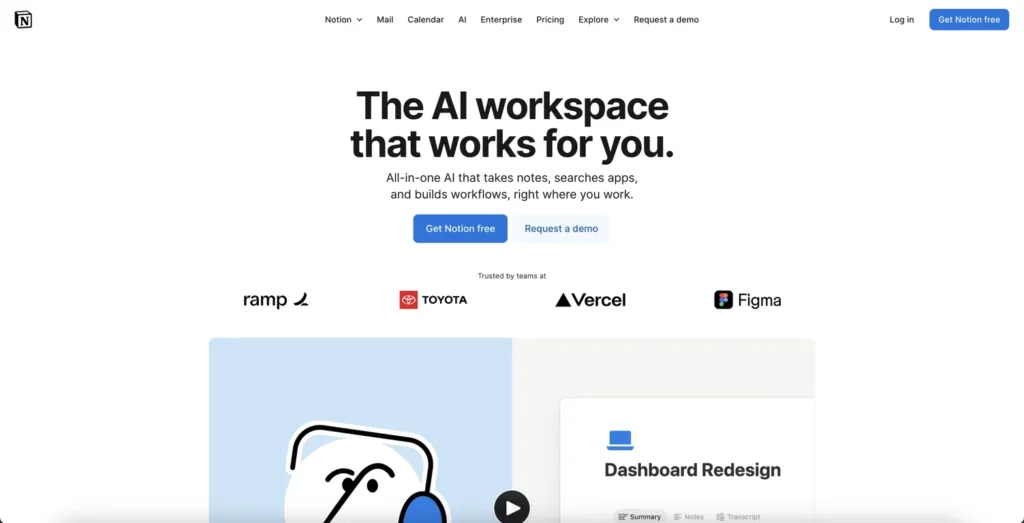
The single most valuable thing Notion AI does is something ChatGPT fundamentally cannot do without significant manual effort: it knows your workspace.
Ask Notion AI “summarise the key decisions from last week’s product meetings” — and it pulls from your actual meeting notes database. Ask it “what are the open action items for the engineering team” — and it queries your actual task database. Ask it “draft a project brief for the new feature we discussed” — and it references the relevant context already in your workspace.
This is not a small convenience. For teams that live in Notion — where all their documentation, project management, and knowledge base exists — this context awareness saves hours of copy-pasting, context-setting, and manual retrieval every week. The AI is embedded in the work, not in a separate window.
Notion Agent on the Business plan ($24/month per member) completes multi-step tasks autonomously within the workspace. Route a support ticket to the right team member and update the database status. Generate a weekly report from project data and draft it as a new page. Identify overdue tasks across multiple projects and create a summary. These are not single-prompt outputs — they are multi-step workflows that Notion Agent executes without manual intervention at each step.
For operations teams, project managers, and anyone managing complex Notion workspaces, Notion Agent is the feature that most clearly justifies the Business plan upgrade.
AI Meeting Notes on the Business plan automatically captures, transcribes, and organises meeting content into structured Notion pages. Action items, decisions, and key points are extracted and linked to the relevant projects and databases. For teams that spend significant time in meetings, this feature alone can save 30 to 60 minutes per meeting in manual note-taking and follow-up organisation.
ChatGPT has no equivalent meeting notes feature.
Enterprise Search (currently in beta) extends Notion AI’s context beyond Notion pages to connected tools — answering questions with citations pulled from across your integrated workspace. For teams using Notion alongside Slack, GitHub, Figma, and Google Drive, Enterprise Search begins to address the fundamental limitation of workspace AI: that your knowledge is scattered across multiple tools.
This feature is still in beta and reliability varies — but the direction is significant. As it matures, it positions Notion AI as a genuine knowledge layer across the full tool stack, not just within Notion.
Highlight a paragraph on a Notion page, press the AI button, and ask it to rewrite, summarise, expand, or translate — the revision appears in place. No switching tabs. No copying and pasting. No context-setting. The AI is embedded in the document.
For teams producing documentation, wikis, and project briefs inside Notion, this in-context editing workflow is significantly faster than switching to ChatGPT, pasting the content, getting the output, and pasting it back. The friction reduction is real and compounds across dozens of daily editing tasks.
Notion AI’s real-time co-editing means the AI works for the entire team. Every workspace member on the Business plan benefits from AI summaries, Q&A, and writing assistance on shared content. When one team member asks Notion AI to summarise a project page, the summary is visible to everyone with access to that page.
ChatGPT’s Team plan at $25/seat/month provides a shared workspace and admin controls — but the AI does not have native access to your team’s documents and databases the way Notion AI does.
Notion AI pricing:
| Plan | Monthly | AI Access | Key Features |
|---|---|---|---|
| Free | $0/member | Trial only | Basic Notion, Notion Calendar, trial of AI features |
| Plus | $12/month/member | Trial only | Custom forms and sites, unlimited blocks and file uploads, AI trial |
| Business | $24/month/member | ⭐ Full access | Notion Agent, AI Meeting Notes, Enterprise Search (Beta), SAML SSO, granular permissions |
| Enterprise | Custom | Full access | Zero data retention with LLM providers, SCIM, audit logs, advanced security |
The honest limitations: Full Notion AI access — including Notion Agent, AI Meeting Notes, and Enterprise Search — requires the Business plan at 120/month — significantly more than five ChatGPT Plus subscriptions at $100/month total. Enterprise Search is still in beta. Notion AI has no web browsing, no coding capability, no image generation, and weaker standalone writing quality than GPT-5.5.
For individuals:
For teams:
The smartest approach: Most professional teams run both. ChatGPT Plus at 24/month per person for workspace management with AI built in. Combined cost of $44/month per person covers the full spectrum of AI productivity needs.
Choose ChatGPT if:
Choose Notion AI if:
Use both if:
ChatGPT is the right choice for raw AI capability. The most powerful writing AI, the only coding option between the two, web research with Deep Research, image and video generation, and Agent Mode for autonomous task execution. For individuals and teams who need versatile AI assistance across any task, ChatGPT Plus at $20/month is the strongest value in AI productivity tools in 2026.
Notion AI is the right choice for teams whose work lives in Notion. The workspace context awareness, Notion Agent, AI Meeting Notes, and Enterprise Search make it the most useful AI for the specific job of managing and extracting value from a Notion workspace. For teams already on Notion Business, the AI features are included — making the effective cost of Notion AI zero.
The honest answer for most professionals: use both. ChatGPT for capability. Notion AI for context. Together they cover everything.
Is Notion AI better than ChatGPT?
Neither is universally better — they solve different problems. Notion AI is better for workspace-specific tasks where it has native context: summarising your pages, querying your databases, updating your tasks, and capturing meeting notes. ChatGPT is significantly better for general-purpose tasks: complex writing, coding, web research, image generation, and any task that does not require knowledge of your specific workspace content. Most professional users benefit from using both.
Can Notion AI replace ChatGPT?
No — not for most users. Notion AI cannot browse the web, cannot write code, cannot generate images or video, and produces weaker standalone writing than GPT-5.5. It is excellent for workspace-native tasks but is not a general-purpose AI replacement. ChatGPT can partially replace Notion AI for writing tasks if you are willing to copy and paste content — but it cannot replace Notion’s project management, database, and collaboration features.
Is Notion AI free?
Notion’s Free and Plus plans include a trial of Notion AI — not ongoing free access. Full Notion AI features including Notion Agent, AI Meeting Notes, and Enterprise Search require the Business plan at $24 per member per month. ChatGPT’s free plan gives genuine ongoing access to GPT-5.6 Luna with usage limits — making ChatGPT the better free option between the two.
How much does ChatGPT cost in 2026?
ChatGPT offers a free plan with GPT-5.6 Luna and usage limits. The Go plan is 20 per month with GPT-5.5, Deep Research, Sora video generation, Codex coding agent, Agent Mode, and custom GPTs. Pro tiers are 200 per month (20x Plus limits, approximately 1 million token context). Business is $25 per seat per month with shared workspace, admin controls, and no training on your data.
What is Notion Agent?
Notion Agent is an AI agent built into Notion’s Business plan that completes multi-step tasks autonomously within the workspace. It can route support tickets to the right team member, update project database statuses, generate weekly reports from project data, identify overdue tasks across multiple projects, and draft structured documents — all without manual intervention at each step. It is available on the Business plan at $24 per member per month.
Does ChatGPT have access to my Notion workspace?
Not directly. ChatGPT has no native access to your Notion pages, databases, or wikis. You would need to paste content into a ChatGPT conversation or use a third-party integration to give it access. Notion AI references your workspace natively — this is its primary advantage over ChatGPT for workspace-specific tasks.
Which is better for writing — Notion AI or ChatGPT?
It depends on the writing task. For in-context editing within Notion — rewriting a paragraph, summarising a page, drafting from a template — Notion AI is faster because it is embedded in the document and has workspace context. For standalone long-form writing, creative content, complex briefs, and any writing that requires external research or strong reasoning, ChatGPT with GPT-5.5 is significantly more capable. Reddit users in 2026 note that Notion AI writes noticeably well for structured workspace content but ChatGPT is stronger for complex standalone writing tasks.
What is ChatGPT Deep Research?
Deep Research is a ChatGPT Plus feature (10 runs per month) that autonomously browses the web, synthesises information from multiple sources, and produces a structured, cited research report on any topic. It is comparable to a junior analyst spending several hours on a research task. Notion AI has no web browsing and no equivalent research capability — it can only reference content already in your Notion workspace.
Can I use Notion AI and ChatGPT together?
Yes — and this is the recommended approach for most professional users. Use Notion AI for internal knowledge management: summarising workspace content, querying databases, capturing meeting notes, and automating Notion-specific tasks. Use ChatGPT for external research, complex writing, coding, image generation, and any task that requires general-purpose AI capability. Many teams run this setup at a combined cost of approximately $44 per person per month.
Related: Notion AI Full Review → | Taskade Review → | Claude Review → | Gemini Review → | Wispr Flow Review → | Browse AI Tools For Productivity →

Running ads in 2027 without AI is like editing video without a timeline. You can do it —…
Read →The challenge is knowing which tool actually fits your situation. Per-conversation pricing sounds cheap until your volume spikes.…
Read →Instagram Reels is the most competitive short-form video format in 2027. Over 200 billion Reels are played every…
Read →