Free in-browser halftone generator. Nothing is uploaded.
Last updated September 12, 2026
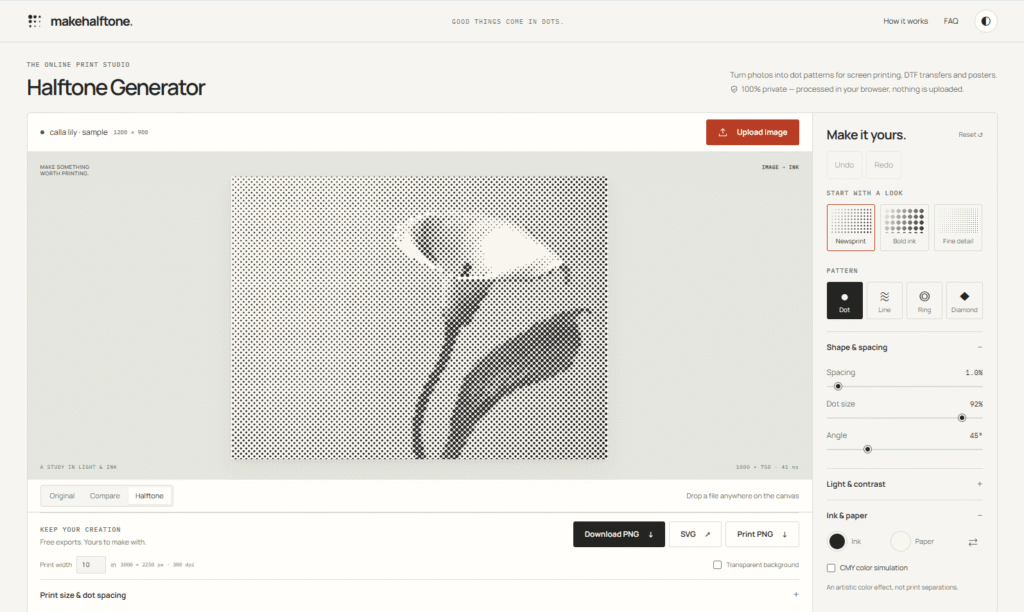
MakeHalftone is a free browser-based halftone generator that converts any photo or image into a print-ready dot pattern — instantly, with no uploads, no account, and no watermarks.
A halftone is the technique used in screen printing, newspaper photos, comic books, and poster art to simulate gradients using solid ink dots. Instead of printing continuous tones (which most presses cannot do), halftones use a grid of dots that grow larger in dark areas and shrink in light ones — tricking the eye into seeing shades when viewed at a distance.
MakeHalftone brings this classic print technique to your browser in seconds. Drop in a photo, adjust the dot size, spacing, angle, and contrast using live sliders, and export a print-ready PNG at 300 DPI or a scalable vector SVG — all for free.
Everything runs locally in your browser using the Canvas API. Your image never leaves your device, never touches a server, and the tool works offline once the page has loaded.
Step 1 — Add your image Click to upload, drag and drop a file, paste from your clipboard, or start from one of the built-in sample images. The image opens instantly — nothing is uploaded to any server.
Step 2 — Dial in the halftone Choose your pattern type (Dot, Line, Ring, or Diamond), then adjust size, spacing, angle, threshold, and contrast using live sliders. The preview updates in real time with a drag-to-compare view against your original.
Step 3 — Export for print or web Download a free PNG at web or 300 DPI print resolution, or a vector SVG that scales to any size. Optional transparent background available on all pattern types.
| Plan | Price | What You Get |
|---|---|---|
| Free | $0 forever | Full access — all pattern types, SVG export, 300 DPI PNG, transparent background, CMY simulation, no watermark, no account |
HeloAITools note: MakeHalftone is completely free with no paid tiers, no token system, and no account required. Every feature — including vector SVG export and 300 DPI print PNG — is available at zero cost. No watermarks on any export.
| Tool | Type | Price | SVG Export | Privacy | Batch |
|---|---|---|---|---|---|
| MakeHalftone | Browser tool | Free | ✅ | 100% local | ❌ (coming) |
| Photoshop Halftone Filter | Desktop software | $54.99/mo | ✅ | Local | ✅ |
| GIMP Halftone | Desktop software | Free | ✅ | Local | ❌ |
| Canva Halftone Effect | Online design tool | Free / $14.99/mo | ❌ | Cloud upload | ❌ |
| Vectorizer.ai | AI image tool | Paid | ✅ | Cloud upload | ✅ |
HeloAITools verdict: For a free, instant, private halftone generator with SVG export and 300 DPI PNG — MakeHalftone has no direct free competitor that matches all three. Photoshop does it better with more control, but costs $54.99/month. MakeHalftone does it for free in your browser in under 60 seconds.
Screen Printing Upload your artwork, select Dot pattern, adjust spacing to match your mesh count, and export a 300 DPI PNG or SVG ready to send to your screen burner. The threshold and contrast sliders let you clean up highlights and shadows before export.
DTF Transfers Use the transparent background PNG export to isolate the halftone ink layer from the paper colour. Works on all four pattern types — ideal for layered DTF artwork where background removal is essential.
Poster and Apparel Design Apply the classic halftone dot or ring pattern to a photo for retro poster aesthetics. Export SVG for scalable artwork that stays sharp at any print size — from A4 to A0.
Laser Engraving and CNC Convert photos to line or dot halftone patterns for material engraving. The angle control lets you match the pattern direction to your engraving path for cleaner results.
Risograph Printing Use CMY colour simulation to approximate how a photo will separate across risograph colour layers. Export individual channel PNGs for each colour pass.
Is MakeHalftone completely free?
Yes. Every feature — all four pattern types, SVG export, 300 DPI PNG, transparent background, CMY colour simulation — is free with no account, no subscription, and no watermark on any export.
Are my images uploaded to a server?
No. Everything is processed locally in your browser using the Canvas API. Your image never leaves your device, there is no upload endpoint, and the tool works offline once the page has loaded. You can verify this yourself in your browser’s network tab — no image requests are made.
What file formats can I export?
MakeHalftone exports two formats: SVG (true vector, scales to any size without quality loss) and PNG (web resolution or 300 DPI print resolution). Transparent background is available on PNG exports across all four pattern types.
What pattern types are available?
Four classic halftone screens: Dot (the standard circle screen used in commercial print), Line (great for engraving and etching), Ring (bold stylistic look popular for posters and apparel), and Diamond. Each can be rotated to any angle from 0° to 180°.
Is MakeHalftone suitable for professional screen printing?
Yes, with one caveat — the tool produces artistic halftone patterns tuned for screen printing, DTF, and poster work. For professional colour separations or precise LPI matching, confirm the exported artwork with your print shop before burning screens. The tool displays the grid density (LPI) at your chosen print size to help with this.
Does it work on mobile?
Yes. MakeHalftone is fully functional on phones and tablets in modern browsers. The interface adapts to smaller screens and all export options are available on mobile.
Is batch processing available?
Not yet. Images must be processed one at a time. Batch processing is listed as a coming feature on the platform.
ProRemover is an AI-powered online object remover that lets you remove unwanted objects, people, text, logos, watermarks, emojis,…
AI Baby Generator is an advanced AI-powered future baby prediction tool that creates realistic images of your potential…
Cutout.Pro is an AI-powered visual content creation and editing platform that helps users create professional-quality images and videos…
Fotor is an all-in-one online photo editor that combines everyday editing tools with AI-powered features — background removal,…
Luna Lisa is an AI image generation and photo editing platform built around its VIP Luna Lisa image…
GoEnhance AI is an all-in-one AI video and image enhancement platform that helps creators produce professional-quality content with…
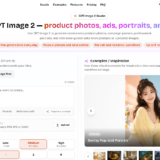
Img2Gen is an AI-powered image creation platform focused on product photography, advertising, portraits, and image editing. Users can…

MimicPC is a browser-based AI workspace that lets users run powerful AI applications without installing software or configuring complex…
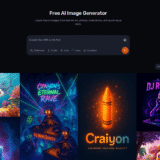
Craiyon is an AI image generator that turns text prompts into original images and artwork. It is designed…
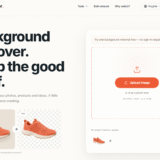
BGRemover is a 100% free AI background remover that creates clean transparent PNGs from any photo in seconds…
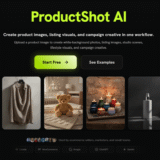
ProductShot AI is an AI product photography tool built specifically for ecommerce — turning a single product photo…
VidMage is an AI-powered face swap platform that lets you instantly swap faces in photos, videos, and GIFs…
