
Zanus AI Pricing Breakdown: Is This Private Enterprise AI Worth the Cost? (2027)
If you have been searching for Zanus AI pricing and hitting a wall — you are not alone.…
Read →Managing social media in 2026 means producing more content, across more platforms, at higher quality, with smaller teams — and doing it consistently.
AI doesn’t solve the strategy problem. But it can dramatically compress the execution time.
The average social media manager now uses AI to handle caption writing, visual creation, scheduling, short-form video repurposing, and performance analysis — tasks that used to take a full day now take a morning.
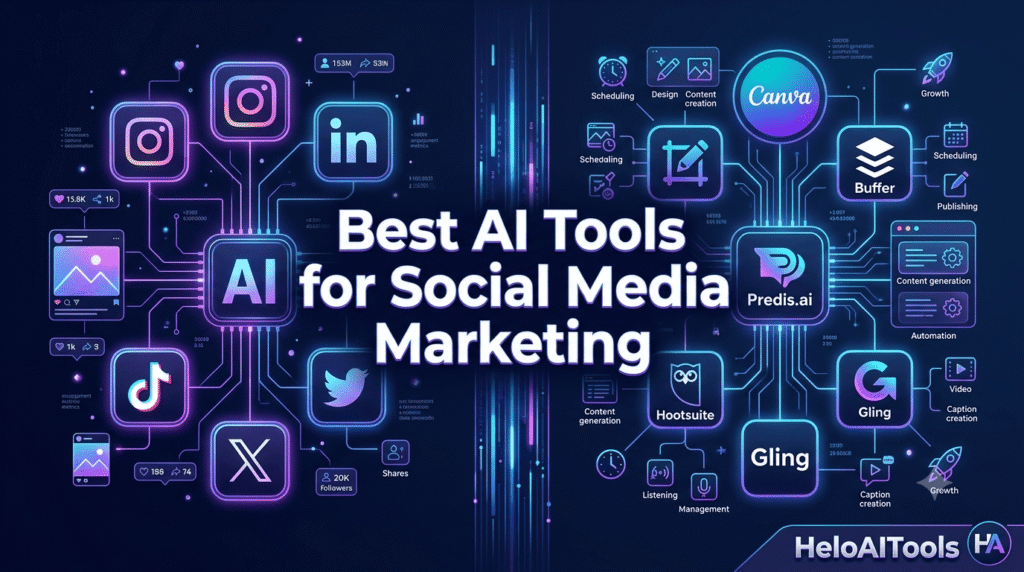
This guide covers the 12 best AI tools for social media marketing in 2026, organized by what they actually do — not by hype. Every tool here has been evaluated against the same criteria: real free tier or clear pricing, a specific workflow problem it solves, and active 2026 updates.
Quick Answer: Use Canva AI for visuals, Buffer for scheduling, Predis.ai for end-to-end AI content creation, Gling for video editing, Hootsuite for enterprise management, and ChatGPT or Claude for caption writing and ideation.
We filtered for tools that:
| Tool | Best For | Free Plan? | Starting Price |
|---|---|---|---|
| Canva AI | Visual content creation | ✅ Yes | $120/yr (Pro) |
| Buffer | Scheduling & AI posting | ✅ Yes | $6/mo/channel |
| Predis.ai | End-to-end AI post creation | ✅ Yes | $19/mo |
| Hootsuite | Enterprise social management | ❌ Trial | $99/mo |
| Gling | YouTube video editing | ✅ Freemium | $0/mo |
| ChatGPT | Caption writing & ideation | ✅ Yes | $20/mo (Plus) |
| Jasper | Brand-consistent copy at scale | ❌ Trial | $59/mo |
| OpusClip | Short-form video repurposing | ✅ Yes (watermark) | $15/mo |
| Sprout Social | Analytics & social listening | ❌ Trial | $249/mo |
| FeedHive | Content recycling & automation | ✅ Yes | $19/mo |
| Metricool | Scheduling + analytics combo | ✅ Yes | $18/mo |
| Taplio | LinkedIn growth & analytics | ❌ Trial | $49/mo |
Best for: Social media managers, designers, small business owners Free plan: Yes — generous free tier Paid: From $120/year (Pro)
Canva’s Magic Studio suite in 2026 is the most complete AI design toolkit for social media teams. It covers image generation from text prompts, background removal, video creation from static images, presentation design, and brand kit management — all inside one platform most teams already know.
What social media teams use it for:
Why it stands out in 2026: Magic Write generates platform-specific captions alongside your visuals, so you’re not switching between tools. The AI image generator now handles text-in-image accurately — a long-standing weakness that’s been fixed.
Free plan: Yes — includes basic AI features, limited Magic Studio credits Paid: From $120/year (Pro) — full Magic Studio, brand kit, team collaboration
Verdict: Non-negotiable for any social media team producing visual content. Start with the free tier and upgrade when you hit the credit limit.
Best for: Creators, small businesses, lean marketing teams Free plan: Yes — 3 channels, AI Assistant included Paid: From $6/month per channel
Buffer is the cleanest AI-assisted scheduling tool for teams that want to plan, publish, and analyze without a steep learning curve. Its AI Assistant adapts post copy for each platform — what works on LinkedIn reads differently on Instagram, and Buffer handles that automatically.
What social media teams use it for:
Why it stands out in 2026: Buffer’s MCP connector lets you plug it directly into Claude, ChatGPT, or your own AI agent — so you can generate and schedule content in one workflow without leaving your AI tool of choice.
Free plan: 3 channels, AI Assistant, basic analytics Paid: From $6/month per channel (Essentials) — full analytics, approval workflows
Verdict: The best starting point for any social media team. The free plan is genuinely useful, and the per-channel pricing scales cleanly as you grow.
Best for: E-commerce brands, SMB marketers, content creators Free plan: Yes — limited posts Paid: From $19/month
Predis.ai is the most complete tool for teams that want AI to handle the entire post creation workflow — text, visuals, carousels, and short-form video — from a single prompt. Where most tools handle one part of the job, Predis.ai covers all of it.
What social media teams use it for:
Why it stands out in 2026: The competitor analysis feature is genuinely useful — you can see what’s working for competitors and use that data to inform your own content strategy, not just copy it.
Free plan: Limited posts per month Paid: From $19/month (Core) — 1,300 credits, 60 competitor analyses/month
Verdict: The best single tool for teams that want AI to handle creation, not just assistance. If you’re producing high-volume social content and don’t have a dedicated designer, Predis.ai is the most efficient path.
Best for: Mid-market and enterprise teams, agencies Free plan: 30-day trial Paid: From $99/month
Hootsuite is the most complete social media management platform for teams running large-scale operations. Its OwlyWriter AI generates platform-optimized captions, repurposes top-performing content, and powers an AI content calendar — all inside a platform that also handles scheduling, social listening, analytics, and paid social management.
What social media teams use it for:
Why it stands out in 2026: The new Perch platform (Hootsuite’s content creation and publishing hub) connects to Wisdom AI — a social-first AI agent that takes posts from draft to scheduled in one workflow. It’s the most integrated AI-to-publish pipeline on the market.
Free plan: 30-day trial Paid: From $99/month (Professional, 1 user, 10 accounts)
Verdict: Worth the price for teams managing 5+ social profiles with multiple stakeholders. For solo creators or small teams, Buffer or Predis.ai is a better fit.
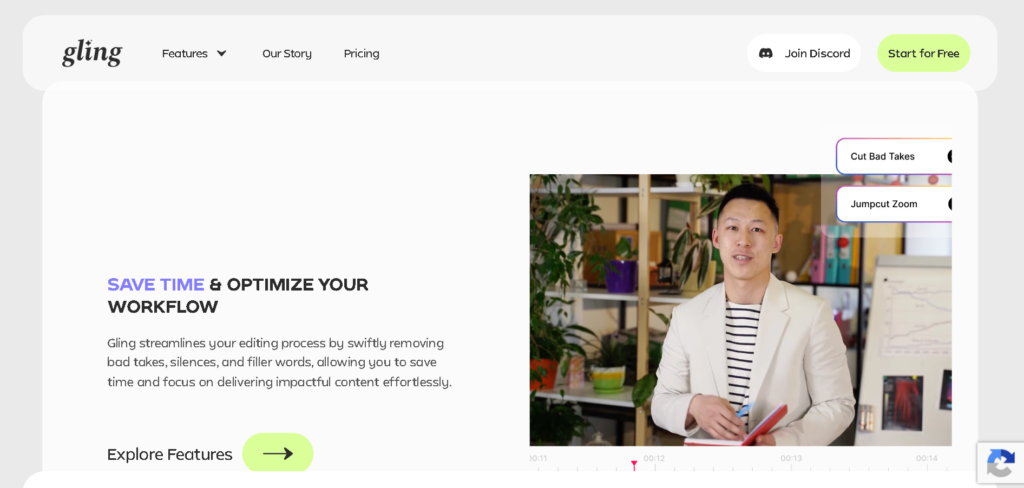
Best for: YouTube creators, video content teams Free plan: Yes — Freemium Paid: From $0/month
Gling is an AI video editing platform that automates the most tedious part of YouTube production: removing bad takes, silences, and filler words from raw footage. For social media teams producing YouTube content, it cuts editing time by 60–70%.
What social media teams use it for:
Why it stands out in 2026: Gling is the only tool on this list that’s genuinely free at a useful level. The freemium plan handles real editing work without a watermark — rare in the AI video space.
Free plan: Yes — Freemium, no watermark Paid: From $0/month (paid tiers for advanced features)
Verdict: Essential for any social media team producing YouTube content. If you’re spending more than 2 hours editing a single video, Gling pays for itself immediately.
Best for: All social media managers Free plan: Yes — GPT-4o with usage limits Paid: From $20/month (Plus)
ChatGPT remains the most versatile AI writing tool for social media in 2026. With GPT-5.6 powering the Plus tier, it handles everything from generating 30 days of post ideas in one session to writing platform-specific captions, crafting hooks for Reels, and repurposing long-form content into social snippets.
What social media teams use it for:
Pro tip: Build a custom GPT with your brand voice, audience description, and content pillars. It produces far more on-brand output than prompting from scratch every time.
Free plan: Yes — GPT-4o with usage limits Paid: 25/user/month (Business)
Verdict: Start here. It’s the foundation of most social media AI stacks. Pair it with Buffer for scheduling and Canva for visuals.
Best for: Marketing teams managing multiple brand voices Free plan: Trial only Paid: From $59/month (Pro)
Jasper is the go-to AI writing tool for social media teams delivering brand-consistent content at volume. Its brand voice controls and 50+ campaign templates make it the best choice when you’re managing content for multiple clients or brands with different tones and styles.
What social media teams use it for:
Why it stands out: Jasper’s brand voice feature is more sophisticated than ChatGPT’s custom instructions — it stores detailed brand guidelines and applies them consistently across every output, which matters when you’re managing 5+ client accounts.
Free plan: Trial only Paid: From $59/month (Pro)
Verdict: Only worth it if you’re managing multiple brand accounts or billing $2,000+/month in social media work. For single-brand teams, ChatGPT covers most needs at a fraction of the cost.
Best for: Content creators, video marketers, podcasters Free plan: Yes — with watermark Paid: From $15/month
OpusClip is the fastest way to turn long-form video content into short-form clips optimized for TikTok, Instagram Reels, and YouTube Shorts. Upload a long video, and OpusClip’s AI identifies the most engaging moments, adds captions, and exports platform-ready clips in minutes.
What social media teams use it for:
Why it stands out in 2026: The AI “virality score” feature predicts which clips are most likely to perform well before you publish — useful for prioritizing which clips to post first.
Free plan: Yes — with watermark Paid: From $15/month — no watermark, higher monthly minutes
Verdict: Essential for any team that produces long-form video content and wants to maximize its reach on short-form platforms without manual editing.
Best for: Enterprise teams, brand managers, agencies Free plan: 30-day trial Paid: From $249/month
Sprout Social is the most powerful AI analytics and social listening platform for teams that need to understand what’s being said about their brand — and act on it. Its AI processes 600 million messages per day and surfaces sentiment trends, competitor intelligence, and audience insights in real time.
What social media teams use it for:
Why it stands out in 2026: The Trellis agentic AI transforms social listening from passive data collection into proactive discovery — it self-directs its tracking to spot emerging narratives before they hit the mainstream, giving PR and comms teams a genuine early-warning system.
Free plan: 30-day trial Paid: From $249/month (Standard)
Verdict: The best analytics and listening tool on the market, but the price reflects it. Only justified for teams where social intelligence directly informs business decisions.
Best for: Solo creators, personal brands, growth-focused teams Free plan: Yes — limited Paid: From $19/month
FeedHive is the most intelligent tool for teams that want to maximize the lifespan of their best content. Its AI identifies your top-performing posts and automatically recycles them at optimal intervals — so your best ideas keep working long after the original post date.
What social media teams use it for:
Why it stands out: The conditional posting engine is unique — you can set rules like “if this post gets 50+ likes in 2 hours, automatically post a follow-up with a link.” No other tool on this list does this.
Free plan: Yes — limited accounts Paid: From $19/month
Verdict: Underrated. If you’re producing good content but not getting maximum reach from it, FeedHive’s recycling engine is the most efficient way to fix that.
Best for: Agencies, freelancers, growing teams Free plan: Yes — 1 brand Paid: From $18/month
Metricool combines scheduling, analytics, and competitor benchmarking in one dashboard — making it the best value all-in-one tool for agencies and freelancers managing multiple client accounts. The AI-generated reports are particularly useful for presenting results to clients without spending hours on manual reporting.
What social media teams use it for:
Free plan: Yes — 1 brand, limited posts Paid: From $18/month — multiple brands, advanced analytics
Verdict: The best value all-in-one tool for agencies and freelancers. If you’re managing 3+ client accounts and need scheduling + reporting in one place, Metricool is the most cost-effective option.
Best for: B2B marketers, founders, personal brands on LinkedIn Free plan: Trial Paid: From $49/month
Taplio is the specialist LinkedIn analytics and content tool. It shows you exactly which post formats, topics, and hooks drive the most profile visits and connection requests — the leading indicators of LinkedIn growth that most platforms ignore.
What social media teams use it for:
Why it stands out: Taplio’s analytics go deeper than LinkedIn’s native data — it tracks reach, engagement rate by format, and audience quality metrics that LinkedIn doesn’t surface. For B2B teams where LinkedIn is a primary channel, this data is invaluable.
Free plan: Trial only Paid: From $49/month
Verdict: Only for teams where LinkedIn is a primary growth channel. If you’re serious about LinkedIn, Taplio pays for itself in the first month of data.
Not every team needs every tool. Here’s what we recommend by use case:
Core stack: ChatGPT + Canva AI + Buffer Add for video: Gling (YouTube) or OpusClip (short-form) Monthly cost: ~46/month
Core stack: Predis.ai + Canva AI + Buffer Monthly cost: ~45/month
Core stack: Metricool + Jasper + Canva AI Add for LinkedIn: Taplio Monthly cost: ~126/month
Core stack: Hootsuite + Sprout Social + Canva AI Monthly cost: $348+/month
Core stack: Gling + OpusClip + ChatGPT + Buffer Monthly cost: ~$55/month
Rule 1: Start with free tiers. Buffer, Canva, ChatGPT, Gling, FeedHive, and Metricool all have usable free plans. Build your workflow before paying.
Rule 2: Solve one problem at a time. Don’t buy a scheduling tool, an analytics tool, a writing tool, and a design tool in the same week. Identify your biggest bottleneck and fix that first.
Rule 3: Don’t stack overlapping tools. If you’re using Predis.ai for end-to-end creation, you probably don’t need both Jasper and ChatGPT. Pick one writing tool and master it.
Rule 4: Audit quarterly. AI tools move fast. A tool that was best-in-class in Q1 2026 may have been surpassed by Q3. Check the HeloAITools directory for updated ratings.
There’s no single best tool — it depends on your use case. Canva AI is the best for visual content. Buffer is the best for scheduling. Predis.ai is the best for end-to-end AI post creation. Hootsuite is the best for enterprise management. Start with the tool that solves your biggest bottleneck.
No — but it changes what social media managers spend their time on. AI handles the repetitive execution (caption variations, scheduling, basic analytics). Social media managers focus on strategy, community building, brand voice, and creative direction. The risk isn’t replacement; it’s being outcompeted by managers who use AI and you don’t.
Canva AI (free tier), Buffer (free for 3 channels), ChatGPT (free GPT-4o), and Gling (freemium) are the strongest free options. Together, they cover design, scheduling, writing, and video editing at no cost.
Most solo creators and small businesses can build an effective AI social media stack for 25–50/month. Agencies managing multiple clients typically spend 150/month. Enterprise teams with Hootsuite and Sprout Social spend $350+/month.
Predis.ai for end-to-end post creation (captions + visuals + carousels). Canva AI for visual content. OpusClip for Reels repurposing. Buffer for scheduling with optimal posting time recommendations.
Taplio for LinkedIn-specific analytics and content optimization. ChatGPT or Jasper for writing thought leadership posts. Buffer for scheduling.
The best AI tools for social media marketing in 2026 aren’t the most expensive or the most hyped — they’re the ones that solve a specific problem in your workflow and pay for themselves in saved time.
Start here:
Build from there based on your biggest bottleneck.
The social media teams winning in 2026 aren’t the ones with the biggest AI stack — they’re the ones who’ve integrated the right tools deeply into how they work.
Also read: Best AI Tools for Freelancers in 2026 → | AI Marketing for SaaS Startups → | Best AI Video Generator for Business → | Best AI Agent Tools →

If you have been searching for Zanus AI pricing and hitting a wall — you are not alone.…
Read →Searching “free AI video generator no watermark no sign up” usually turns up a wall of listicles promising…
Read →Three tools. Three completely different answers to the same question. The question is: what does “best AI video…
Read →