
7 Best AI Chatbots for Customer Support Under $50 a Month (2027)
The challenge is knowing which tool actually fits your situation. Per-conversation pricing sounds cheap until your volume spikes.…
Read →If you’re about to sign up for Fotor’s free trial, you’ve probably searched some version of “is Fotor safe” or “is Fotor legit” first — smart move before entering a card number. We looked into the company behind it, its privacy practices, real user complaints, and what actually happens when you try to cancel, so you know what you’re getting into before you sign up.
Quick answer: Fotor is a legitimate, established company — it’s not a scam. But there’s a real, recurring complaint pattern worth knowing about around subscription and free-trial cancellation, which we’ll walk through below along with exactly how to avoid getting caught out by it.
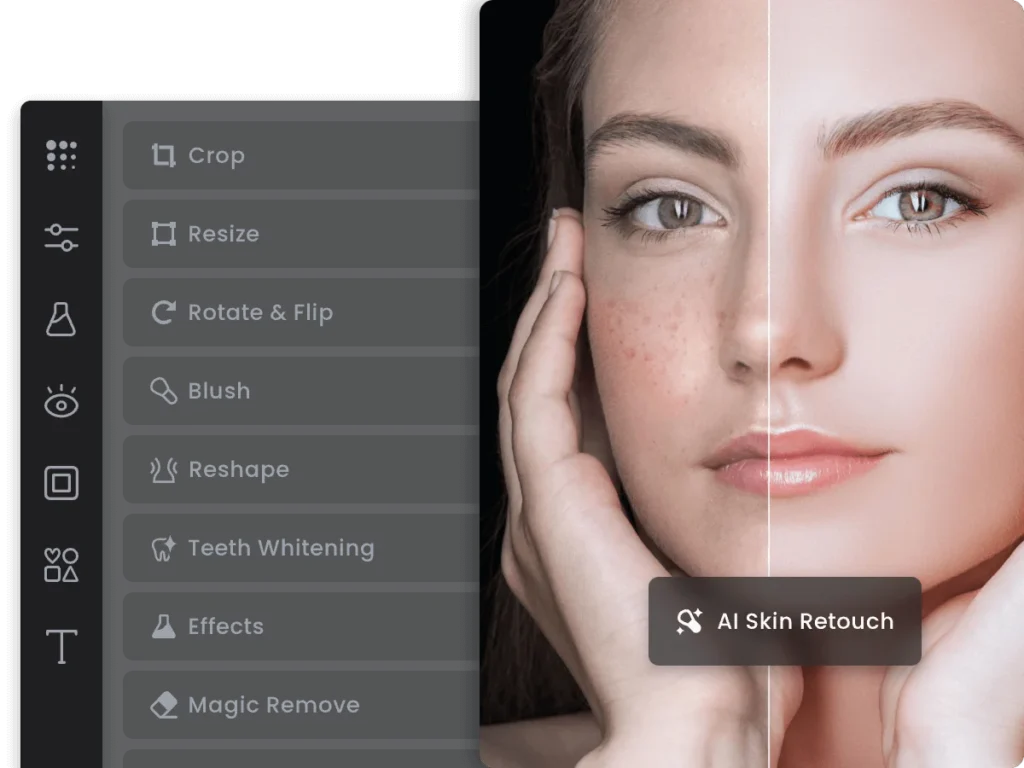
Fotor is an online AI photo editor and design tool built by Chengdu Everimaging Science and Technology Co., Ltd, a company that’s been operating for over 16 years. It offers photo editing, AI background removal, AI image generation, collage making, and design templates, available through a browser, desktop apps, and mobile apps. Fotor states it has over 200 million users worldwide.
For the full feature and pricing breakdown, see our complete Fotor review.
Yes. Fotor is a real product from a company with a long operating history — not a fly-by-night app. It maintains a Trustpilot profile dating back to 2018, has a transparent corporate identity, and processes payments through standard credit-card billing. User sentiment on Trustpilot sits in the “Average” range (roughly 3.7-3.9 out of 5), which is typical for a freemium subscription tool with a large, varied user base rather than a red flag on its own.
One thing worth knowing: some automated third-party “trust score” sites (which use NLP analysis of app-store reviews rather than a manual investigation) have flagged Fotor with notably low scores. These automated scores are worth taking with real skepticism — they tend to weight negative reviews heavily and don’t distinguish between “this app is a scam” and “this app has an annoying cancellation flow,” which, as covered below, is actually the more accurate description of Fotor’s real complaint pattern.
Fotor’s privacy policy discloses what it collects: personal information you provide at signup, plus non-personal data like device information and usage analytics collected through standard cookies and similar technology. If you use Fotor’s AI Avatar or similar face-based features, it also collects face data specifically for generating those results — according to Fotor’s policy, this is used only for that feature, not shared or repurposed for unrelated AI training.
Web, desktop, and mobile connections are encrypted in line with standard industry practice. There’s no public record of a major data breach at Fotor as of this writing. For anyone with stricter requirements (business use, sensitive photos), it’s worth reading Fotor’s current privacy policy directly before uploading anything sensitive, since policies can change over time.
A separate, real complaint pattern: several users report Fotor’s AI content-safety filter occasionally flagging clearly non-explicit images as “sensitive content” and blocking them — an accuracy issue with the moderation system, not a privacy or security concern, but worth knowing if you’re planning to generate a large batch of AI images.
Yes, with real limitations. Fotor’s Basic plan is free permanently, not a time-limited trial, and includes basic editing tools and a limited number of AI credits. The catch: exports on the free plan are watermarked, and your creations are only stored for 30 days before they’re removed — so it’s genuinely usable for quick one-off edits, but not for building a saved library of work without upgrading.
Fotor’s paid plans (India pricing) run from ₹799/month (Pro) up to ₹3,599/month (Max), scaling up AI credits, concurrent generations, storage, and business features like brand kits at higher tiers. See the full Fotor pricing breakdown for the complete tier-by-tier comparison.
This is the part worth reading carefully, given the complaint pattern mentioned above. Based on user reports, cancellation isn’t always straightforward from the mobile app — some users found no clear cancel option there and had to go through the desktop site instead, and at least one report described being charged even after attempting to end a trial. To avoid that:
To fully delete your account (not just cancel a subscription), go to Account Settings from a desktop browser and look for a “Delete Account” or “Close Account” option, typically under privacy or account management settings. If you can’t find it, Fotor’s support team can process an account deletion request directly — this is also the route to take if you want your data removed per applicable privacy regulations.
A lot of Fotor’s recent search interest comes from specific trending AI filters rather than the core photo editor. Quick rundown of what each one actually does:
All of these sit under Fotor’s AI Image/AI Art tools in the editor, and usage typically draws from the same credit pool as other AI generations — so heavy use of these filters will use up your monthly credits faster on lower-tier plans.
The short version: Canva is stronger for broader graphic design (social posts, presentations, marketing materials) with a bigger template and brand-kit ecosystem, while Fotor leans more specifically into photo editing and AI photo tools (background removal, retouching, AI filters) with design features as a secondary layer. If your main need is editing and enhancing photos, Fotor’s tools are more purpose-built; if you need broader design work across many content types, Canva’s ecosystem is larger.
Fotor has three plan tiers. Here’s the current pricing breakdown:
| Plan | Price | Best For |
|---|---|---|
| Basic (Free) | $0/month | Casual editing, watermarked exports, 30-day storage |
| Pro | ₹799/month (India) / ~$9.99/month | Unlimited AI credits, no watermarks, full storage |
| Pro+ | ₹1,599/month (India) / ~$19.99/month | More AI credits, priority processing, advanced features |
| Max | ₹3,599/month (India) / ~$39.99/month | Maximum AI credits, brand kit, business features |
Annual billing saves approximately 40–50% on all paid plans — worth checking the current Fotor pricing page for the latest rates as these change periodically.
Is Fotor worth paying for? If you use AI image generation regularly (more than 10–15 images/month), the Pro plan pays for itself quickly. If you only need occasional photo editing, the free plan with watermarks is genuinely usable for personal use.
What Fotor does well:
Where Fotor falls short:
Overall verdict: Fotor is a legitimate, useful tool for photo editing and AI image generation. It’s not a scam. The main real-world issue is the subscription cancellation friction — which is annoying but not unique to Fotor among freemium tools.
Rating: 4.1/5 — Strong for photo editing and AI filters. Weaker for broad graphic design vs Canva.
| Feature | Fotor | Canva | Adobe Firefly |
|---|---|---|---|
| Primary strength | Photo editing + AI filters | Graphic design + templates | Commercial-safe AI image generation |
| Free plan | ✅ Yes (watermarked) | ✅ Yes (generous) | ✅ Yes (25 credits/month) |
| AI image generation | ✅ Yes | ✅ Yes (Magic Media) | ✅ Yes (best commercial safety) |
| Background removal | ✅ Yes | ✅ Yes (Pro) | ✅ Yes |
| Template library | Good | ⭐ Excellent | Limited |
| Commercial use | ✅ Paid plans | ✅ Paid plans | ✅ Commercially safe by design |
| Paid from | ~$9.99/mo | $15/mo (Pro) | ₹797/mo |
| Best for | Photo editing, AI filters | General graphic design | Commercial AI image generation |
Choose Fotor if photo editing and AI photo tools are your primary need. Choose Canva if you need broader graphic design across many content types. Choose Adobe Firefly if commercial licensing safety is a priority.
Is Fotor worth it in 2026?
For regular photo editing and AI image generation, yes — especially on the Pro plan (~$9.99/month). For occasional use, the free plan is usable despite watermarks. For broad graphic design work, Canva’s template ecosystem is larger.
What is Fotor Pro and what does it include?
Fotor Pro removes watermarks, unlocks unlimited AI credits, provides full storage, and enables commercial-quality exports. It’s the minimum plan for professional or business use.
Is Fotor better than Canva?
For photo editing and AI photo tools specifically, Fotor is more purpose-built. For general graphic design, social media templates, and presentation creation, Canva’s ecosystem is significantly larger. Most users who need both photo editing and design work use Canva as their primary tool.

The challenge is knowing which tool actually fits your situation. Per-conversation pricing sounds cheap until your volume spikes.…
Read →Instagram Reels is the most competitive short-form video format in 2027. Over 200 billion Reels are played every…
Read →Posting consistently on LinkedIn is one of those things everyone agrees matters and almost nobody actually sustains —…
Read →