
7 Best AI Chatbots for Customer Support Under $50 a Month (2027)
The challenge is knowing which tool actually fits your situation. Per-conversation pricing sounds cheap until your volume spikes.…
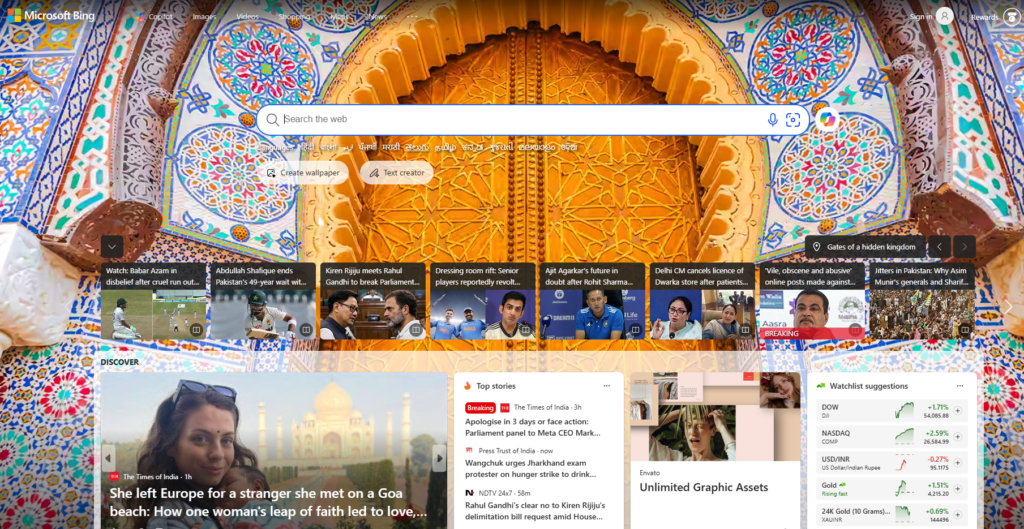
Read →Bing AI has become a useful AI assistant for searching the web, answering questions, generating ideas, writing content, creating images, learning new topics, and completing everyday tasks.
If you’re wondering how to use Bing AI, you don’t need to be an AI expert. With the right prompts, Bing AI can help with everything from simple questions to creative projects, research, content creation, and image generation.
In this guide, we’ll explore 12 practical ways to use Bing AI, including how to use Bing AI Chat, generate AI images, write content, research topics, study, brainstorm ideas, and more.
If you’re looking for other AI-powered software, you can also explore the HeloAITools AI tools directory.
Bing AI is Microsoft’s AI-powered assistant integrated into Bing and Microsoft’s broader AI ecosystem. It can understand natural-language questions and help users find information, generate content, brainstorm ideas, summarize information, and perform other AI-assisted tasks.
Microsoft has incorporated AI capabilities into its search experience, allowing users to combine traditional web search with conversational AI.
If you’re new to the platform, check out our detailed guide on what is Bing AI and how to use it.
You can also explore the Bing AI tool page on HeloAITools to learn more about the tool.
Using Bing AI is relatively simple.
Start by opening Bing and accessing its AI-powered features. Depending on Microsoft’s current interface and account setup, AI features may be available through Bing or Microsoft Copilot.
Once you have access, type your question or instruction into the chat box.
For example:
Explain SEO in simple language for a beginner.
Bing AI can then provide an answer based on your request.
The quality of the result depends heavily on your prompt. Instead of asking:
Write about SEO.
Try:
Write a 500-word beginner-friendly explanation of SEO and include five practical examples.
The second prompt gives the AI more context and produces a more focused response.
One of the most useful ways to use Bing AI is for research.
Instead of opening dozens of search results and reading every page manually, you can ask Bing AI to help you understand a topic.
For example:
What are the most important SEO trends for small businesses?
You can then ask follow-up questions to explore the subject further.
You can use Bing AI for research related to:
For more detailed research, ask the AI to organize information into categories, tables, summaries, or step-by-step explanations.
Explain the most important SEO ranking factors for a new website. Divide them into technical SEO, on-page SEO, content, links, and user experience.
This makes the information easier to understand and use.
Bing AI can answer questions using natural language, so you don’t have to phrase your searches like traditional search queries.
Instead of searching:
SEO meaning
You can ask:
What is SEO and how does it help a new website get traffic?
You can also continue the conversation with follow-up questions.
For example:
Question 1:
What is keyword research?
Question 2:
Give me an example.
Question 3:
How can I find low-competition keywords?
This conversational approach makes Bing AI useful for beginners as well as experienced users.
If you’re comparing different AI assistants, you can also explore ChatGPT on HeloAITools and compare how different AI platforms handle research and conversational tasks.
Bing AI can help you create different types of written content.
You can use it for:
For better results, provide the AI with your audience, topic, tone, and desired format.
Write 10 blog title ideas about AI tools for small businesses. Make the titles practical, interesting, and suitable for beginners.
You can then select your favorite idea and ask Bing AI to create an outline.
If you’re looking for more specialized writing software, check out these AI writing assistants for additional options.
Remember that AI-generated content should be reviewed and edited before publishing. Adding your own experience, examples, data, and expertise can make the content more useful and original.
You don’t always need Bing AI to create something from scratch.
It can also help improve existing content.
For example, you can provide a paragraph and ask:
Rewrite this paragraph in simple English.
Or:
Make this paragraph more professional.
You can also ask Bing AI to:
This can be especially useful for marketers, students, freelancers, and business owners.
Running out of ideas?
Bing AI can act as a brainstorming partner.
You can ask it to generate ideas for almost any topic.
For example:
Give me 20 blog ideas about AI tools for content creators.
Or:
Give me 15 YouTube video ideas about artificial intelligence that beginners would find interesting.
You can then narrow down the results by asking follow-up questions.
For example:
Remove the generic ideas and give me 10 topics with lower competition.
The more specific your instructions are, the more useful the brainstorming session can become.
Bing AI can also assist with programming and technical tasks.
You can ask it to explain code, identify errors, suggest improvements, or create small code examples.
For example:
Explain this JavaScript code line by line.
Or:
Create a simple HTML and CSS pricing table for a website.
You can also use it to understand programming concepts.
For beginners, try prompts such as:
Explain APIs in simple language with a real-world example.
Or:
Explain the difference between HTML, CSS, and JavaScript.
AI-generated code should always be tested before being used on a production website or application.
Another useful application is comparison.
You can ask Bing AI to compare two technologies, products, concepts, or strategies.
For example:
Compare SEO and PPC for a new website.
Or:
Compare Bing AI and ChatGPT for research, writing, coding, and web search.
You can make comparisons easier to understand by asking for a table.
Compare Bing AI and ChatGPT in a table based on web search, writing, image generation, coding, research, and ease of use.
For product or purchasing decisions, always verify important specifications, prices, availability, and current features from reliable sources because these can change over time.
One of the most popular uses of Bing’s AI capabilities is image generation.
If you’re wondering how to create AI images with Bing, you can describe the image you want in natural language.
For example:
Create a futuristic city at night with neon lights, flying cars, skyscrapers, cinematic lighting, and a realistic style.
The AI image generator can turn a text description into an image.
You can experiment with:
Include:
Subject + environment + style + lighting + composition + mood
For example:
A futuristic AI robot working in a modern office, cinematic lighting, realistic photography, blue neon screens, wide-angle composition, highly detailed.
More specific prompts generally give you more control over the result.
Bing isn’t the only option for AI image creation. If you’re interested in experimenting with other image generators, you can explore:
Exploring multiple image-generation platforms can help you find the workflow and visual style that best suits your project.
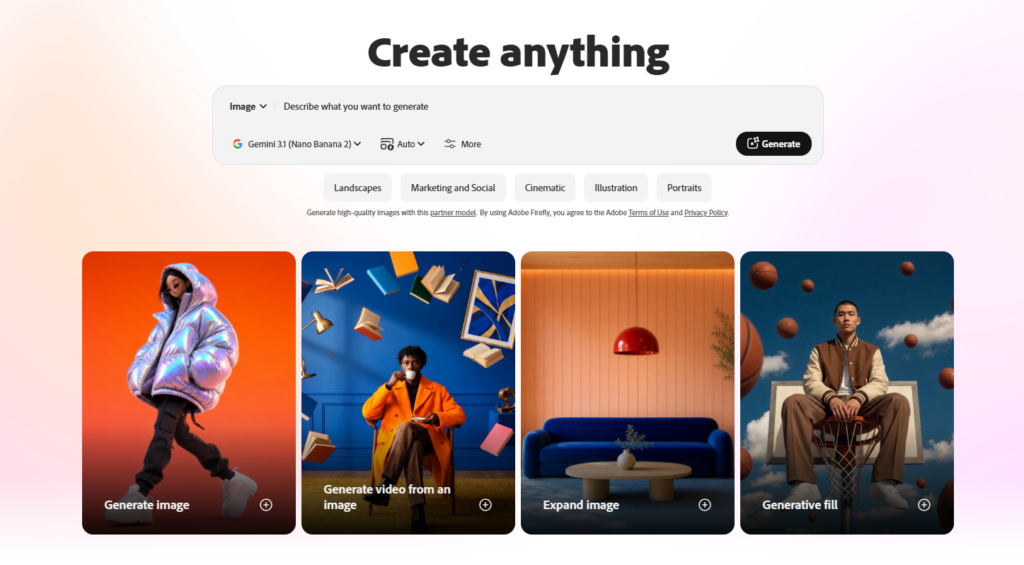
Bing AI image generation can also be useful for social media content.
You can create visual concepts for:
For example:
Create a modern social media graphic about 5 AI tools every marketer should know. Professional technology style, clean layout, futuristic AI elements.
You can then use the generated concept as part of your broader content workflow.
However, if the image will be used commercially, check the applicable Microsoft terms and the specific usage rights associated with the service and generated content.
Students can use Bing AI as an additional learning assistant.
Instead of simply asking for an answer, ask the AI to teach you the concept.
For example:
Explain photosynthesis like I’m 12 years old.
Then ask:
Give me a real-world example.
And:
Now create 10 quiz questions about it.
You can use this approach for:
The key is to use AI to improve understanding rather than simply copying answers.
You can also explore other AI assistants such as Gemini when you want to compare different approaches to research and learning.
Bing AI can help social media marketers generate content ideas and drafts.
For example:
Create 10 LinkedIn post ideas about artificial intelligence for small businesses.
You can also ask it to create different formats:
Turn this article into a short LinkedIn post.
Or:
Create a 30-second video script about the benefits of AI tools.
You can also request:
For marketers, this can significantly speed up the initial content creation process.
For more marketing-focused AI solutions, explore the best AI marketing platforms.
The final and perhaps simplest use is using Bing AI for everyday tasks.
You can ask it to help organize information, explain something you’re unfamiliar with, generate ideas, create checklists, or help plan a project.
For example:
Create a simple weekly content plan for an AI tools website.
Or:
Give me a step-by-step plan to learn digital marketing.
You can also ask follow-up questions to refine the result.
The more context you provide, the more useful the response is likely to become.
If your main goal is image generation, start with a detailed description of what you want.
For example:
Create a realistic image of a futuristic AI workspace with multiple holographic screens, a person working on a laptop, modern technology, cinematic lighting, high detail, wide composition.
You can experiment with different styles and descriptions until you get a result that matches your requirements.
Create a [subject] + [environment] + [style] + [lighting] + [composition].
Example:
Create a futuristic AI robot in a modern office, realistic 3D style, dramatic lighting, wide-angle composition.
You can make the prompt even more detailed by adding colors, camera perspective, mood, background elements, and other visual characteristics.
If you’re specifically searching for how to use Bing AI image generator, the general process is straightforward:
Microsoft can change the interface and available features over time, so the exact buttons and workflow may vary.
If you’re interested in alternatives, you can also compare AI image-generation tools on HeloAITools.
Microsoft’s AI products have used different underlying AI models and technologies over time.
Bing’s AI experience has also evolved as Microsoft has integrated AI models into Bing and Copilot.
Because the underlying models and product architecture can change, it is better not to assume that Bing always uses one specific model.
If you’re researching whether Bing AI uses GPT-4, check Microsoft’s current documentation and product announcements for the latest information rather than relying on older articles.
Yes. Bing uses artificial intelligence in several parts of its search and assistant experience.
AI can help Bing understand natural-language queries, generate conversational answers, summarize information, provide recommendations, and support other search-related features.
This is different from traditional search, where users primarily receive a list of links and decide which pages to open.
There isn’t one universal answer.
The better tool depends on what you’re trying to accomplish.
Bing AI/Copilot can be particularly useful when your task is closely connected with Microsoft’s ecosystem, web search, and current information.
ChatGPT can be useful for conversational tasks, writing, brainstorming, coding, analysis, and many other workflows.
You can explore ChatGPT on HeloAITools and Grok on HeloAITools if you want to compare different AI assistants.
You can also read our Grok vs ChatGPT comparison for another perspective on popular AI assistants.
Instead of asking which one is universally better, compare them based on your specific requirements.
| Task | Bing AI | ChatGPT |
|---|---|---|
| Web research | Useful | Useful |
| Conversational questions | Yes | Yes |
| Content writing | Yes | Yes |
| Brainstorming | Yes | Yes |
| Coding assistance | Yes | Yes |
| Image generation | Available through Microsoft’s AI experiences | Available depending on current ChatGPT features |
| Microsoft ecosystem | Strong integration | Varies |
| Current information | Useful with web-connected features | Depends on available browsing/tools |
AI products change frequently, so features and capabilities may differ depending on the version, region, account, and date.
You should be careful with the phrase “copyright free.”
AI-generated images are not automatically equivalent to public-domain images, and the rights you have to use an AI-generated image depend on the service’s terms, applicable law, and the circumstances in which the image was created and used.
If you’re planning to use Bing AI images commercially, review Microsoft’s current terms and any applicable usage restrictions before publishing, selling, or licensing the images.
Don’t assume that every Bing AI image can automatically be sold or used without restrictions.
Whether you can sell or commercially use an image generated through Bing depends on the applicable Microsoft service terms and relevant law.
If you’re planning to sell AI-generated artwork, use it on products, or license it commercially, check the current terms governing the specific Bing/Microsoft AI service you used.
Also consider whether the generated image contains recognizable people, brands, copyrighted characters, logos, or other protected material.
At a high level, Bing AI combines Microsoft’s search technology, AI models, and supporting systems to understand user requests and generate responses.
A typical interaction can involve:
User question → AI understands the request → Relevant information/tools are processed → AI generates a response → User asks follow-up questions
The exact technology behind the experience can change as Microsoft updates its AI products.
If you want better answers, don’t just type short and vague questions.
Instead, give Bing AI useful context.
Instead of:
Write a blog.
Try:
Create an SEO-friendly outline for a 2,000-word article about AI tools for small businesses.
Explain AI image generation to a complete beginner.
Give me the answer in a table.
Give me 5 examples for each strategy.
Don’t stop after the first response.
You can ask:
Make it simpler.
Give me more examples.
Turn this into a checklist.
Explain point number 3 in more detail.
AI can make mistakes or provide outdated information. Always verify important facts, statistics, legal information, medical information, financial information, and current product details using reliable sources.
Here are some simple prompts to experiment with:
Explain the latest trends in AI tools for digital marketing and organize them into categories.
Write a beginner-friendly introduction for an article about AI tools.
Give me 20 long-tail keyword ideas for an AI tools website.
Give me 15 unique blog ideas about AI productivity tools.
Create a realistic futuristic AI workspace with holographic screens and cinematic lighting.
Teach me SEO from beginner to advanced level using practical examples.
Explain this code line by line and identify potential errors.
Create 10 short social media post ideas about artificial intelligence.
Yes. Bing includes AI-powered features that can assist with search, conversational questions, content generation, and other tasks.
Microsoft’s AI products and underlying models have evolved over time. The exact models powering a particular Bing or Copilot experience can change, so users should check Microsoft’s latest official information for current model details.
Bing’s AI experiences use Microsoft’s AI technology and underlying models that can change over time. The exact model depends on the particular Microsoft product and feature being used.
Open Bing or the relevant Microsoft Copilot experience, access its AI features, and enter a natural-language question or instruction. You can then continue the conversation with follow-up prompts.
Yes, Microsoft’s AI ecosystem has offered AI-powered image creation capabilities. Availability and functionality can vary by product, account, region, and date.
Describe the image you want using a detailed text prompt. Include the subject, environment, visual style, lighting, composition, and other details that are important to you.
You should not automatically assume that Bing AI images are copyright-free or unrestricted. Review the applicable Microsoft terms and consider relevant copyright laws before using images commercially.
Commercial use depends on the applicable service terms and relevant laws. Review Microsoft’s current terms before selling or licensing generated images.
Neither is universally better. The best choice depends on your needs, including web search, writing, coding, research, image generation, and integration with other services.
Bing AI is more than a simple search feature. It can help with research, writing, brainstorming, learning, coding, comparisons, image generation, social media content, and many everyday tasks.
The best way to learn how to use Bing AI is to experiment with different prompts and gradually learn which instructions produce the best results.
Whether you want to use Bing AI as a chatbot, generate AI images, research a topic, create content, or learn something new, there are many practical ways to incorporate it into your workflow.
Start with a simple question, provide more context when needed, and use follow-up prompts to improve the result.
If you want to discover more AI-powered software for content creation, marketing, productivity, research, image generation, and other use cases, explore the HeloAITools AI tools directory.

The challenge is knowing which tool actually fits your situation. Per-conversation pricing sounds cheap until your volume spikes.…
Read →Instagram Reels is the most competitive short-form video format in 2027. Over 200 billion Reels are played every…
Read →Posting consistently on LinkedIn is one of those things everyone agrees matters and almost nobody actually sustains —…
Read →