Automate your email with AI and get more done in less time.
Last updated August 20, 2026
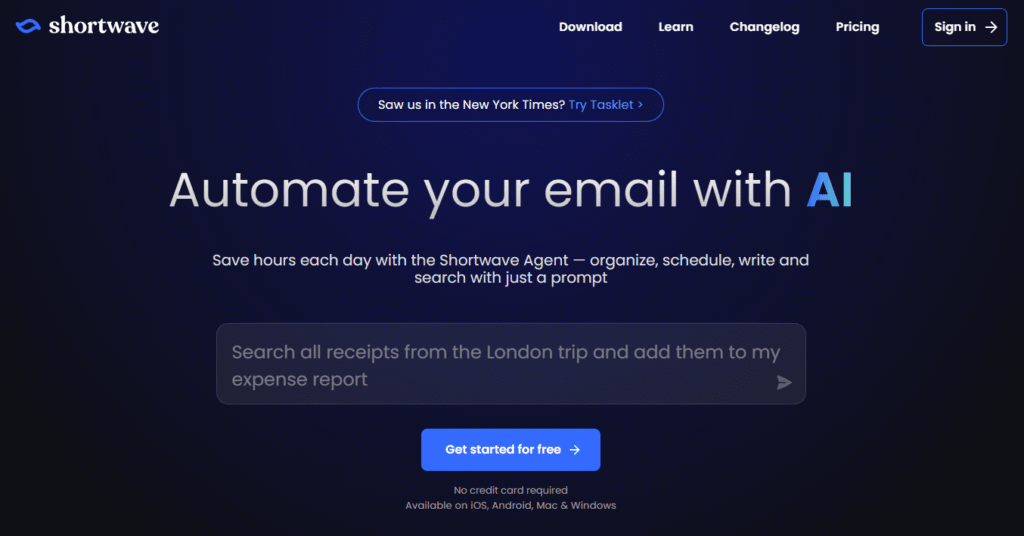
Shortwave is an AI-powered email app designed to help individuals and teams organize, search, write, automate, and manage email more efficiently. Its AI assistant can understand your inbox, find answers across emails and attachments, draft and enhance messages, organize conversations, schedule meetings, and automate repetitive email workflows.
With AI-powered search, intelligent autocomplete, instant summaries, custom AI filters, inbox organization, team collaboration, and integrations with popular productivity tools, Shortwave turns your inbox into a powerful productivity workspace.
Use natural-language prompts to search your inbox, organize emails, write replies, find information, and take action without manually navigating through your mailbox.
Shortwave’s AI learns your writing style and helps draft emails that sound natural and personalized. It can also enhance existing messages and provide intelligent autocomplete suggestions.
Search through emails and attachments using natural language or advanced Gmail-style search filters. Shortwave can analyze your email content to help you quickly find answers.
Get AI-generated summaries of emails so you can understand lengthy conversations without reading every message from beginning to end.
Identify important emails and tasks, organize conversations into categories, and clear away unnecessary messages to keep your inbox manageable.
Create custom AI-powered filters using plain English. Automatically label, star, archive, or organize emails based on the rules you define.
Connect your calendar, check availability, create calendar events, and generate scheduling emails directly from your inbox.
Automate repetitive email workflows with Shortwave’s AI and its integration with Tasklet. Workflows can draft replies, organize threads, and connect with thousands of external apps.
Customize the AI assistant with your own instructions and preferences so it can provide more personalized assistance.
Use AI web browsing to access relevant and up-to-date information when working with your emails.
Shortwave is available across desktop and mobile devices, including iOS, Android, Mac, and Windows.
Group promotions, newsletters, updates, and other recurring emails together so you can process large volumes of email faster.
Turn emails into actionable todos. Organize, rename, prioritize, and add notes to tasks directly inside your inbox.
Choose when certain emails should arrive in your inbox to reduce interruptions and maintain a focused workflow.
Share email threads with teammates, comment privately, assign next steps, and maintain shared email archives.
Create shared, AI-searchable email archives that your entire team can access.
Save and share frequently used prompts, snippets, and templates with your team to speed up repetitive communication.
Track email opens and link clicks to understand engagement and improve follow-ups.
Set reminders to follow up when you haven’t received a response, helping you stay on top of important conversations.
Shortwave includes advanced privacy features such as tracking-pixel blocking and image proxy protection, along with enterprise-grade security capabilities.
Connect your inbox with tools such as Slack, Calendar, Notion, Asana, HubSpot, and other productivity platforms to build more connected workflows.
Shortwave is useful for:
Shortwave combines a modern email experience with powerful AI automation. Instead of simply helping you write emails, it can understand your inbox, summarize conversations, search across email data, organize messages, manage tasks, schedule meetings, and automate workflows.
For professionals who spend significant time inside their inbox, Shortwave can turn email from a daily distraction into an organized productivity system.
Shortwave can be considered alongside other AI-powered email and productivity tools such as Gmail with Gemini, Superhuman, Spark, and other AI email assistants.
1. What is Shortwave AI?
Shortwave AI is an AI-powered email application that helps users organize, search, write, summarize, and automate their emails.
2. Is Shortwave AI free?
Yes. Shortwave offers a free plan with basic AI features, limited AI usage, and limited search history.
3. How much does Shortwave Pro cost?
Shortwave Pro costs $18 per seat per month according to the pricing information provided.
4. What can Shortwave AI do?
Shortwave can summarize emails, write and enhance messages, search emails using AI, organize your inbox, create AI filters, schedule meetings, manage tasks, and automate email workflows.
5. Does Shortwave AI work with Gmail?
Yes. Shortwave is designed as an email application and supports Gmail accounts.
6. Does Shortwave have an AI email writer?
Yes. Shortwave provides personalized AI writing that can learn from your writing style and help create natural-sounding emails.
7. Does Shortwave AI summarize emails?
Yes. Shortwave provides instant AI-generated email summaries to help users understand conversations faster.
8. Can Shortwave AI search emails?
Yes. Its AI-powered search can find information across emails and attachments using natural-language queries and advanced search filters.
9. Does Shortwave support team collaboration?
Yes. Teams can share email threads, privately comment on conversations, assign next steps, and use shared labels and prompts.
10. What platforms does Shortwave support?
Shortwave is available on iOS, Android, Mac, and Windows, as well as through its web application.
11. Can Shortwave automate email workflows?
Yes. Shortwave provides AI automation features and integrates with Tasklet to automate workflows such as drafting replies, organizing threads, and connecting with thousands of apps.
12. Who should use Shortwave AI?
Shortwave is particularly useful for professionals, founders, sales teams, marketers, executives, and teams that handle large volumes of email.
| Category | Rating |
|---|---|
| Overall | ⭐ 4.8/5 |
| AI Features | ⭐ 4.9/5 |
| AI Writing | ⭐ 4.8/5 |
| Email Management | ⭐ 4.9/5 |
| Automation | ⭐ 4.8/5 |
| Collaboration | ⭐ 4.7/5 |
| Value for Money | ⭐ 4.6/5 |
| Ease of Use | ⭐ 4.8/5 |

Lavender AI is an AI-powered email intelligence and sales email coaching platform designed to help sales professionals write…

Clerk.io is an AI platform built specifically for ecommerce, combining five connected modules — Search, Recommendations, Chat, Email,…

Casablanca is an AI-powered virtual camera that creates natural eye contact during video calls, making online conversations feel…

ClearCRM is an all-in-one AI-powered CRM platform designed to help growing businesses manage sales, marketing, customer service, projects,…

Youware is an AI-powered “vibe coding” platform that lets you build fully functional websites, apps, games, and dashboards…

RankIQ + Aided is an all-in-one AI content marketing platform built for bloggers, marketers, businesses, agencies, and publishers…

n8n is a visual workflow automation platform built for connecting AI agents to your existing tools and infrastructure…

Taskade is an all-in-one AI productivity platform that transforms a single prompt into fully functional apps, AI agents,…

Zanus AI is a private, on-premise AI operating system built for enterprises, government agencies, healthcare providers, law firms, and…

Fyxer is an AI-powered email assistant designed to help professionals take control of their inbox, meetings, and daily…

Bing AI, now integrated into Microsoft Copilot, is an AI-powered assistant that combines web search, content generation, coding…
SendX is an AI-powered email marketing and marketing automation platform built for businesses that want higher email deliverability,…
