
8 Best AI Tools to Create a Faceless YouTube Channel Automatically in 2026
You do not need a camera. You do not need a studio. You do not need to show…
Read →Every engineering team has had this argument in 2026.
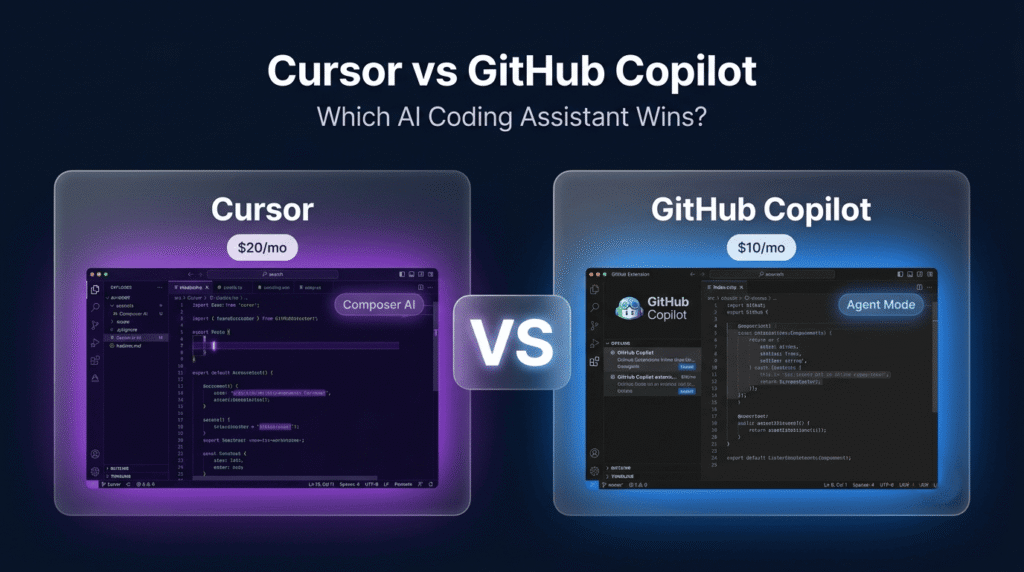
Cursor or Copilot?
From a distance, they look almost identical. Both write code. Both run on frontier models. Both shipped agent capabilities in the past year. Both claim to make you a faster developer.
Look closer and the resemblance falls apart completely.
Cursor is a standalone AI-native IDE — Anysphere forked VS Code and rebuilt the entire editor around AI from the ground up. GitHub Copilot is an extension that plugs into whatever editor you already use — VS Code, JetBrains, Visual Studio, Neovim, Xcode, Eclipse. Cursor replaces your editor. Copilot enhances it.
That architectural difference ripples through everything: context handling, multi-file editing, agent autonomy, team scaling, and cost. And in 2026, with both tools having shipped major updates — Cursor crossing 2billionARR∗∗anda∗∗29.3 billion valuation, Copilot reaching 4.7 million paid subscribers — the decision matters more than ever.
Here is the honest breakdown, with 2026 pricing, real benchmark data, and a clear answer for every use case.
For the highest-ceiling AI coding experience, multi-file agent work, and model flexibility: Cursor
For the lowest cost, broadest IDE support, and GitHub-native workflows: GitHub Copilot
For most individual developers on VS Code doing daily coding: Cursor wins on capability
For most teams already on GitHub Enterprise or JetBrains: Copilot wins on fit and price
For maximum productivity: Run both — Copilot for daily completions, Cursor for heavy agent sessions — for around $30/month combined
| Cursor | GitHub Copilot | |
|---|---|---|
| Architecture | AI-native VS Code fork | IDE extension (6 editors) |
| Latest version | Composer 2.5 + V8.2 agent | Agent Mode GA + Copilot CLI |
| Free tier | Hobby — limited agent requests | 2,000 completions + 50 premium requests |
| Starting paid price | Pro — $20/month | Pro — $10/month |
| Team pricing | $40/user/month | $19/user/month (Business) |
| IDE support | Cursor only (JetBrains coming) | VS Code, JetBrains, Neovim, Xcode, Eclipse, Visual Studio |
| Agent mode | Composer 2.5 — most mature | Agent Mode — GA, improving fast |
| Multi-file editing | ⭐ Best-in-class | Yes — more conservative scope |
| Codebase indexing | ⭐ Deep semantic — full repo | Automatic GitHub indexing |
| Model flexibility | ⭐ All frontier models per-request | GPT-5.x, Claude 4.x, Gemini 3.x |
| Background agents | ⭐ Native concurrent sessions | Via GitHub Actions |
| GitHub integration | Good — PR review, CLI, MCP | ⭐ Native — issues, PRs, Actions |
| SWE-bench Verified | 51.7% | ⭐ 56.0% |
| Task completion speed | ⭐ ~30% faster | Slower but more accurate |
| Privacy mode | ✅ No code stored on servers | Enterprise data policies |
| BYOK (own API keys) | ✅ Yes | ❌ No |
| IP indemnification | ❌ No | ✅ Business/Enterprise |
| Best for | Agent-heavy workflows, model flexibility | GitHub teams, IDE breadth, budget |
Before comparing features, here is what changed this year — because most comparison articles are still describing 2024 versions of these tools.
Cursor crossed 2billionARR∗∗inFebruary2026—oneofthefastest−growingSaaScompaniesinhistory.ThecompanyraisedaSeriesData∗∗29.3 billion valuation in November 2025, with reports of $50 billion valuation conversations in early 2026. Composer 2.5 is now the default agent — it handles multi-file refactors, runs terminal commands, iterates on errors, and supports concurrent Background Agent sessions. The web app and CLI shipped alongside the editor. Both Cursor and GitHub Copilot migrated to credit-based billing on June 1, 2026 — the sticker price now buys a quota of premium model requests rather than unlimited frontier-model calls.
GitHub Copilot reached 4.7 million paid subscribers as of January 2026 — up 75% year-over-year. Satya Nadella stated Copilot now represents a bigger business than GitHub was worth when Microsoft acquired it for $7.5 billion. Copilot CLI reached general availability in February 2026 — terminal-first developers can now generate shell commands, explain errors, and scaffold scripts directly from the command line without opening an editor. Agent Mode reached GA in VS Code and now creates pull requests from GitHub issues autonomously — a workflow Cursor cannot match natively.
This is the most important thing to understand before comparing any individual feature.
Cursor’s philosophy: Replace the editor. Rebuild everything around AI from the ground up. Give developers maximum autonomy, maximum model flexibility, and maximum context awareness. Accept that this requires switching editors.
GitHub Copilot’s philosophy: Enhance the editor you already use. Meet developers where they are. Integrate deeply with the GitHub ecosystem. Prioritise adoption and distribution over raw capability ceiling.
Neither philosophy is wrong. The right choice depends entirely on which one matches how your team actually works.
The most repeated number in any Cursor vs Copilot comparison is also the most misleading. Yes, Copilot Pro starts at 20/month — a clean 2x gap. But both companies migrated to credit-based billing in June 2026, and the sticker price now buys a quota of premium model requests rather than unlimited frontier-model calls.
| Plan | Price | What You Get |
|---|---|---|
| Hobby | Free | Limited agent requests, limited Tab completions, 1-week Pro trial |
| Pro | 16/month annual) | ~$20 of frontier model API usage, unlimited Tab, background agents |
| Pro+ | $60/month | ~3x Pro usage allowance, all frontier models |
| Ultra | $200/month | ~20x Pro usage, priority access to new features |
| Teams | $40/user/month | SSO, Bugbot, usage analytics, centralized billing, privacy controls |
| Enterprise | Custom | Pooled usage, SCIM, audit logs, model and MCP access controls |
| Plan | Price | What You Get |
|---|---|---|
| Free | $0 | 2,000 completions/month, 50 premium requests, limited agent |
| Pro | 100/year) | Unlimited completions, 300 premium requests, expanded agent |
| Pro+ | 390/year) | 1,500 premium requests, GitHub Spark, full model suite |
| Max | $100/month | Largest individual model allowance |
| Business | $19/user/month | 300 premium requests/user, IP indemnity, audit logs, org policies |
| Enterprise | $39/user/month | 1,000 premium requests/user, GitHub.com integration, broadest model access |
| Usage Level | Cursor | GitHub Copilot | Notes |
|---|---|---|---|
| Casual (completions only) | Free (Hobby) | Free | Copilot free tier is more generous |
| Individual developer | $20/month (Pro) | $10/month (Pro) | Copilot is half the price |
| Power user | $60/month (Pro+) | $39/month (Pro+) | Cursor has higher ceiling at $200 Ultra |
| 10-person team | $400/month (Teams) | $190/month (Business) | Cursor costs $2,520/year more |
| 50-person enterprise | Custom | $1,950/month (Enterprise) | Copilot includes IP indemnity |
The honest takeaway on pricing: Copilot is cheaper at every tier — by approximately 2x at the individual level and more than 2x at the team level. Whether Cursor’s higher capability ceiling justifies that premium depends entirely on how much your team uses agent mode and multi-file editing. If the majority of your AI interaction is inline autocomplete and occasional chat, Copilot delivers that at half the price.
Agent mode is now the most important feature to evaluate in both tools. It is where most of the productivity gain — and most of the risk — lives.
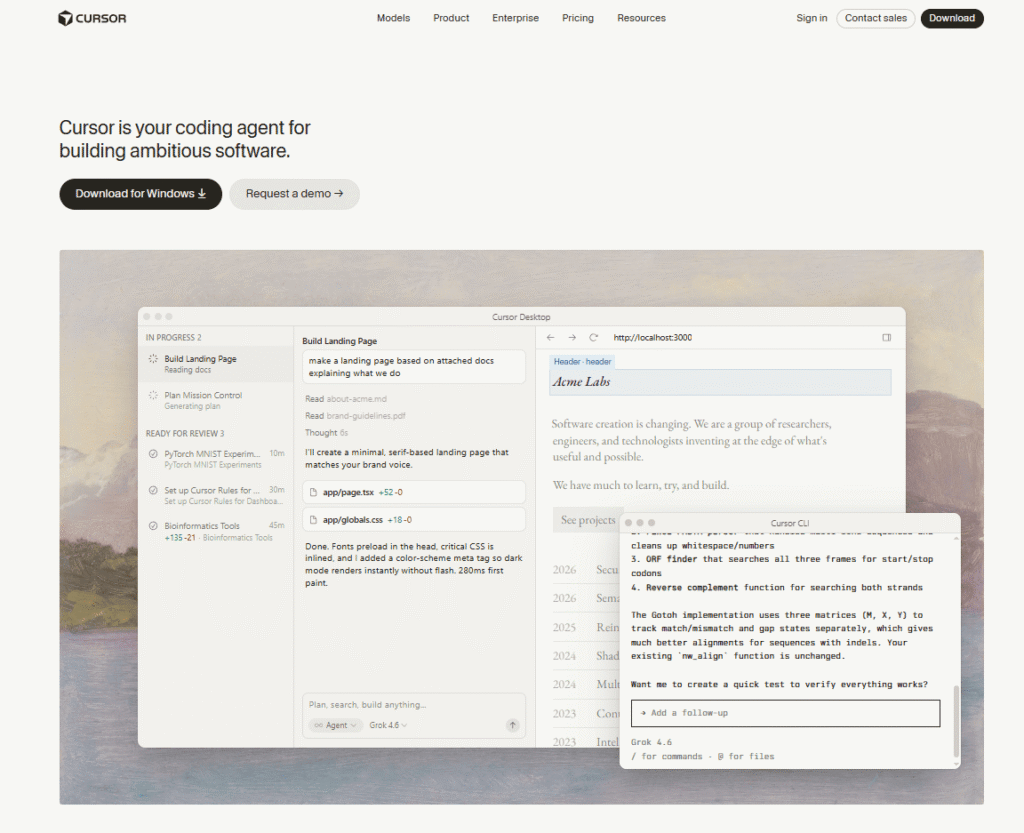
Composer is where you describe a task in natural language and Cursor plans the implementation, writes code across however many files are necessary, runs terminal commands, and iterates based on errors — all without leaving the editor. It is not just editing. It is a full development loop.
The autonomy slider is Cursor’s most distinctive feature. You control how much Cursor does before checking in — from fully supervised (approves every change) to fully autonomous (runs until done). For senior developers who want to delegate large tasks, this is a genuine productivity multiplier.
Background Agents extend this further: spawn multiple Composer sessions running concurrently on different tasks and check on their progress as they run. A single developer can have three or four agent sessions running in parallel — one refactoring the authentication module, one writing tests, one updating documentation.
Companies using Cursor report merging 39% more PRs after Composer becomes the default workflow. Cursor completes benchmark tasks approximately 30% faster than Copilot on average.
The limitation: Composer is the center of gravity. The product is designed around Cursor itself, so JetBrains and Neovim teams get significantly less value. And heavy Composer sessions burn through premium credits fast — a 30-minute Opus 4.7 agent run can consume a meaningful slice of the month’s budget.
Copilot Agent Mode reached general availability in VS Code in late 2025 and has improved significantly in 2026. It handles multi-file editing, runs terminal commands, and creates pull requests from GitHub issues autonomously — a workflow Cursor cannot match natively.
The key difference in practice: Copilot Agent Mode is more conservative and more accurate. Cursor Composer is faster and more autonomous.
Copilot tends to surface a plan, handle a batch of files, pause, and check in before continuing. This feels safer — decisions are surfaced sooner and the review cadence is tighter. On SWE-bench Verified, Copilot scores 56.0% versus Cursor’s 51.7% — a 4.3-point accuracy advantage.
For teams that want AI assistance without the risk of an autonomous agent making architectural decisions without review, Copilot’s more conservative approach is a feature rather than a limitation.
This is where users report the most tangible difference between the two tools in daily use.
Cursor’s @codebase command does a semantic search across your entire repository to find relevant files before sending a prompt to the model. You can pin specific files with @file, pull in external documentation with @docs, and use @web for live web search. The context assembly is visible and controllable — you see exactly what Cursor is sending to the model.
Cursor supports context windows up to 1 million tokens — meaning it can reason about architectural patterns, naming conventions, and inter-module dependencies across an entire large codebase in a single session.
GitHub Copilot’s workspace indexing is automatic and GitHub-native — it indexes your repository through GitHub and surfaces relevant context automatically. For most everyday tasks, this works well. For large, complex codebases with deep inter-module dependencies, Cursor’s explicit semantic search gives more reliable results.
The practical difference: for a 10-file feature addition, both tools perform similarly. For a large-scale refactor across 40+ files with complex dependencies, Cursor’s codebase context gives it a meaningful edge.
Cursor offers the most granular model selection available in any AI coding tool. You choose the model per-context: a faster, cheaper model for Tab autocomplete, a more capable model for Composer sessions, and a different model for codebase-wide search. Available models include GPT-5.5, Claude Opus 4.7, Gemini 3 Pro, Grok Code, and Cursor’s own in-house Composer model. BYOK (Bring Your Own Keys) lets you bypass plan limits entirely using your own API keys — a feature Copilot does not offer.
GitHub Copilot has expanded significantly from its originally OpenAI-only approach. It now supports GPT-5.x, Claude Sonnet 4.6 (Opus on Pro+), Gemini 3.x, and Grok. Model switching is less granular than Cursor’s per-request system — Copilot routes to a fast default model and requires deliberate selection to access premium models, which consume credits faster.
Winner: Cursor — more models, easier per-request switching, BYOK support, and a longer track record of multi-model flexibility.
This is Copilot’s most decisive differentiator and the single most common reason teams choose it over Cursor.
GitHub Copilot works in 6+ editors: VS Code, JetBrains (all IDEs), Visual Studio, Neovim, Xcode, and Eclipse. There is no migration, no editor switch, no friction. Install the extension and you have AI assistance in the editor your team already uses.
Cursor works only in Cursor. It is a VS Code fork — the interface is familiar and the extension compatibility is high — but it is a different application. Migrating a team from VS Code to Cursor has friction: extension compatibility checks, keybinding migration, organizational tooling adjustments. For JetBrains users, Cursor is not currently an option at all (JetBrains support is in development).
The practical implication: For a team standardised on JetBrains, Cursor is not a viable choice today. For a team on VS Code willing to switch editors, Cursor is accessible. For a team spread across multiple editors, Copilot is the only tool that covers everyone.
If your team’s workflow is organised around GitHub — issues, pull requests, Actions, Projects — Copilot has a native integration advantage that Cursor cannot replicate.
Copilot’s GitHub-native features:
Cursor’s GitHub integration covers PR review, CLI access, and MCP support — solid but not native. Cursor’s Background Agents run on Cursor’s own infrastructure rather than GitHub Actions, which means they are not as tightly integrated with your existing GitHub workflow.
For GitHub Enterprise teams, Copilot Enterprise at $39/user/month includes IP indemnification, audit logging, and full GitHub.com integration — a compliance and governance story that Cursor’s Enterprise plan is still building toward.
| Use Case | Best Choice | Runner-Up | Why |
|---|---|---|---|
| Daily inline autocomplete | Copilot | Cursor | Unlimited completions, lower latency |
| Multi-file refactoring | Cursor | Copilot | Composer 2.5, deeper context |
| Large codebase analysis | Cursor | Copilot | 1M token context, semantic @codebase |
| GitHub-native workflows | Copilot | — | Native issues, PRs, Actions |
| Agent autonomy and speed | Cursor | Copilot | 30% faster, autonomy slider |
| Benchmark accuracy | Copilot | Cursor | 56.0% vs 51.7% SWE-bench |
| Model flexibility | Cursor | Copilot | All frontier models, BYOK |
| JetBrains / Neovim users | Copilot | — | Cursor not available |
| Enterprise compliance | Copilot | — | IP indemnity, audit logs |
| Solo developer / startup | Cursor | Copilot | Higher capability ceiling |
| Budget-conscious teams | Copilot | — | Half the price at every tier |
| Vibe coding / feature delegation | Cursor | Copilot | Composer handles full feature cycles |
| Terminal-first developers | Copilot | Cursor | Copilot CLI GA, Neovim support |
| Privacy-sensitive codebases | Cursor | — | Privacy mode, no code stored |
| DevOps / IaC workflows | Cursor | Copilot | Better module chain traversal |
Here is what experienced developers have figured out that most comparison articles miss.
The most productive setup in 2026 is not picking one tool — it is knowing which tool to use for which job.
Use Copilot for the 80% of your day that is inline completions, quick fixes, routine tasks, and GitHub workflow integration. It is always on, always fast, and works in whatever editor you are in.
Use Cursor for the 20% of your day that is complex — multi-file feature development, large refactors, framework migrations, and anything where you want to describe a task and let an agent handle the implementation.
Running both costs approximately **10 Copilot Pro + $20 Cursor Pro) — less than most professional software subscriptions and a fraction of the cost of the productivity gains either tool delivers individually.
Is Cursor better than GitHub Copilot in 2026?
Cursor is better for multi-file agent work, model flexibility, codebase context, and raw coding speed — completing tasks approximately 30% faster than Copilot. GitHub Copilot is better for GitHub-native workflows, IDE breadth across 6 editors, benchmark accuracy (56.0% vs 51.7% on SWE-bench), enterprise compliance, and price. Neither is universally better — the right choice depends on your workflow, IDE, and budget.
How much does Cursor cost compared to GitHub Copilot?
Cursor Pro is 10/month — a 2x gap at the individual level. Cursor Teams is 19/user/month — more than 2x at the team level. For a 10-person team, Cursor costs an extra $2,520 per year. Both platforms migrated to credit-based billing in June 2026.
Does GitHub Copilot work in JetBrains?
Yes. GitHub Copilot works in all JetBrains IDEs, VS Code, Visual Studio, Neovim, Xcode, and Eclipse. Cursor currently works only in its own editor — a VS Code fork. JetBrains support for Cursor is in development but not yet available as of August 2026.
What is Cursor Composer and how does it work?
Cursor Composer (now Composer 2.5) is Cursor’s AI agent mode. You describe a task in natural language — “add authentication to this Express app” — and Composer plans the implementation, writes code across multiple files, runs terminal commands, and iterates based on errors, all without manual intervention. An autonomy slider controls how much Cursor does before checking in. Background Agents let you run multiple Composer sessions concurrently on different tasks.
Is GitHub Copilot free?
Yes. GitHub Copilot has a free tier that includes 2,000 code completions per month and 50 premium requests — enough to evaluate the platform before committing. Paid plans start at $10/month for Pro, which includes unlimited completions and 300 premium requests per month.
Which AI coding tool is better for beginners?
GitHub Copilot is the better starting point for beginners. Install the extension in your existing IDE, get inline suggestions immediately, and there is nothing new to learn. Cursor requires switching to a new editor and learning Composer, the model selection system, and the @codebase context commands — a moderate learning curve that pays off for developers willing to invest the time.
What is the SWE-bench score for Cursor vs Copilot?
On SWE-bench Verified (2026 results), GitHub Copilot scores 56.0% and Cursor scores 51.7% — a 4.3-point accuracy advantage for Copilot. However, Cursor completes tasks approximately 30% faster (62.9 seconds average vs Copilot’s longer average). Copilot is more accurate on isolated tasks. Cursor is faster on multi-step workflows.
Can I use Cursor and GitHub Copilot at the same time?
Yes — and many developers do. Nothing in either tool’s licensing prevents running both simultaneously. The most common setup is Copilot for daily inline completions and GitHub workflow integration, and Cursor for heavy multi-file agent sessions. Combined cost is approximately $30/month for Pro tiers of both.
Does Cursor support BYOK (Bring Your Own Keys)?
Yes. Cursor supports BYOK — you can use your own OpenAI, Anthropic, or Google API keys to bypass plan limits entirely. This is particularly useful for heavy users who want to use frontier models without hitting monthly credit caps. GitHub Copilot does not offer BYOK.
Which AI coding tool is best for enterprise teams?
GitHub Copilot is the safer enterprise choice. Copilot Business (39/user/month) include IP indemnification, SAML SSO, audit logs, org-wide policy controls, and native GitHub integration — a compliance and governance story that most enterprise procurement teams require. Cursor’s Enterprise plan is custom-priced and includes SCIM, audit logs, and access controls, but lacks IP indemnification.
What is the best AI coding tool for vibe coding in 2026?
Cursor is the strongest tool for vibe coding — describing features in natural language and letting AI implement them. Composer 2.5 can take a feature description and coordinate changes across frontend, backend, configuration files, and tests in a single operation. For developers building with the vibe coding approach, Cursor’s Composer is significantly more capable than Copilot’s Agent Mode for full-feature delegation.
Is Cursor worth the 20/monthvsCopilot′s10/month?
Yes — if you do heavy multi-file agent work daily. Power users report 40–60% time savings with Cursor’s Composer on complex tasks compared to 20–30% faster coding with Copilot for routine tasks. If Cursor’s multi-file editing saves you significant time on complex work, the 10/month delivers most of the value at half the cost.
Also read: ChatGPT vs Claude vs Gemini 2026 → | Midjourney vs DALL-E vs Stable Diffusion → | Grok vs ChatGPT 2026 → | HeyGen vs Synthesia → | Browse more in AI Tools For Coding →

You do not need a camera. You do not need a studio. You do not need to show…
Read →Two tools. Both edit video with AI. Both have millions of users who swear by them. And yet…
Read →There is a reason millions of people use both of these tools every single day. They are not…
Read →