
8 AI Tools That Generate LinkedIn Posts Automatically (2026)
Posting consistently on LinkedIn is one of those things everyone agrees matters and almost nobody actually sustains —…
Read →Instagram Reels is the most competitive short-form video format in 2027. Over 200 billion Reels are played every day across Instagram and Facebook. The algorithm rewards accounts that publish consistently — not just accounts that publish occasionally with high production value.
The problem is time. A single polished 30-second Reel used to take 45–90 minutes to produce from scratch — scripting, recording, editing, captioning, adding music, formatting for vertical. Multiply that by 5 Reels per week and you are looking at 4–7 hours of production time before you have posted anything.
AI tools have collapsed that timeline. The accounts growing fastest on Reels in 2027 are not the ones with the biggest production budgets — they are the ones who figured out how to produce 5 Reels in the time it used to take to make one.
This guide covers the 10 best AI tools for Instagram Reels content creation in 2027 — specifically for video editing, repurposing, captions, and voiceover. It is deliberately scoped to Reels creation only. If you need help with scheduling, analytics, or cross-platform social media management, see our Best AI Tools for Social Media Marketing → instead.
You already have long-form content (podcasts, YouTube videos, webinars): → Start with Klap or Munch — they find and cut the best moments automatically
You are starting from a blank page with just an idea: → Start with InVideo AI (script-first) or CapCut (template-first)
Your Reels are mostly you talking to camera: → Start with Captions or Descript
You want every Reel to look consistently on-brand: → Start with Veed.io
You need a voiceover but do not want to record your own: → Start with ElevenLabs, paired with any editor on this list
| Tool | Best For | Free Plan | Starting Price | Sign Up Required |
|---|---|---|---|---|
| Klap | Auto-repurposing long video into Reels | No | ~$29/month | Yes |
| Munch | Batch repurposing at scale | Limited | ~$49/month | Yes |
| Spikes Studio | Fast highlight-based clips | Yes (limited) | ~$19/month | Yes |
| CapCut | Free all-in-one Reels editor | Yes — generous | Free / $9.99/mo Pro | Optional |
| Captions | Auto-captioned talking-head Reels | Yes (limited) | ~$9.99/month | Yes |
| InVideo AI | Script or prompt to finished Reel | Yes (watermark) | $25/month | Yes |
| Vmaker AI | Screen recording to Reel | Yes (limited) | ~$15/month | Yes |
| Veed.io | Brand-consistent editing + subtitles | Yes (watermark) | ~$18/month | Yes |
| Descript | Text-based video editing | Yes (limited) | ~$24/month | Yes |
| ElevenLabs | AI voiceover and narration | Yes (10K chars) | $5/month | Yes |
Before choosing a tool, it helps to understand what the Reels algorithm rewards in 2027 — because the best tool for your workflow depends on what type of content you are making.
Watch time and completion rate remain the primary ranking signals. A Reel that gets watched to the end — or rewatched — gets pushed to more people. This means your first 1–3 seconds are everything. The hook determines whether the algorithm distributes your content or buries it.
Posting frequency matters more than it did in 2023–2024. Instagram’s internal data (shared at Creator Week 2027) confirmed that accounts posting 4–7 Reels per week see 3x the reach growth of accounts posting 1–2 per week, assuming comparable engagement rates.
Captions and text overlays are now indexed by Instagram’s search algorithm. Reels with accurate captions rank in search results for the words spoken or displayed — making auto-captioning tools not just an accessibility feature but an SEO tool.
Audio — original audio, trending sounds, and voiceover — all influence distribution. Reels with clear, high-quality audio consistently outperform silent or low-quality audio content.
The tools in this list are chosen specifically because they address these algorithm factors directly.
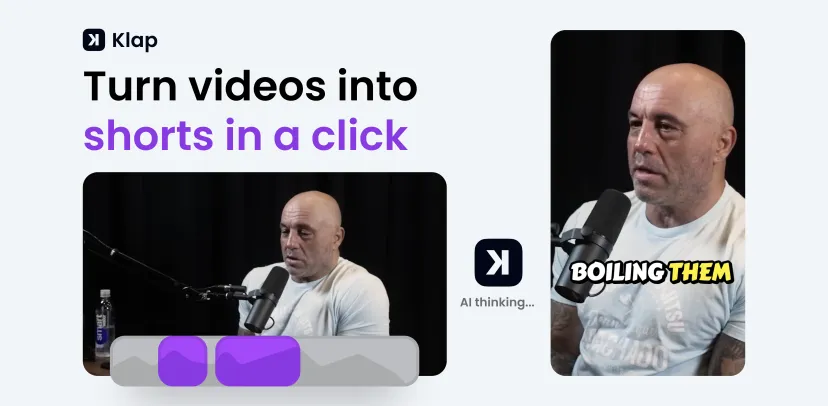
Website: klap.app Best for: Podcasters, YouTubers, and webinar creators who want to turn hours of footage into multiple Reels without manual editing Starting price: ~$29/month Free plan: No — paid plans only Time saved per video: 30–60 minutes per long-form video
Klap is the highest-leverage tool on this list for one specific workflow: you have a long video (podcast episode, YouTube video, webinar recording, interview) and you want to extract the best 5–10 Reels-ready clips from it automatically.
Upload your video, and Klap’s AI analyses the entire content — identifying the moments most likely to perform as standalone short clips based on speech patterns, topic changes, emotional peaks, and engagement signals. It then cuts those moments into vertical clips, adds animated captions, and formats them for Instagram Reels — all without you touching a timeline.
What Klap actually does:
Klap uses a combination of speech analysis, topic modelling, and engagement prediction to identify “clip-worthy” moments. It is not just cutting at random intervals — it is finding the moments where a speaker makes a strong point, tells a story, or delivers a quotable line. The AI understands context well enough to cut at natural speech boundaries rather than mid-sentence.
After cutting, Klap:
Key features:
Real workflow example: A 45-minute podcast episode → Klap analyses it in ~8 minutes → delivers 8–12 clip suggestions → you review, approve or reject each one → export the 5 best → done in under 20 minutes total, compared to 2+ hours of manual editing.
Pros:
Cons:
Who it is for: Any creator with a backlog of long-form content who wants to extract Reels without spending hours in an editor. If you publish a weekly podcast or YouTube video, Klap pays for itself in the first week.
Website: getmunch.com Best for: Agencies, teams, and creators managing large backlogs of long-form content Starting price: ~$49/month Free plan: Limited trial Time saved: 45–90 minutes per video at scale
Munch operates on a similar repurposing model to Klap but is built specifically for volume and scale. Where Klap is optimised for individual creators processing one video at a time, Munch is built for teams and agencies processing dozens of videos simultaneously.
Munch’s AI analyses long-form content and identifies the most engaging moments using a combination of speech analysis, trend matching (it cross-references current trending topics on Instagram and TikTok), and engagement prediction. The result is clips that are not just well-cut — they are matched to what is currently performing on the platform.
What makes Munch different from Klap:
Munch adds a layer of trend intelligence that Klap does not have. It analyses what topics, formats, and hooks are currently performing on Instagram Reels and TikTok, then prioritises clips from your content that match those trends. If “productivity tips” are trending this week, Munch will surface the productivity-related moments from your video first.
Key features:
Real workflow example: A social media agency managing 10 client accounts, each with a weekly podcast. Munch processes all 10 episodes simultaneously overnight, delivers clip suggestions for each by morning, and the team reviews and approves in a single session — replacing what would have been 15–20 hours of manual editing per week.
Pros:
Cons:
Who it is for: Social media agencies, content teams, and high-volume creators who need to process large amounts of long-form content into Reels consistently. If you are managing more than 3–4 accounts or processing more than 5 videos per week, Munch’s batch capabilities justify the higher price.
Website: spikes.studio Best for: Gaming creators, sports content, and reaction-based Reels Starting price: ~$19/month Free plan: Yes — limited generations Time saved: 20–40 minutes per video
Spikes Studio takes a different approach to clip detection than Klap or Munch. Instead of analysing speech and topics, Spikes focuses on detecting high-engagement moments — reactions, visual peaks, sudden changes in energy, audience responses — and cutting around those moments automatically.
This makes Spikes particularly strong for content types where the “best moments” are not verbal — gaming highlights, sports clips, reaction videos, live stream moments, and event footage. If your content is more visual than verbal, Spikes will find better clips than tools built around speech analysis.
Key features:
What makes Spikes different: Spikes was originally built for gaming content creators (Twitch streamers, YouTube gamers) and its clip detection reflects that origin. It is exceptionally good at finding the moments in a video where something exciting happens — a clutch play, a funny reaction, a surprising moment — rather than the moments where someone says something insightful.
Pros:
Cons:
Who it is for: Gaming creators, sports content creators, reaction video makers, and anyone whose best moments are visual rather than verbal. Also a strong pick for creators who want a fast, affordable repurposing tool without the full feature set of Klap or Munch.
Website: capcut.com Best for: Creators who want full manual and AI-assisted control over a single Reel edit — for free Starting price: Free | Pro from $9.99/month Free plan: Yes — genuinely useful, no watermark on desktop exports Time saved: 15–30 minutes per Reel vs. traditional editing
CapCut is the most widely used free video editor among Reels creators in 2027 — and for good reason. It is the only tool on this list that covers the entire Reels production workflow (editing, captions, effects, music, text animation, format conversion) at zero cost, with no watermark on desktop exports.
Unlike the repurposing tools above, CapCut is not about finding clips automatically. It is about giving you maximum creative control over a single edit — with AI features that accelerate the most time-consuming parts of that process.
Key AI features for Reels:
The CapCut workflow for Reels:
Pros:
Cons:
Who it is for: Any creator making Reels from scratch — original footage, screen recordings, or a mix of clips. CapCut is the default recommendation for beginners and the most cost-effective option for creators who do not need automated repurposing.
Website: captions.ai Best for: Creators whose Reels are primarily them talking directly to camera Starting price: ~$9.99/month Free plan: Yes — limited exports Time saved: 20–35 minutes per talking-head Reel
Captions is built around one specific Reels format that dominates a huge share of the platform — someone talking directly to camera. If that describes most of your content, Captions is the most purpose-built tool for your workflow.
The app handles the entire talking-head Reel pipeline: record or import your footage, and Captions automatically transcribes, captions, frames, and styles the video for Reels. The caption quality and animation options are among the best available — word-level highlighting, multiple font styles, emoji integration, and colour customisation that matches your brand.
Key features:
The Captions workflow:
Pros:
Cons:
Who it is for: Coaches, educators, thought leaders, and any creator whose Reels are primarily them speaking to camera. If more than 70% of your Reels are talking-head format, Captions is the most purpose-built tool for your workflow.
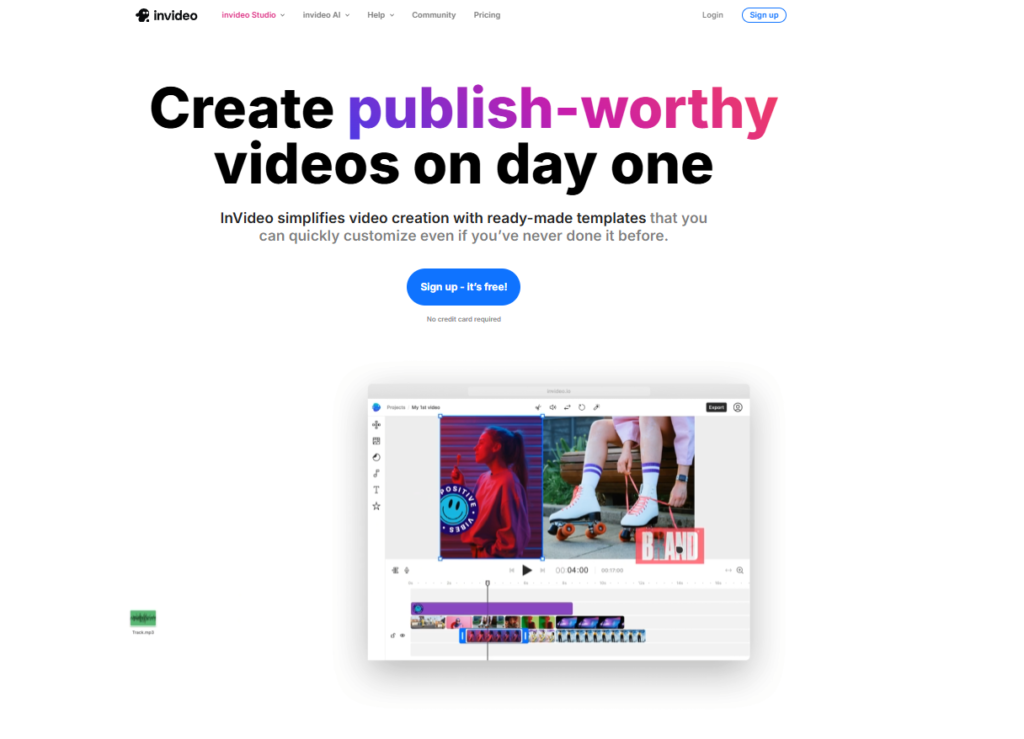
Website: invideo.io Best for: Creators who want to go from a text prompt or script to a finished Reel draft without sourcing their own footage Starting price: 60/month (Max) Free plan: Yes — watermarked exports, limited AI minutes Time saved: 30–50 minutes per Reel vs. building from scratch
InVideo AI is the pick when you are starting with nothing but an idea. Describe what you want — “a 30-second Reel about the top 3 productivity tips for remote workers, energetic tone, upbeat music” — and InVideo assembles a draft Reel using stock footage, AI voiceover, background music, and captions. You then refine the draft rather than building from scratch.
This is fundamentally different from the repurposing tools above. InVideo is not finding clips from existing footage — it is generating a complete video from a text input, using a library of 16 million+ stock clips and AI-generated visuals.
Key features:
The InVideo AI workflow for Reels:
Pros:
Cons:
Who it is for: Creators who want to produce Reels at volume without sourcing footage or recording voiceover. Particularly strong for educational content, listicle-style Reels, and any format where stock footage works well.
Website: vmaker.com Best for: Tutorial creators, SaaS product demos, and app walkthrough Reels Starting price: ~$15/month Free plan: Yes — limited recordings Time saved: 20–30 minutes per tutorial Reel
Vmaker AI fills a specific gap in the Reels creation toolkit — the screen recording to Reel workflow. If you create tutorial content, product demos, app walkthroughs, or software explainers, Vmaker is built specifically for converting that screen-recorded footage into a polished, shareable Reel.
Most video editors treat screen recordings as just another video file. Vmaker AI treats them as a specific content type with specific needs — cursor highlighting, click animations, zoom-to-action, and automatic trimming of dead time between actions.
Key features:
Pros:
Cons:
Who it is for: SaaS creators, app developers, educators, and anyone making tutorial or demo Reels from screen recordings. If that describes your content, Vmaker is the most purpose-built tool available.
Website: veed.io Best for: Small teams and agencies who need every Reel to look consistently on-brand Starting price: ~$18/month Free plan: Yes — watermarked exports Time saved: 15–25 minutes per Reel on brand consistency tasks
Veed.io is the strongest option on this list for creators and teams who need brand consistency across every Reel they publish. Where CapCut gives you maximum creative freedom, Veed.io gives you maximum brand control — ensuring every Reel uses the same fonts, colours, logo placement, caption style, and visual identity.
For individual creators building a recognisable aesthetic, and for agencies managing multiple client accounts, this consistency is a significant competitive advantage. Viewers who see your Reels in their feed should be able to identify your brand before they even read the caption.
Key features:
Pros:
Cons:
Who it is for: Small businesses, agencies, and any creator who publishes Reels across multiple accounts or needs a consistent visual identity. If brand consistency is a priority, Veed.io is the strongest option on this list.
Website: descript.com Best for: Podcast-to-Reel creators and anyone who finds timeline editing slow and frustrating Starting price: ~$24/month Free plan: Yes — limited transcription hours Time saved: 20–40 minutes per talking-head Reel once the workflow is learned
Descript takes a fundamentally different approach to video editing that makes it uniquely powerful for a specific type of creator. Instead of editing a video by dragging clips on a timeline, you edit it by editing the transcript — delete a word from the transcript and the corresponding video is cut. Rearrange sentences in the transcript and the video rearranges accordingly.
For talking-head Reels — where the content is primarily speech — this is genuinely faster than timeline editing once you are comfortable with the workflow. You can cut a 10-minute interview down to a 30-second Reel by reading the transcript and deleting everything you do not want, rather than scrubbing through video.
Key features:
The Descript workflow for Reels:
Pros:
Cons:
Who it is for: Podcast creators, interviewers, educators, and anyone who creates speech-heavy Reels and finds timeline editing slow. Descript rewards the investment in learning its workflow with significantly faster editing for the right content type.
Website: elevenlabs.io Best for: Creators who need professional narration for Reels without recording their own voice Starting price: Free (10,000 characters/month) | 22/month (Creator) Free plan: Yes — 10,000 characters per month, no credit card required Time saved: 15–25 minutes per Reel that requires narration
ElevenLabs is not a video editor. It does one thing — generate realistic AI voiceover from text — and it does it better than any other tool available in 2027. It belongs on this list because voiceover is one of the most time-consuming parts of Reels production, and ElevenLabs eliminates that bottleneck entirely.
The use case is straightforward: you have a script for a Reel but you do not want to record your own voice, your recording environment is not good enough, you want a consistent narrator voice across all your content, or you want to produce Reels in multiple languages without recording each one separately. ElevenLabs handles all of these.
What makes ElevenLabs different from built-in TTS tools:
Every video editor on this list includes some form of text-to-speech. None of them sound as natural as ElevenLabs. The gap between ElevenLabs and a generic TTS voice is significant enough that it affects viewer retention — robotic voiceover causes people to scroll away, while natural-sounding narration keeps them watching.
ElevenLabs’ voices have natural breathing patterns, appropriate pauses, emotional inflection, and realistic pacing. In blind tests, listeners consistently rate ElevenLabs voices as human or near-human at first listen.
Key features:
The ElevenLabs workflow for Reels:
Pricing breakdown:
| Plan | Price | Characters/Month | Voice Cloning | Languages |
|---|---|---|---|---|
| Free | $0 | 10,000 | No | 29 |
| Starter | $5/month | 30,000 | No | 29 |
| Creator | $22/month | 100,000 | Yes (instant) | 29 |
| Pro | $99/month | 500,000 | Yes (professional) | 29 |
HeloAITools note: 10,000 characters is approximately 7–8 minutes of spoken audio — enough for roughly 15–20 Reels per month on the free plan. For creators posting daily, the Creator plan at $22/month provides 100,000 characters — enough for 150+ Reels per month.
Pros:
Cons:
Who it is for: Any creator who needs narration for their Reels but does not want to record their own voice every time. Particularly strong for faceless channel creators, educational content makers, and anyone producing Reels in multiple languages.
📖 Read our full ElevenLabs review and pricing → 📖 Read our ElevenLabs vs Murf AI comparison →
The most efficient Reels creators in 2027 do not use one tool — they combine two or three tools into a workflow that covers the entire production pipeline. Here are the three most effective combinations based on different starting points:
Tools: Klap + ElevenLabs (optional) + CapCut for final polish
How it works:
Time per week: 30–45 minutes to produce 5 Reels from a 45-minute podcast episode Cost: ~29/month total
Tools: InVideo AI + ElevenLabs (for custom voice) + CapCut (for final edits)
How it works:
Time per Reel: 20–30 minutes from script to finished Reel Cost: 22/month (ElevenLabs Creator) + free CapCut = ~$47/month total
Tools: Captions (recording + captions) + Descript (editing) + CapCut (final polish)
How it works:
Time per Reel: 15–25 minutes from recording to finished Reel Cost: ~24/month (Descript) + free CapCut = ~$34/month total
Use this framework to find your best starting point:
Step 1 — What is your content source?
Step 2 — What is your budget?
Step 3 — What is your biggest bottleneck?
After analysing the top-performing Reels accounts across fitness, finance, education, and lifestyle niches, five patterns emerge consistently:
1. They batch-produce content The most consistent Reels creators do not produce one Reel at a time. They set aside 2–3 hours once or twice a week and produce 5–10 Reels in a single session. AI tools make this possible — Klap can process a 45-minute podcast into 8 clips in 10 minutes, and CapCut can polish all 8 in under an hour.
2. They prioritise the hook above everything else The first 1–3 seconds of a Reel determine whether it gets watched or scrolled past. The best creators spend more time on the hook than on any other part of the video. Tools like InVideo AI and Captions include hook templates and suggestions — use them.
3. They always use captions 85% of Instagram videos are watched without sound. Reels without captions lose 85% of their potential audience. Every tool on this list includes auto-captioning — there is no excuse for posting a Reel without captions in 2027.
4. They repurpose everything A single 45-minute podcast episode can produce 8–12 Reels, 5–6 Twitter/X threads, 3–4 LinkedIn posts, and a newsletter. The creators growing fastest are not creating more content — they are extracting more value from the content they already create. Klap and Munch are built specifically for this.
5. They test formats, not just topics The best Reels creators run systematic format tests — trying the same topic as a talking-head, a text-on-screen, a voiceover-with-B-roll, and a repurposed clip — to find which format their audience responds to. AI tools make this testing affordable because producing multiple format variations of the same content takes minutes, not hours.
What is the best AI tool for creating Instagram Reels in 2027?
It depends on your starting point. If you have existing long-form content, Klap saves the most time by automatically finding and cutting Reels-worthy moments. If you are starting from scratch, InVideo AI generates a complete Reel from a text prompt. For free all-in-one editing, CapCut is the strongest option with no watermark on desktop exports.
Can AI create a full Instagram Reel from scratch?
Yes. Tools like InVideo AI can generate a complete Reel draft — footage, voiceover, music, and captions — from a text prompt or script in under 5 minutes. Most creators refine the AI draft before publishing rather than posting it unedited, but the draft significantly reduces production time.
Is there a free AI tool for editing Instagram Reels without a watermark?
Yes — CapCut on desktop exports without a watermark on the free plan. It includes auto-captions, smart cut, AI effects, and Reels-native templates at zero cost. The mobile app adds a watermark on some exports, so use the desktop version for clean exports.
How do I repurpose a podcast or YouTube video into Instagram Reels?
Upload your video to Klap, Munch, or Spikes Studio. These tools analyse the full video, identify the most engaging moments, cut them into vertical clips, add captions, and export them ready for Reels — without you touching a timeline. Klap is the strongest option for speech-heavy content; Spikes Studio is better for visual or reaction-based content.
Do I need separate tools for editing and voiceover?
Not necessarily — most editors include basic text-to-speech. However, the quality gap between built-in TTS and a dedicated tool like ElevenLabs is significant. If voiceover quality matters to your content — and it does affect viewer retention — ElevenLabs is worth the additional cost. The free plan (10,000 characters/month) covers casual creators at zero cost.
How many Reels should I post per week?
Instagram’s own data suggests 4–7 Reels per week produces the strongest reach growth for accounts under 100K followers. Consistency matters more than volume — a sustainable 4 Reels per week maintained for 6 months outperforms a burst of daily posting that stops after 3 weeks. AI tools make 4–5 Reels per week achievable in 2–3 hours of production time.
What is the best AI tool for Reels captions specifically?
Captions produces the most polished animated captions for talking-head content. CapCut has the most accurate auto-captions for general content. Klap and Munch include captions as part of their repurposing workflow. Descript is the strongest for editing captions by editing the transcript directly.
Can I use these tools for TikTok and YouTube Shorts as well as Instagram Reels?
Yes. All tools on this list export in 9:16 vertical format, which is the standard for Instagram Reels, TikTok, and YouTube Shorts. Most tools (Klap, Munch, InVideo AI, Veed.io) include direct export or publishing to all three platforms from a single project.
Which tool is best for a complete beginner with no video editing experience?
CapCut for free editing — the interface is intuitive, the templates are Reels-native, and the auto-captions work in one click. InVideo AI for generating a complete Reel from a text prompt without any editing skills required. Both have free plans and do not require prior video editing experience.
Is it worth paying for an AI Reels tool or is free enough?
For casual creators posting 1–2 Reels per week, CapCut free is genuinely enough. For creators posting 4+ Reels per week or repurposing long-form content, a paid tool like Klap ($29/month) pays for itself in time saved within the first week. Calculate your hourly rate and compare it to the time each tool saves — the math usually favours paid tools for anyone posting consistently.

Posting consistently on LinkedIn is one of those things everyone agrees matters and almost nobody actually sustains —…
Read →If you sell on Etsy, you already know the problem. Your product is great. Your design is solid.…
Read →This is one of the most searched AI comparisons of 2026 — and also one of the most…
Read →